
The best plumbing websites are clear routes to the next step: choose a service, confirm the area served, and call or request an appointment. These 15 examples show residential and commercial approaches worth studying, from local trust presentation to project-led navigation. This is a practical review, not a universal ranking.
| Website | Market | Residential/commercial | Standout pattern | Practical lesson |
|---|---|---|---|---|
| Roto-Rooter | US | Residential-led | Location and service paths | Route by need and place |
| Benjamin Franklin Plumbing | US | Residential-led | Promise-led trust structure | Explain what backs the service |
| Mr. Rooter Plumbing | US | Residential-led | Audience and booking routes | Separate needs before action |
| Zoom Drain | US | Residential-led | Drain and sewer specialization | Make the specialty unmistakable |
| Hiller | US | Residential-led | Broad service navigation | Group services by type |
| Chambliss Plumbing | US | Residential-led | Local and licensing detail | Show operating details |
| Jimmy Joe's Plumbing | US | Residential-led | Small-business clarity | Keep navigation concise |
| Choice Plumbing Orlando | US | Residential-led | Urgent action and local pages | Join action with location |
| George Brazil Plumbing & Electrical | US | Residential-led | Visual and action hierarchy | Guide the next click |
| Zebra Plumbing | Australia | Residential-led | Regional services and booking | Localize each path |
| Solv | Northern Ireland | Residential-led | Customer-type routes | Organize by audience |
| US Plumbing Services | US | Commercial | Buyer-specific positioning | Name audiences served |
| Power Plumbing | US | Commercial | Project workflow and portfolio | Show project stages |
| ARDOK | US | Commercial | BIM and preconstruction story | Lead with coordination |
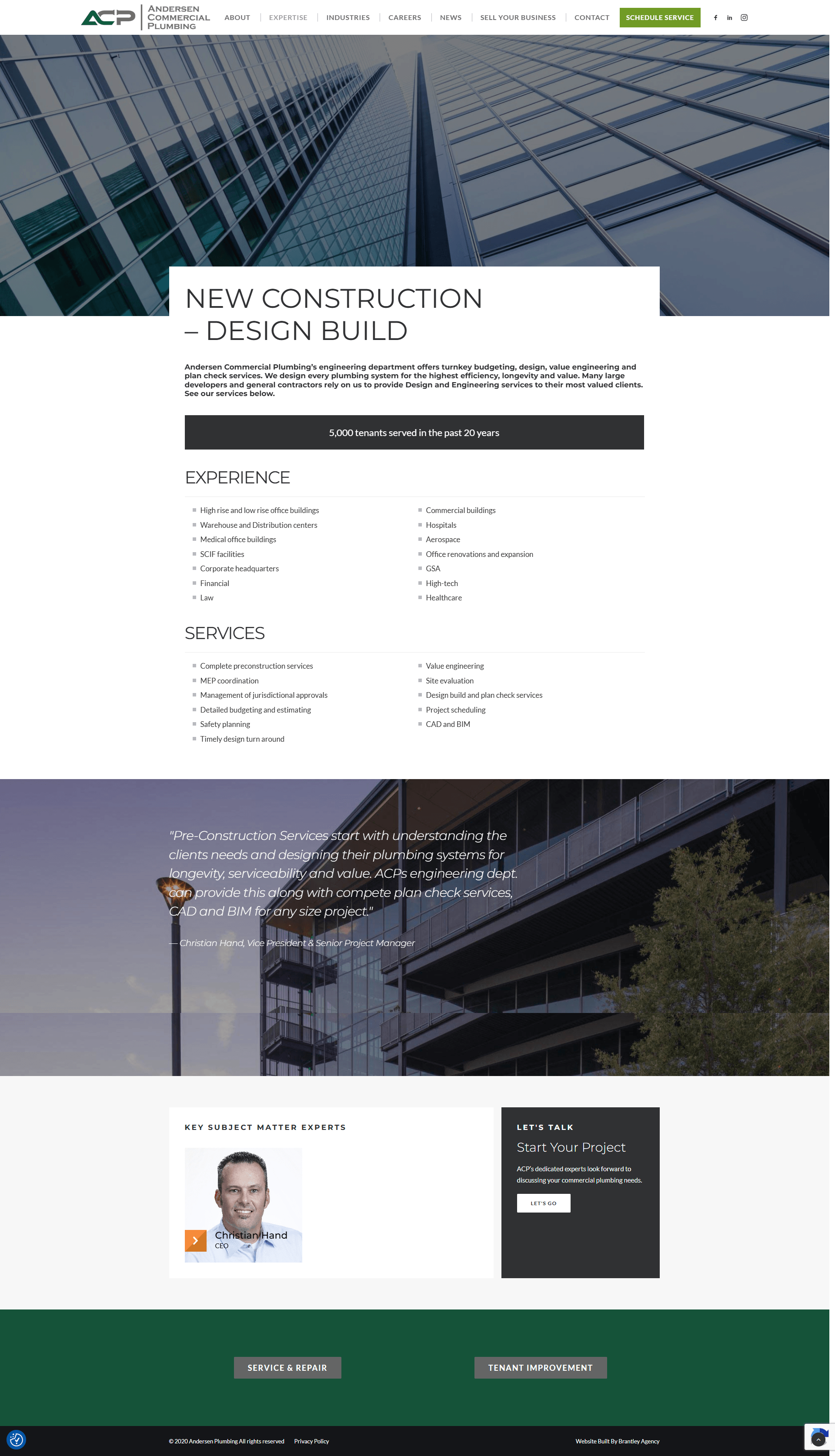
| Andersen Commercial Plumbing | US | Commercial | Design-build expertise | Clarify technical scope |
What Makes a Great Plumbing Website
A great plumbing website combines fast orientation with credible local detail. Visitors need to know what the company does, whether it serves their property and location, and how to make contact. Clear service groups, visible action buttons, readable pages, genuine business information, and useful proof work together to reduce uncertainty without overcrowding the screen.
Use these criteria when reviewing your own site:
- Immediate relevance: State the service, property type, and area near the top.
- Simple actions: Keep call, contact, estimate, or booking routes visible.
- Service hierarchy: Group urgent, planned, and specialist work by type.
- Local detail: Give service-area pages distinct, useful local information.
- Trust presentation: Explain licenses, team information, policies, and review sources.
- Mobile usability: Use readable type, short menus, large targets, and simple forms.
- Speed and accessibility: Compress images, add descriptive alt text, and test real devices.
Best Residential Plumbing Website Examples
Residential plumbing websites serve people who arrive with a specific problem and limited patience. The strongest examples state the service area, divide services into recognizable categories, and keep a contact route close to the decision. These 11 sites also show how national brands, local operators, and 2 global exceptions adapt the same fundamentals to different audiences.
1. Roto-Rooter
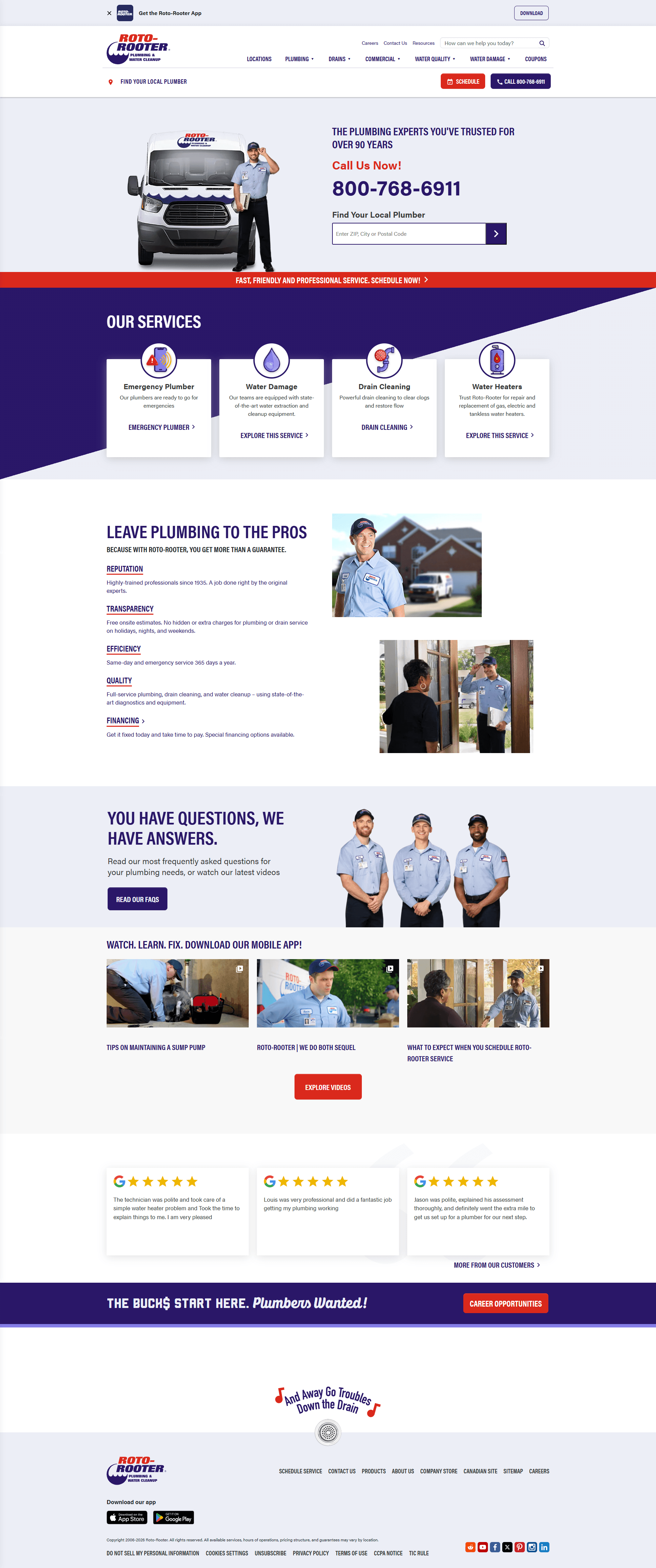
Roto-Rooter addresses homeowners and property customers seeking local service. Its location finder sits beside plumbing, drain, water cleanup, and emergency-service paths. The pairing narrows place and problem without a long company narrative. Place a location check beside the first service choice, then repeat the contact route on detail pages.
2. Benjamin Franklin Plumbing
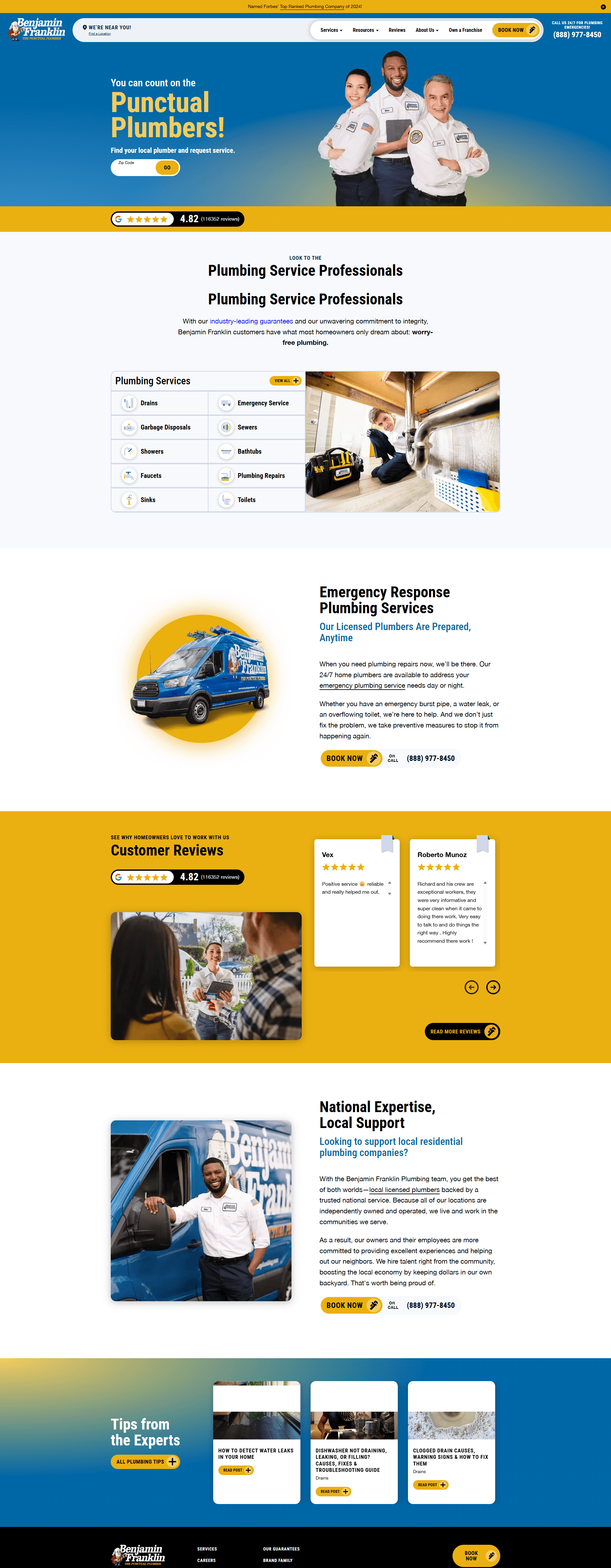
Benjamin Franklin Plumbing serves homeowners comparing a national brand with local operators. A ZIP-based route sits beside services, educational resources, and a promise-led trust framework. That structure supplies a practical next step and supporting detail. Give service promises a dedicated page with plain terms and limitations.
3. Mr. Rooter Plumbing
Mr. Rooter receives residential and commercial visitors through one brand. Its navigation separates those needs, prompts for a location, and provides an appointment route. Each buyer reaches relevant information without sharing an overloaded service page. Split audiences at the top level when services, decision criteria, or intake questions differ.

4. Zoom Drain
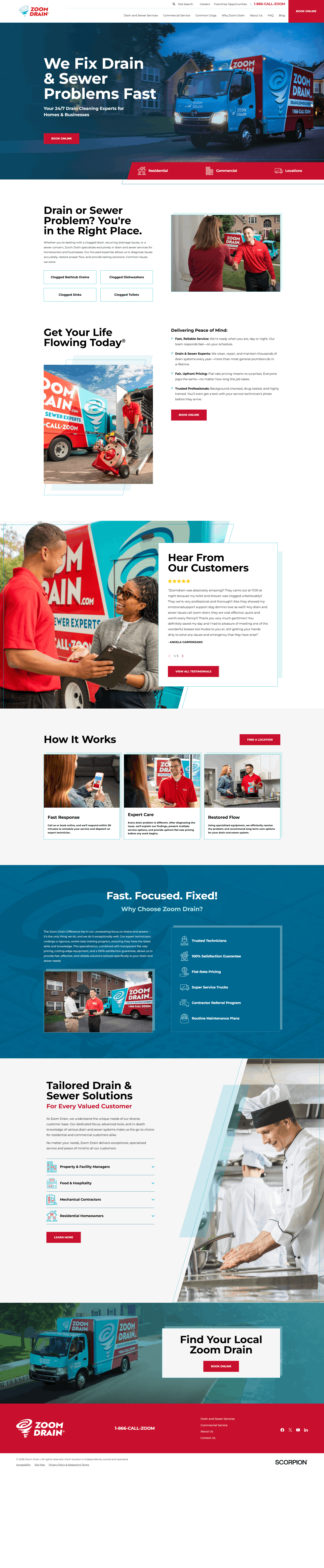
Zoom Drain targets property owners seeking drain and sewer help. Its homepage repeats that specialty, then supports it with clog education and separate residential and commercial paths. The narrow position reduces ambiguity and strengthens related resources. Lead with the problem category your team wants to own, then build service and education pages around it.
5. Hiller
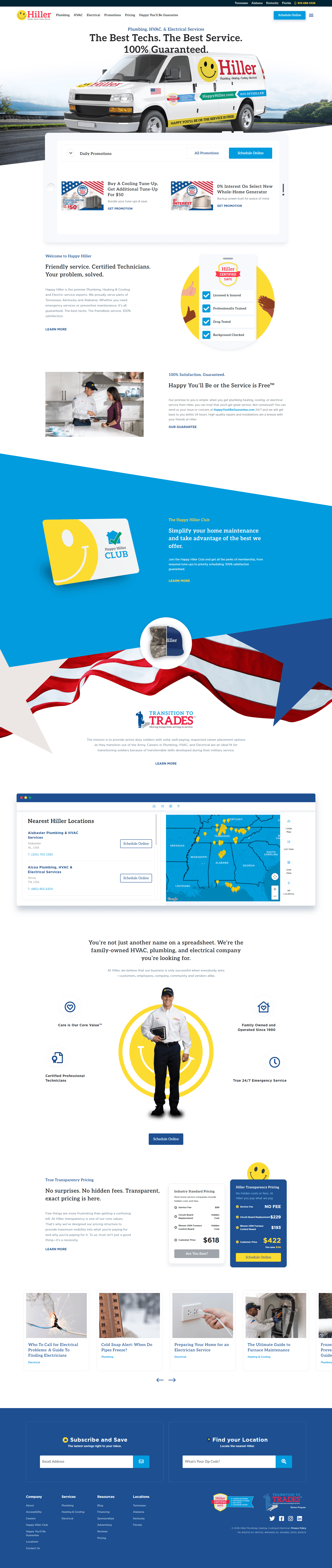
Hiller serves homeowners comparing plumbing with other home services. Plumbing, heating, cooling, and electrical categories anchor its navigation, supported by locations, resources, pricing information, and recurring service. The grouping keeps a broad offer readable. Organize services into recognizable families and separate recurring service from one-time work.
6. Chambliss Plumbing
Chambliss Plumbing speaks to homeowners evaluating a San Antonio provider. Service-led navigation sits beside business information, licensing detail, a gallery, reviews, and named service areas. Specific local information offers more to verify than a generic city claim. Place license and area details near relevant services, then keep them consistent sitewide.

7. Jimmy Joe's Plumbing
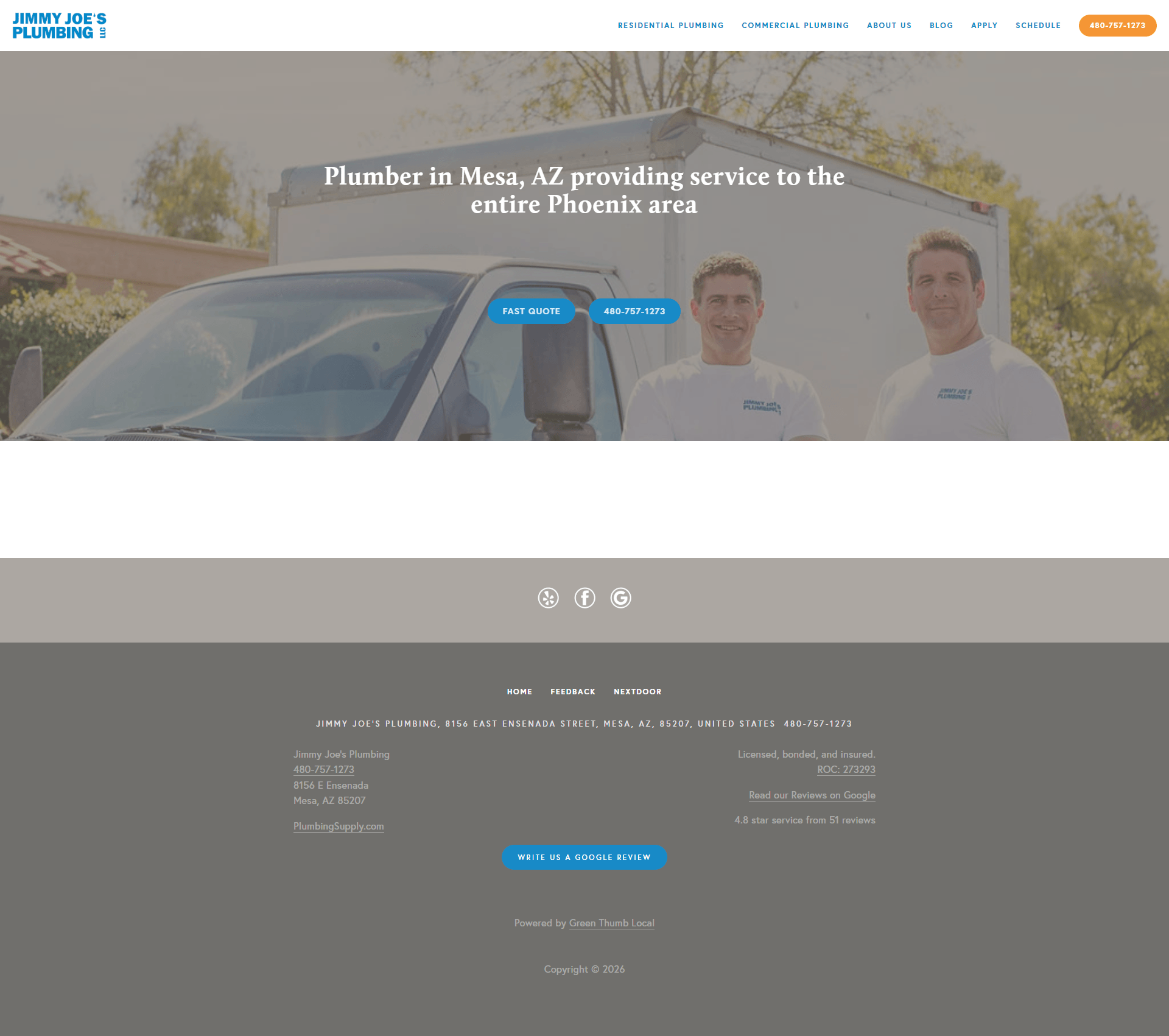
Jimmy Joe's Plumbing addresses local homeowners and businesses seeking a smaller provider. The menu prioritizes residential work while retaining commercial, company, review, location, and blog routes. Its personal tone does not hide decision information. Keep navigation short, write service labels in customer language, and place the company story on a supporting page.
8. Choice Plumbing Orlando
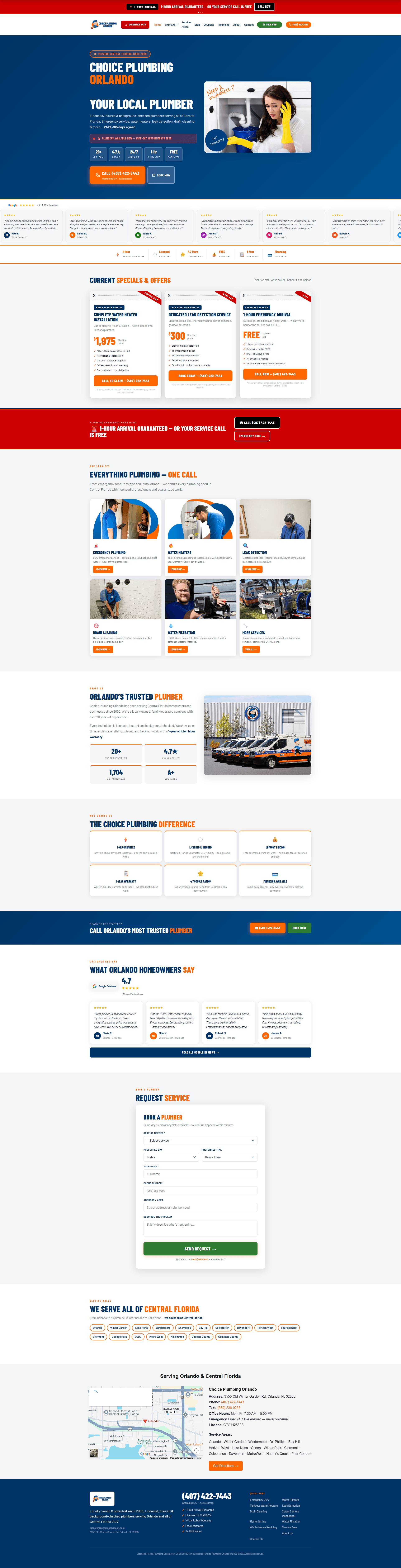
Choice Plumbing Orlando targets local homeowners, including people with urgent problems. An emergency contact route appears beside services, location pages, financing, coupons, and appointment options. Immediate and planned-service visitors receive different paths inside one local structure. Pair the urgent route with useful area pages and keep promotions secondary.
9. George Brazil Plumbing & Electrical
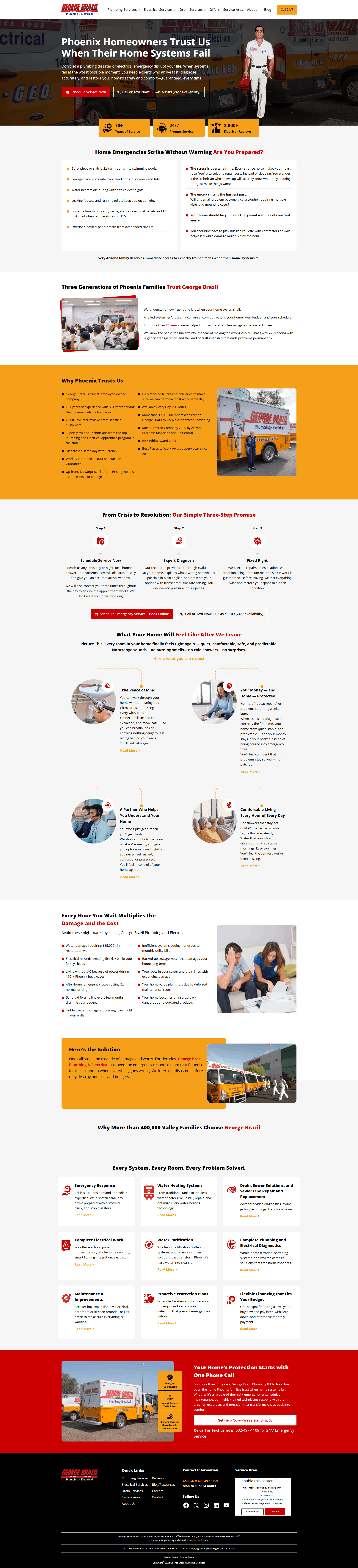
George Brazil serves homeowners choosing among plumbing, electrical, heating, and cooling services. Distinct service pillars, bold brand colors, area content, company information, reviews, maintenance information, and scheduling form its hierarchy. Color and spacing guide attention without replacing descriptive labels. Assign each service family a consistent visual treatment and keep one action dominant.
10. Zebra Plumbing
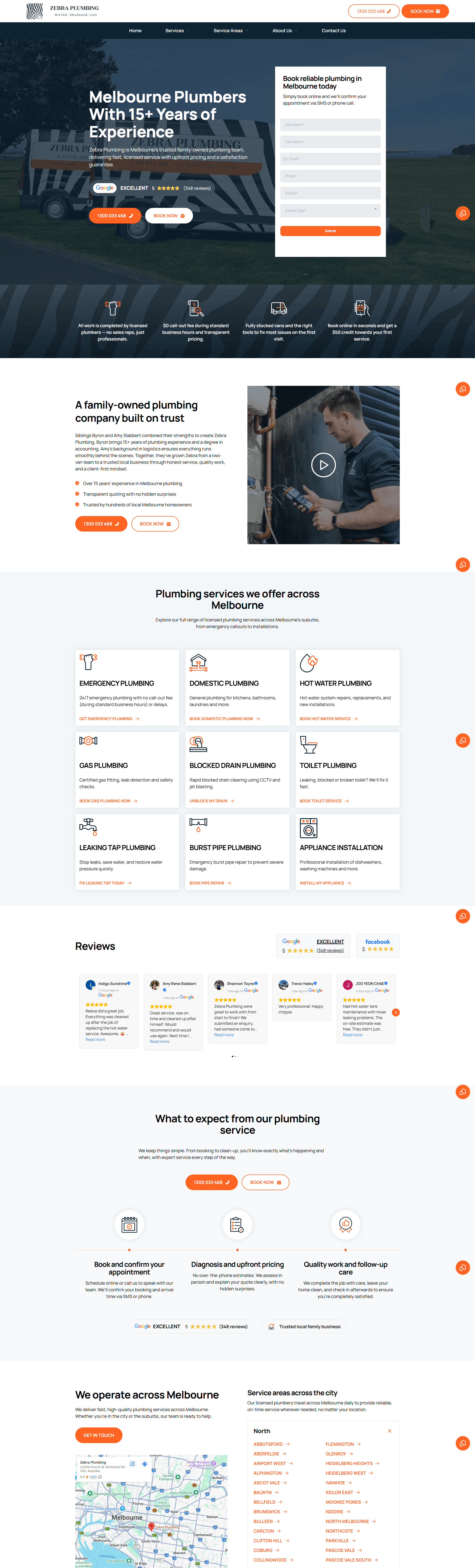
The Zebra Plumbing case study features this global exception for Melbourne homeowners. Its site organizes domestic and emergency services by problem, supports them with regional pages, and keeps booking visible. Visitors see service relevance and geographic fit early. Add genuine local detail instead of swapped place names.
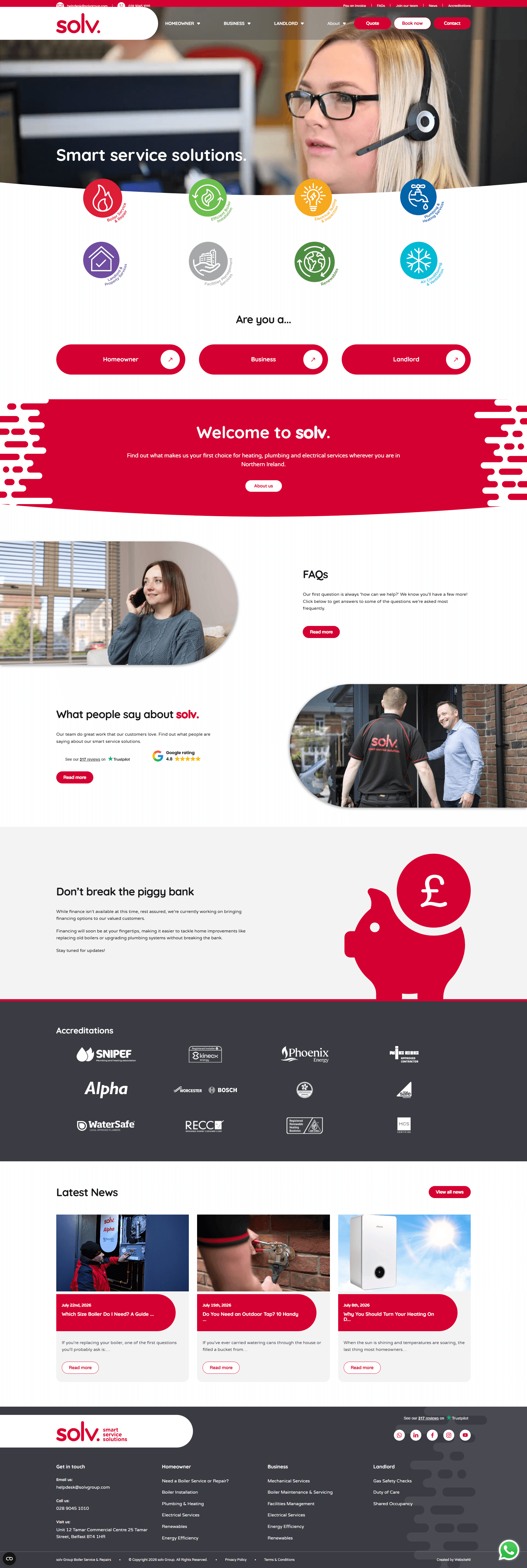
11. Solv
The Solv case study profiles this global exception serving homeowners, businesses, and landlords in Northern Ireland. Customer-type routes separate those services and lead to distinct quote or contact paths. Each audience reaches relevant intake with less sorting. Organize mixed-market navigation around buyer type when forms differ.
Commercial Plumbing Website Examples
A commercial plumbing website must answer different questions from a homeowner site. Property teams, developers, and general contractors look for project fit, technical capabilities, sectors, coordination approach, and a qualified contact path. Strong commercial plumbing websites make that expertise scannable, then support it with project or service detail. The same clarity also matters across commercial service operations.
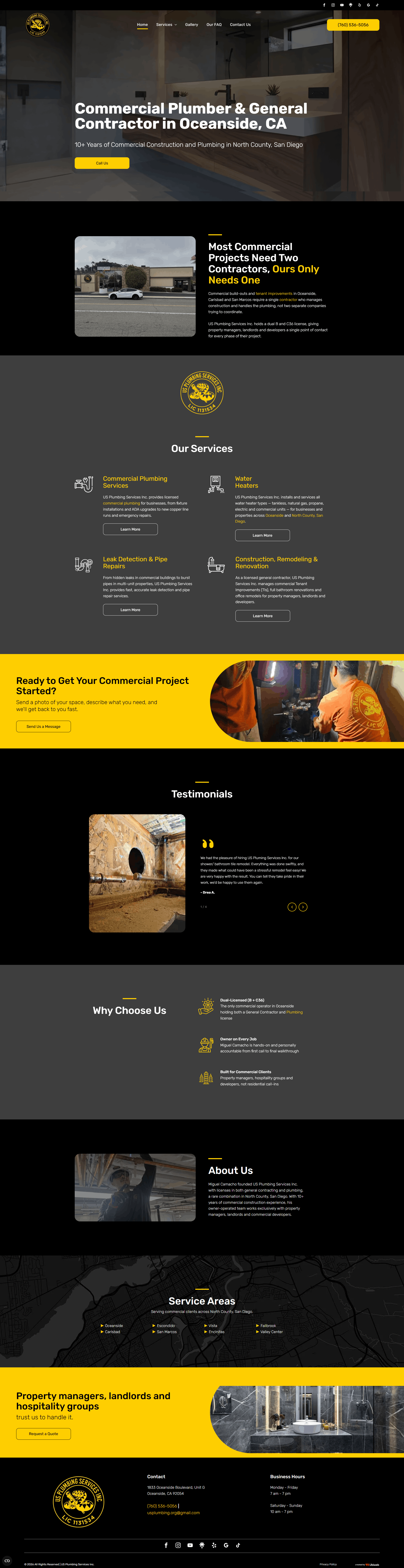
12. US Plumbing Services
US Plumbing Services addresses commercial property managers, landlords, developers, and related buyers. Its site names those audiences and separates construction, remodeling, service information, gallery content, FAQs, and quote routes. Buyers confirm relevance before starting a conversation. Name the customer types served and give each a direct capability and intake path.
13. Power Plumbing
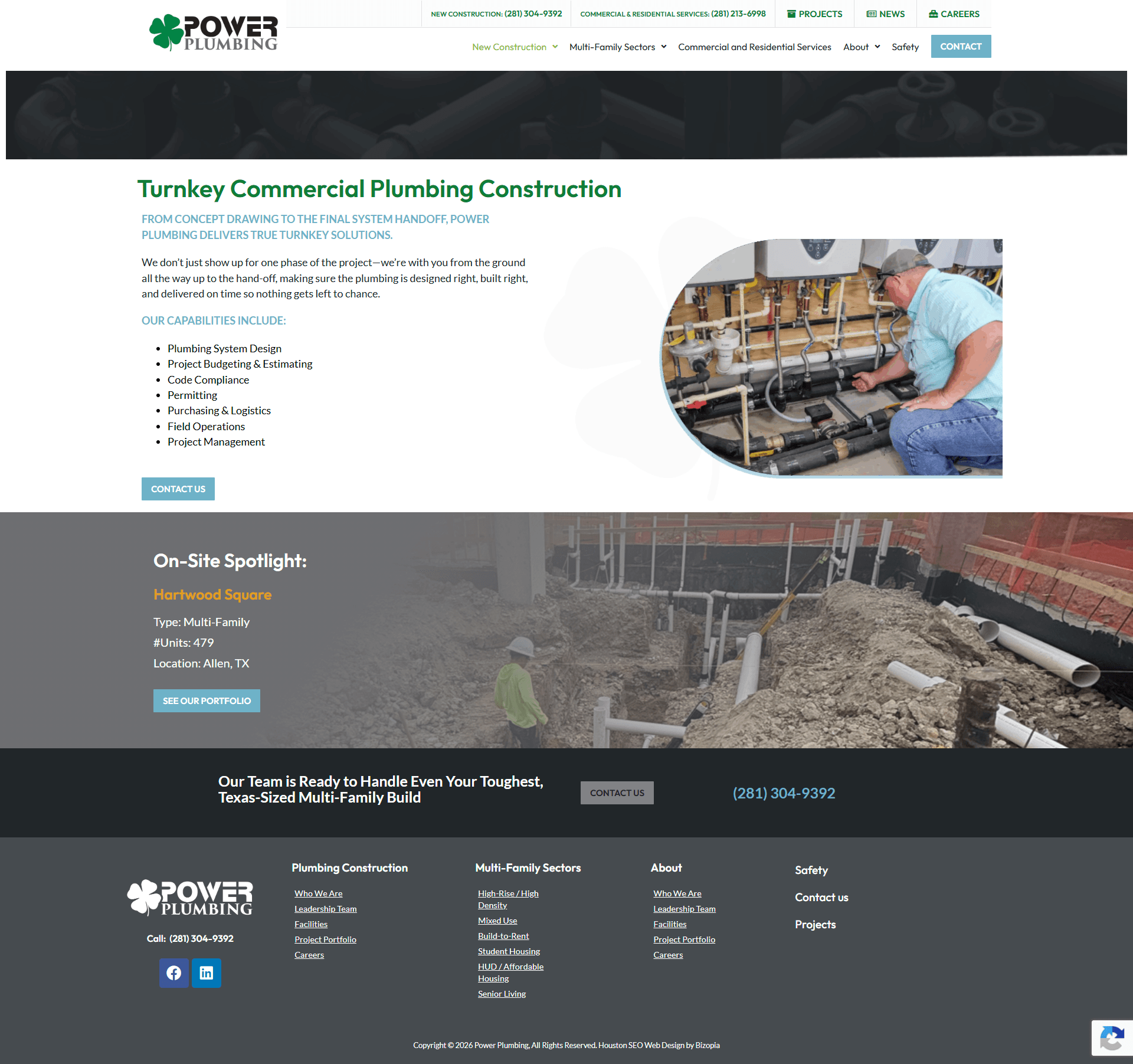
Power Plumbing speaks to general contractors and multifamily project teams. Its construction page covers design, budgeting, code compliance, permitting, logistics, field operations, and project management before linking to a portfolio. Capabilities follow the work sequence instead of one service list. Arrange commercial pages by project stage and pair process detail with portfolio examples.
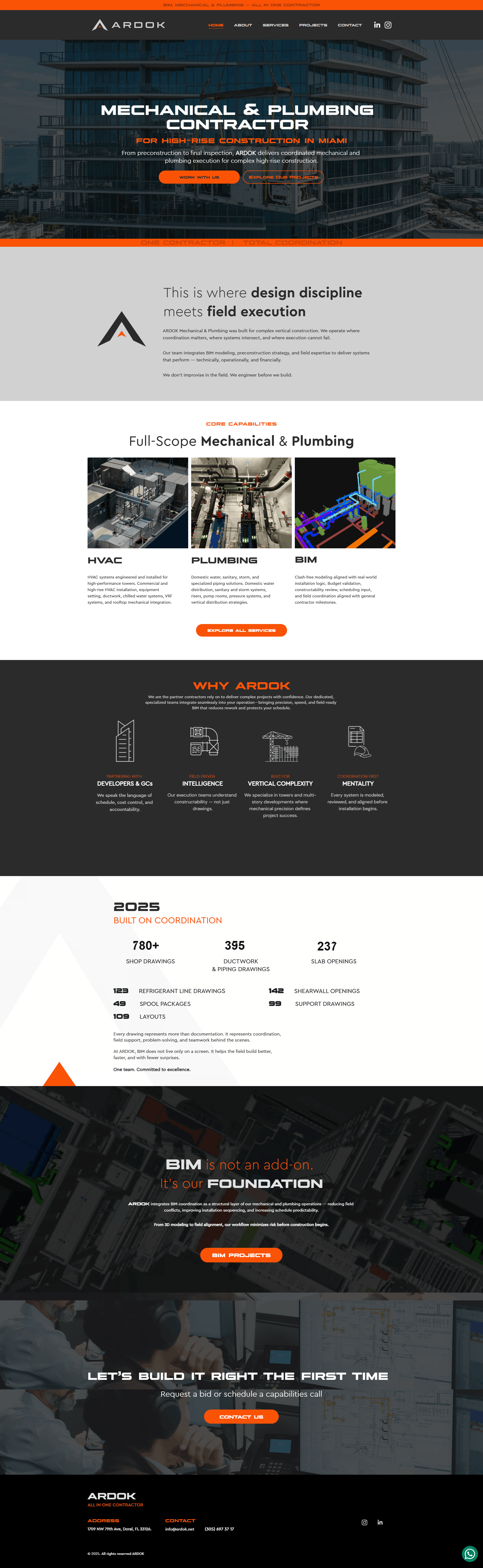
14. ARDOK
ARDOK targets developers and general contractors delivering Miami high-rises. It leads with mechanical and plumbing coordination, then connects BIM, preconstruction, field execution, services, and projects. The narrative makes coordination a buyer-facing capability instead of an internal detail. Explain how design reaches the field and use project pages to demonstrate scope.
15. Andersen Commercial Plumbing
Andersen Commercial Plumbing serves developers and general contractors evaluating design-build expertise. Its page separates preconstruction, value engineering, coordination, approvals, design, estimating, scheduling, safety planning, CAD, and BIM. Industry routes support that technical scope. Convert internal capability lists into buyer-facing project stages and industry paths.
Anatomy of a Great Plumbing Website
The most effective structure moves from recognition to reassurance to action. A visitor first identifies the service and location, then checks the business, process, and proof, and finally chooses a contact route. Build that journey with clear page hierarchy rather than a crowded homepage. Small operators and larger teams need the same fundamentals at different depths.
Put the main action within easy reach
Use one primary action label, such as call or request service. Keep it visible and repeat it after useful service information.
Build distinct service pages
Give each priority service a page covering the problem, scope, process, area, and next step. This also supports SEO for plumbers.
Make local pages genuinely local
Build service-area pages around real coverage, property types, and local details. Connect them to relevant services instead of copying city pages.
Present trust with context
Explain licenses, team qualifications, policies, and processes plainly. Link reviews to their public source and remove claims visitors cannot verify.
Design for phones first
Check menus, tap targets, forms, and phone links on small screens. Use different forms for commercial projects and residential requests.
Use real, descriptive visuals
Show real teams, work, equipment, or projects with permission. Add descriptive alt text. Commercial firms benefit from clear project photography and diagrams.
Connect traffic work to the site
Treat plumbing marketing, local search, and referrals as distinct traffic inputs.
Give plumbing leads a matching landing page and next step based on their source and service need.
Plumbing Website Stats That Prove Design Matters
Current evidence points to 2 practical priorities: make third-party reputation easy to verify and make every page fast and stable. Review behavior affects whether customers continue to a company site, while Google's Core Web Vitals define measurable user-experience thresholds. These figures support better evaluation standards. They do not promise rankings, leads, or conversion gains.
BrightLocal's 2026 Local Consumer Review Survey used a representative panel of 1,002 US adults.
- Review use: 97% of consumers read reviews for local businesses.
- Website check: After positive reviews, 54% of consumers check the business website.
- Recency: 74% only care about reviews written in the last 3 months.
Keep review links current, attributable, and easy to reach from relevant pages.
Google's Core Web Vitals guidance defines these performance thresholds:
- LCP: Largest Contentful Paint within 2.5 seconds.
- INP: Interaction to Next Paint at 200 milliseconds or less.
- CLS: Cumulative Layout Shift at 0.1 or less.
Google recommends measuring at the 75th percentile of page loads, segmented across mobile and desktop. Test both device groups, then fix large images, slow scripts, and shifting layouts.
For wider market context beyond website design, review these plumbing industry statistics.
How to Build or Improve Your Plumbing Website
Start with customer tasks, not colors or templates. Decide which services, locations, and property types the site must explain, then choose a build route that your team maintains. Create the core pages, connect a simple contact process, test the experience on real devices, and measure completed calls or forms without mistaking traffic for booked work.
- Define the job of the site. Choose the priority audience and action. A residential repair site, a multifamily construction site, and a mixed-service business need different entry points.
- Map the minimum pages. Plan a homepage, service pages, service-area pages, about page, contact page, privacy information, and any commercial capability or project pages.
- Choose a maintainable build route. Compare DIY platforms, a freelancer, a custom designer, or an agency by scope, accessibility, ownership, support, and the team's ability to update content.
- Prepare real content. Collect service details, team information, licensing language, photographs, project permissions, process explanations, and public review links before design begins.
- Test the full inquiry path. Submit every form, tap every phone link, review confirmation messages, check analytics events, and confirm who handles each inquiry. Recheck the site after releases and content updates.
Set up Your Plumbing Business for Success
A strong website earns attention and gives the customer a clear way to inquire. The next challenge starts after that contact: capturing accurate job details, preparing the work, assigning the right people, and keeping office and field information connected. Treat the website and the operating system as separate parts of one customer journey.
Once an inquiry is ready to become booked work, Simpro's plumbing software supports the operational handoff across estimating, scheduling, field execution, invoicing, and reporting. It does not replace your website, SEO, or marketing strategy. It gives the team a connected place to manage the work that follows.
See how that workflow fits your business when you book a Simpro demo.
Frequently Asked Questions
These answers cover the practical decisions behind plumbing websites: budget, business need, essential content, and the build process. Cost varies by scope and provider, while the core requirements remain stable: clear services, local relevance, credible business information, usable contact routes, and dependable performance. Treat every estimate as a starting point and verify the final specification.
How much does a plumbing website cost?
Plumbing website costs vary by build route. A 2026 small-business cost guide groups budgets into DIY, freelancer template, custom designer, and agency options. Treat its figures as estimates for planning. Plumbing integrations, content, photography, and local SEO shape the final quote.
| Build route | 2026 guide estimate |
|---|---|
| DIY | $0–$50/month |
| Freelancer template | $500–$3,000 |
| Custom designer | $2,500–$8,000 |
| Agency | From $10,000 |
Do plumbers need a website?
Yes. A website gives a plumbing business an owned place to explain services, areas, qualifications, and contact options. It also gives people somewhere to verify the company after referrals or reviews. BrightLocal's 2026 survey supports that review-to-website behavior, while the site remains only one part of customer acquisition.
What should a plumbing website include?
Include clear service and service-area pages, business and licensing information, phone and inquiry routes, public review links, useful photographs, privacy information, and accessible mobile navigation. Add project and capability pages for commercial buyers. Test speed against Core Web Vitals, and keep every page focused on one recognizable visitor task.
How do you build a good plumbing website?
Define the audience and primary action, map the essential pages, select a maintainable build route, prepare verified business content, and test every contact path. Use a current cost guide to frame budget discussions, set performance targets, and review the site whenever services, locations, or contact processes change.


 Back to top