
Imagine a rooftop-unit replacement across three buildings on a healthcare campus. This type of project behaves like nine or 10 smaller jobs stitched together by one schedule and budget that both have to survive first contact with the field. That's exactly the kind of job this complex job management software guide for commercial HVAC is built around: multi-phase, multi-crew, and running on numbers that have to hold up phase by phase.
What follows breaks down exactly what job management software needs to do at each stage, from the first estimate through the invoice that closes out a $340,000, 14-week install with staged POs and a client expecting a progress claim on schedule.
Key Takeaways
- Complex commercial HVAC jobs need cost centers and a schedule of values, not a single flat job total, so margin erosion shows up mid-project instead of at closeout.
- Progress billing and retainage must be native to the platform. A missed retention release or a hand-calculated percent-complete claim will stall cash flow on a six-figure job.
- POs and subcontractor costs need to post as committed costs when they're issued, not after the vendor invoice finally lands in the inbox.
- The platform should run recurring maintenance contracts and multi-phase installs, because most commercial HVAC service businesses do both from the same back office.
- Simpro® customers report a 30% productivity increase after they combine estimating, job costing, and progress billing into one connected system.
How Commercial HVAC Job Management Software Supports the Full Job Life Cycle
Complex commercial HVAC job management software supports the full job life cycle by enabling a continuous data thread from the first estimate to the final invoice. Nothing from the job gets re-entered, even as it moves between office and field. The stages below illustrate why you need to maintain that continuity — and what happens when you don’t.
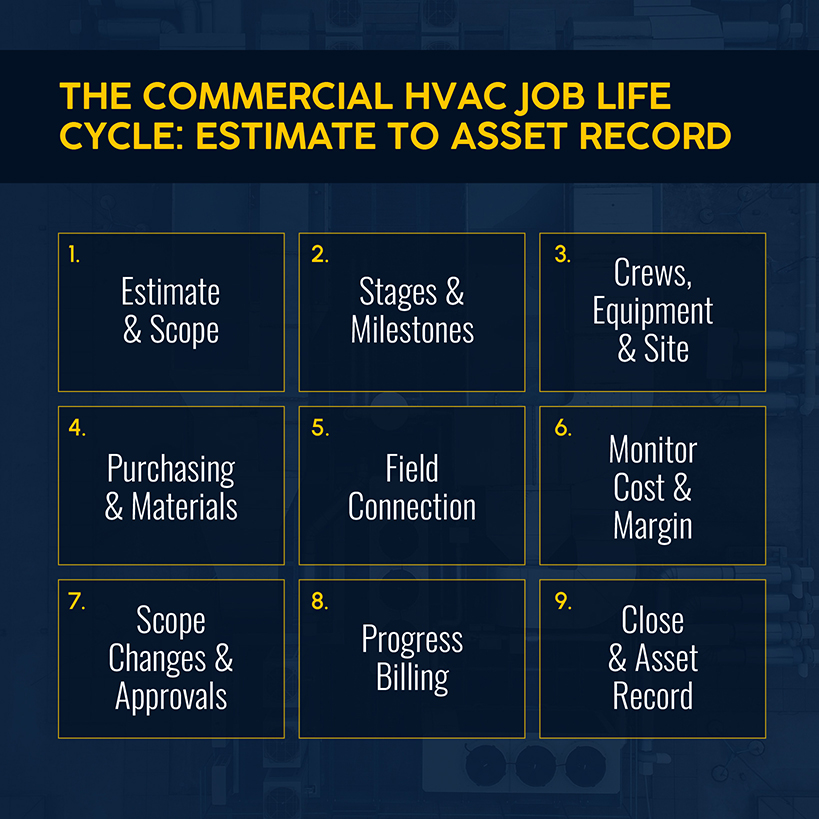
Estimate and Scope the Work
Your commercial bid starts with the CSI MasterFormat divisions that govern the work: Division 01 for bonding, insurance, and submittal requirements, Division 23 for the mechanical scope itself.
Miss a Division 01 requirement, and your bid gets disqualified before anyone looks at the numbers. But when your software can't handle the technical takeoff and compliance checklist in the same estimate, you’re forced to track one of them by hand, increasing the risk of errors and oversights.
For a 30-sheet mechanical set, AI-assisted takeoff tools can read the drawings and return a workable material list faster than a manual count. But that speed only matters if the resulting takeoff moves right into the job estimate instead of sitting in a separate file someone has to reconcile by hand.
Related: Review how to bid HVAC jobs throughout the estimating process, from site survey to final proposal, especially when quoting larger commercial and construction work.
Build the Job Around Stages and Milestones
Once your bid is accepted, the estimate needs to become the job without anyone re-keying the scope. The aforementioned rooftop unit install for a healthcare client typically includes the following phases: design and procurement, rough-in, equipment set, and startup and commissioning.
Each of those phases carries its own labor, materials, and billing milestone. By contrast, software that treats the whole project as one line item can tell you the total contract value, but not whether rough-in is running over while startup hasn't been priced.
The operational fix: Structure every project with cost centers or sections that are mapped to actual phases, not just a generic "labor" and "materials" split. Profitability should be visible phase by phase, not only at the end.
Related: See how to use AI for HVAC estimating to understand where AI can help.
Plan Crew, Equipment, and Site Requirements
It’s one thing to schedule individual techs for service calls. It’s another to schedule a crew of six plus two electrical subcontractors on rough-in. You need schedule-and-dispatch tools that show who's assigned to which cost center, mark which equipment is reserved for which phase, and flag conflicts before a crew arrives at a site with no access. Bulk-scheduling by cost center, not just by individual, is what keeps a healthcare install and two maintenance contracts from competing for the same technician on the same Tuesday.
Site requirements add another layer many scheduling tools ignore, such as crane-access windows, after-hours work restrictions on an occupied hospital floor, or badge requirements and background checks for anyone entering secure areas. None of that should live in a generic calendar. Rather, it needs to attach to the jobsite so whoever builds next week's schedule sees the constraint before double-booking a crew.
Coordinate Purchasing and Materials
Your complex jobs will stage materials over weeks, not days. A distribution center chiller replacement going for $680,000 over a 90-day install will generate POs across mechanical, controls, and electrical scopes, with a variety of suppliers and lead times.
The operational fix: You need a software system that posts the committed cost when the PO goes out, not when the invoice arrives weeks later. Otherwise, the job could look profitable when it’s not.
Related: Our guide to the best HVAC inventory management software shows what real-time stock visibility looks like across warehouses, vans, and active job sites.
Keep Field Teams Connected to the Job Plan
When field technicians are on a multi-week install, they need the same job information as the office: what's been quoted, what's changed, what materials are already on-site.
When that information lives in a technician's head or on a paper job card, every question routes back through the office, and every answer is a guess. The alternative is mobile, on-demand access to site history, notes, and asset details. That keeps your rough-in crew working from the current plan instead of last week's.
Consider a job with two electrical subs and an in-house mechanical crew. If a tech finds a duct run that doesn't match the plans, the fix depends on how quickly that photo, note, and revised material count reach whoever can approve a change order. A five-minute update through the mobile app beats a callback to the office, especially if that call sits in a voicemail until the end of the day.
Monitor Progress, Costs, and Margin
Commercial HVAC companies typically run a 35–50% gross margin on installation work, meaning that a five-percentage-point miss on a $100,000 phase is real money. Unfortunately, many contractors don't find out until the job closes.
Simpro's Breakdown Table shows actual versus estimated cost, by cost center, all while the job is still open. If a phase is tracking at 11% instead of a targeted 16%, you see it while there's still time to fix it. That kind of visibility separates real HVAC business software from glorified invoicing tools.

The operational fix: Pull cost-to-date reports weekly on active projects. Do so at the cost center level, not just at the whole-job level, so you have real-time visibility into margin.
Manage Scope Changes and Approvals
A change order on a $680,000 chiller replacement carries real weight and requires deft customer service, as you’ll need approval before work starts and a documented reason that the contract value moved.
If your software can't route a variation through approval and update the schedule of values in the same step, your business gets stuck with scattered email threads, which risks a billing dispute six weeks later when nobody can point to who signed off on what.
Bill the Customer as Work Progresses
Residential service often means a service ticket gets closed out the same day. But commercial HVAC operates on progress billing tied to percentage of completion, with retainage held back and released on schedule. These are both standard practices in the HVAC industry, but very different.
Simpro's progress claim workflow lets a contractor claim a percentage of the total value, a manual amount, or a per-item amount, with a request-for-claim step that requires customer approval before anything posts to accounting. On a job with 8% retainage held across five milestones, that approval step prevents a rejected claim from becoming a voided invoice.
Close the Project and Create the Asset Record
The install doesn't end at the final invoice. Every unit, control board, and piece of equipment you install becomes an asset record that feeds the next maintenance contract. If you're running a multi-branch HVAC operation with 40 active planned maintenance agreements across three branches, you need that handoff to happen automatically.
By contrast, if asset data and the relevant job live in separate spreadsheets, someone has to re-create it by hand before the first PM visit can even be scheduled.
How Connected Job Management Improves Commercial HVAC Performance
The commercial HVAC market is projected to grow to $73.24 billion from 2025–2031, an 8.27% compound annual growth rate, according to Mordor Intelligence. That type of growth is why software for managing complex HVAC jobs has stopped being optional for contractors with revenue of $1 million or more. More volume moving through the same back office means more chances for a project to derail.
The Construction Industry Institute estimates that direct field rework ranges from 2–20%, depending on project type and management quality. On a $340,000 rooftop unit contract, even a 5% rework rate is $17,000 in avoidable cost. Most of it traces back to poor coordination and cost visibility rather than bad workmanship.
Connected job management doesn't eliminate rework, but it shortens the distance between a cost overrun happening and someone noticing it.
Elmleigh System Integration Specialists, a UK-based automation contractor running complex electrical and mechanical projects for manufacturing clients, credits project-focused workflows and real-time cost visibility with supporting a 30% annual growth rate over seven years. This steady growth is less about tools and more about keeping track, long term, of what jobs cost while they’re still open.
Related: Learn about HVAC KPIs that protect margin by flagging problems before they show up in the financials.
What to Look for in Commercial HVAC Job Management Software
Whether you're building a shortlist from scratch or pressure-testing a platform you're already demoing, use this as a software guide for managing multi-stage HVAC jobs, not a one-time checklist you fill out and forget.
| Capability | What It Prevents |
|---|---|
| Estimate-to-job conversion | Rebuilding the scope and schedule of values from scratch every time a bid gets accepted |
| Cost centers or project stages | Reporting margin at the whole-job level only instead of by phase |
| Progress billing and retainage | Tracking percent-complete claims and retention release dates in a spreadsheet by hand |
| Subcontractor and purchase order management | Discovering committed costs only when the vendor invoice arrives |
| Field-captured timesheets | Reconstructing labor hours after the fact instead of costing them the same day |
| Asset and maintenance history | Losing the equipment record when a project hands off to a service agreement |
| Accounting integration | Re-entering job costs, invoices, and payroll by hand in a second system |
Questions to Ask During a Software Demonstration
Every demo looks smooth from the sales side. These are the questions that help you identify the top HVAC software solutions.
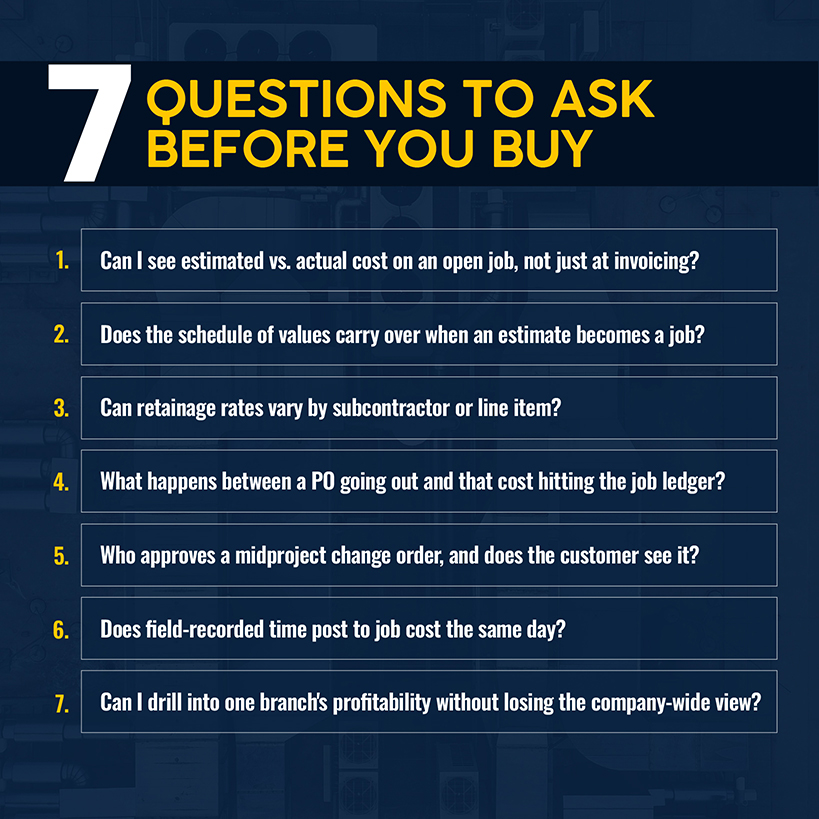
- Can I see a report showing estimated versus actual cost on a job that's still open, rather than just at invoicing?
- Walk me through converting an accepted estimate into an active job. Does the schedule of values carry over, or does someone rebuild it?
- How does the system calculate retainage? Can the rate vary by subcontractor or line item?
- Show me what happens between issuing a PO and that cost hitting the job ledger.
- When a change order comes in mid-project, who approves it, and how does the customer see the updated contract value?
- How does time and material usage recorded in the field get posted to the job cost? Same day, or after a batch upload?
- Can I run a report across multiple branches while still drilling into one branch's job-level profitability?
Manage Every Commercial HVAC Job From One Connected Workflow
Somewhere in your active job list right now, a cost center is running behind budget undetected because the quote was approved. The cause is often a gap between what the software tracks and what the job needs tracked, rather than a staffing problem or a bad crew.
That gap is what HVAC job management software for commercial work should close: estimating, project stages, purchasing, field timesheets, progress billing, and asset records, all posting to the same job-cost ledger instead of living in four disconnected tools. When you can flag these problems while the job is open, you can pinpoint whether that $680,000 chiller replacement is tracking toward a 14% margin or an 8% one — and whether there’s enough runway to fix it before the invoice lands.
Simpro connects that entire life cycle, from the first quote to the final retention claim, for commercial HVAC contractors running installs, retrofits, and the service agreements that follow them, all from the same operation. Schedule a demo to learn more.
Frequently Asked Questions
Can HVAC job management software handle projects and service calls?
Yes, but only if project structure and service-call workflows share the same platform instead of living in two disconnected tools. Simpro can handle a six-figure install and a same-day maintenance visit from the same customer, site, and asset history, so HVAC technicians on a service call can see the equipment a project team installed 18 months earlier.
Can commercial HVAC software support multiple branches?
Yes. Multi-branch operations need cost centers and business groups that report separately by branch while still rolling up to a company-wide view. The right software lets office staff and regional managers see one branch's job profitability without losing the consolidated picture requested by leadership.
Does HVAC job management software integrate with accounting systems?
It should. Job costs, invoices, POs, and payroll need to sync with your accounting package instead of requiring manual re-entry. That kind of real-time sync depends on the platform being cloud-based rather than a desktop tool requiring a nightly export. Simpro connects to accounting packages, including QuickBooks, Xero, and MYOB, posting job-level income and expenses through cost centers that are mapped to your chart of accounts.
What information should be migrated into a new platform?
At minimum, include: active customer information and site records, cost-to-date data for jobs already in progress, open POs and their committed costs, asset and equipment service history, your price book or catalog, and enough historical invoice data to support warranty lookups going forward. Migrating a job mid-phase without its cost-to-date data is how a contractor loses sight of a project’s baseline.


 Back to top