
Running HVAC field operations without the right mobile tools means your technicians waste hours every day on paperwork, phone calls, and manual updates instead of completing jobs. The best mobile apps for HVAC technicians close that gap — putting job details, customer history, time tracking, and invoicing directly in the field.
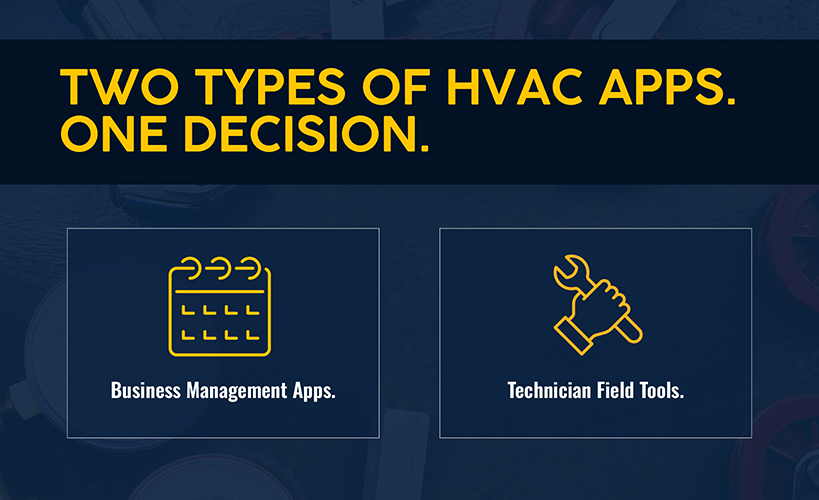
But not every HVAC app solves the same problem. The market falls into two categories:
- Business management apps that run your entire operation from dispatch to accounting.
- Technician field tools built for on-site diagnostics and calculations.
Conflating these tools or picking from the wrong category is one of the most common and costly mistakes HVAC contractors make.
This guide covers both types. Whether you're a growing HVAC business or a technician who needs faster answers on the job, you'll find the right mobile solution here.
How to Choose the Right HVAC Mobile App
Not all apps are the same. HVAC industry mobile apps fall into two categories:
Business management apps handle operations: scheduling, dispatching, invoicing, job costing, inventory, and accounting integration. These are platforms for HVAC business owners and operations managers who need full visibility into field activity. Technicians also use them for clocking time, completing job cards, and collecting payments.
Technician field tools are designed for the technician's hands. Refrigerant calculators, equipment diagnostic apps, and duct-sizing tools solve specific on-site problems. They help technicians diagnose faster and make the right fix the first time. They aren’t designed to manage your schedule or send invoices.
What to Look for in an HVAC Mobile App
More than 70% of HVAC field service software deployments are now mobile-first, according to market research. The best mobile solutions for HVAC contractors prioritize these capabilities:
- Mobile-first usability: Built for a 6-inch screen in the field, rather than a desktop interface crammed onto mobile
- Offline access: Can support HVAC work in basements, remote areas, and other locations without internet connectivity
- On-the-job access: Surfaces full site history, customer notes, and equipment records before arrival
- Scheduling and dispatch visibility: Real-time updates, with push notifications for changes
- On-site invoicing and payments: Can generate, send, and collect payment before leaving the driveway
- Inventory and parts lookup: Real-time van stock and warehouse availability
- GPS tracking and routing: Route optimization between service calls.
- Integrations with other software: Eliminates manual re-entry into accounting, CRM, and payment systems.
Related: Are you tracking the right HVAC KPIs in your business?
Best HVAC Mobile Apps at a Glance
Here’s a quick comparison of top HVAC apps designed for mobile use.
| Tool | Best For | Type of App | Key Mobile Use Case |
|---|---|---|---|
| Simpro® | Growing HVAC businesses (5+ techs) | Business management | Full job life cycle: dispatch, time tracking, invoicing, asset management, offline sync |
| Housecall Pro | Small to midsize residential operations | Business management | Drag-and-drop dispatch, automated customer follow-up, on-site payment |
| Jobber | Residential businesses (1–10 techs) | Business management | Simple scheduling, quoting, invoicing, and mobile payments |
| Service Fusion | Budget-conscious teams scaling headcount | Business management | Flat-rate, unlimited-user pricing, GPS fleet tracking, QuickBooks sync |
| Bluon | Individual HVAC technicians | Diagnostic/field tool | 500,000+ model database, AI troubleshooting, live tech support |
| measureQuick | Technicians needing real-time diagnostics | Diagnostic/field tool | Bluetooth probe integration, live performance data, data logging |
| HVAC Duct Sizer | Technicians calculating duct sizes on-site | Field utility | Duct run and size calculations via constant friction method |
| HVACR Check & Charge (Copeland Mobile) | Techs calculating refrigerant charges | Field utility | On-site refrigerant charge calculations, bundled into the broader Copeland Mobile tool |
| CoolCloud HVAC | Techs servicing Goodman/Amana equipment | Diagnostic/field tool | Equipment diagnostics, firmware updates, settings via Bluetooth |
Mobile Business Management Apps for HVAC Contractors
These platforms are built for HVAC business owners, operations managers, and field service managers running teams of technicians. They're not just scheduling apps — they're the connective tissue between field activity and back-office systems.
1. Simpro® — Best for Growing HVAC Businesses Managing Multiple Jobs and Teams
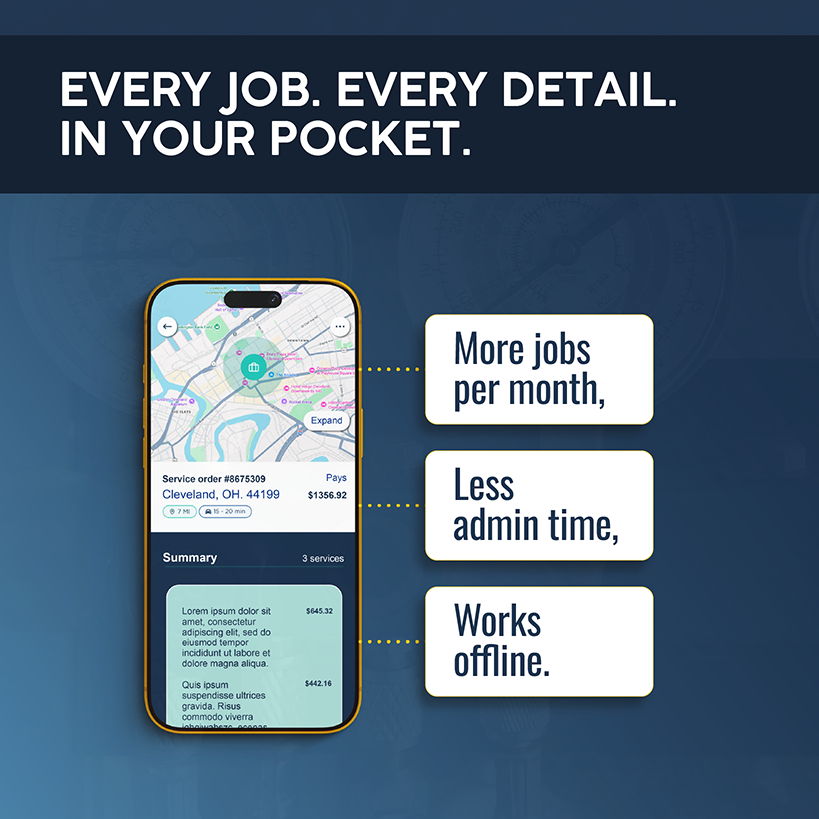
Simpro is an AI-first field service management (FSM) platform purpose-built for trade businesses, including contractors specializing in heating, ventilation, and air conditioning. This platform covers the full job life cycle: quoting, scheduling, dispatching, time tracking, inventory, invoicing, asset management, and accounting integration, all accessible from mobile in the field.
More than 24,000 businesses and 250,000+ users rely on Simpro’s HVAC software to run their field operations.
Where Simpro stands out for HVAC companies is operational depth. It handles service calls, preventive maintenance contracts, and multistage commercial HVAC projects on the same platform. For businesses that have outgrown basic scheduling apps, Simpro connects the field and office in a way that drives accountable, scalable operations.
Key Mobile Features
- Mobile field service job app with full site history, customer notes, and equipment records on-device
- Clock in/out with travel time tracking and automatic billable vs. non-billable hour separation
- Photo capture and service notes, synced in real time to the back office
- Digital signatures from technicians (compliance) and customers (job acceptance and invoice signoff)
- On-site invoicing and payment collection via Stripe and Square
- QR/barcode asset scanning, with full equipment service history and warranty status
- Parts lookup, real-time inventory levels, and van-to-warehouse stock transfers from the field
- On-site quoting with instant quote-to-job conversion
- Two-way accounting sync with QuickBooks, Xero, and others
- Available on iOS and Android with full offline functionality, plus automatic sync on reconnect
Pricing
Custom pricing for 5+ users. Contact Simpro for a quote. Available on iOS and Android.
2. Housecall Pro — Best for Small and Midsize Residential HVAC Operations
Housecall Pro is built around ease of use and speed. Drag-and-drop dispatch, automated post-job follow-up texts, and straightforward invoicing make it a strong fit for HVAC businesses prioritizing customer experience. It can become expensive as headcount scales. Rated 4.7/5 on Capterra across 2,700+ reviews.
Key Mobile Features
- Job scheduling and dispatch from mobile
- On-site invoicing and credit card payment
- Automatic updates to techs via phone notifications
- Automated customer follow-ups after the job is done
- Offline mode and flat-rate pricing in the field
Pricing
Basic: $59/mo (single user). Essentials: $149/mo (up to five users). MAX: $299/mo (up to eight users, $35/user/mo for additional users). No long-term contracts. Available on iOS and Android.
3. Jobber — Best for Residential HVAC Businesses With 1–10 Technicians
Jobber is a highly rated, affordable FSM platform for small and growing home service businesses. The mobile app scores 4.8/5 on iOS and 4.4/5 on Android. Jobber is best suited for residential operations, as commercial job costing and multi-location asset management are outside its scope.
Key Mobile Features
- Schedule access, job details, checklists, and photo documentation
- Automatic time tracking from the job site
- Route optimizing and GPS dispatching
- On-site quoting, invoicing, and payment (credit card, ACH, Tap to Pay)
- AI-drafted quotes based on job history
Pricing
Single-user pricing starts at $49/mo (Core). Team-based pricing starts at $199/mo (Connect, up to 5 users). Available on iOS and Android with offline mode.
4. Service Fusion — Best for Budget-Conscious HVAC Businesses With Growing Field Teams
Service Fusion's key differentiator is flat-rate pricing with unlimited users. Growing businesses don’t need to worry about added cost just because they’ve hired more technicians. Strong for HVAC businesses adding headcount who need GPS tracking, e-signature, QuickBooks sync, and invoicing at a predictable monthly cost.
Key Mobile Features
- Enables scheduling, assignment, and dispatching of jobs
- Invoice generation and payment collection in the field
- Customer history, equipment details, and e-signature
- Tracking of time and job progress
- QuickBooks integration
Pricing
Starter: Tiered pricing, but with unlimited users. Available on iOS and Android.
Mobile Apps for HVAC Technicians (Diagnostics and Field Tools)
These apps are designed for the technician to use on the job. They don't manage schedules or send invoices, but they do help HVAC professionals diagnose systems faster, pull equipment specs without leaving the job site, and calculate what’s required to apply the right fix, the first time. Many HVAC companies use this type of mobile app alongside a business management platform.
5. Bluon — Best Diagnostic Reference App for HVAC Technicians
Bluon provides instant access to specs, manuals, wiring diagrams, and parts lists for over 500,000 HVAC equipment models. Its MasterMechanic AI troubleshooting engine was trained on a large database of real service calls. Live HVAC tech support is included at no cost.
Key Mobile Features
- Model number lookup for 500,000+ HVAC units
- AI-guided troubleshooting trained on 135,000+ service calls
- Equipment specs, manuals, wiring diagrams, and parts lists
- Live tech support and parts sourcing
- Integrates with some platforms, such as Housecall Pro
Pricing
Free. Available on iOS and Android, with partial offline functionality.
6. measureQuick — Best for Real-Time System Performance Diagnostics
measureQuick connects via Bluetooth to test instruments and probes, pulling real-time readings into a guided diagnostic workflow. Commonly used for commissioning, troubleshooting airflow issues, and documenting system performance before and after repairs.
Key Mobile Features
- Bluetooth integration with test instruments for live data capture
- Real-time system performance analysis and diagnostics
- Data logging and before/after documentation
- Custom checklists
- Step-by-step guided diagnostics
Pricing
Free tier available; paid plans for full feature access. Available on iOS and Android.
7. HVAC Duct Sizer — Best for On-Site Duct Sizing Calculations
A focused utility app for calculating duct runs and sizes using the constant friction method. Technicians can use HVAC Duct Sizer on-site to confirm sizing for new installs or retrofit work, all without consulting reference tables or performing manual calculations.
Key Mobile Features
- Duct sizing via the constant friction method
- Support for rectangular, round, and oval ducts
- Quick calculations for friction rate, velocity, and cubic feet per minute
- Full offline capability
- Export inputs and results to spreadsheets
Pricing
Low-cost paid app. Available on iOS and Android.
8. HVACR Check & Charge (Copeland Mobile) — Best for Refrigerant Charge Calculations in the Field
HVACR Check & Charge calculates the correct refrigerant charge from system parameters entered on-site. Reduces guesswork and time on charging procedures across residential and light commercial systems. Formerly a standalone app, it’s now folded into the Copeland Mobile app.
Key Mobile Features
- On-site refrigerant charge calculation for multiple refrigerant types
- System parameter inputs for accurate charging guidance
- User-friendly interface designed for the field
- AI-powered chatbot
- Part of a broader app for HVACR professionals
Pricing
Free. Available on iOS and Android.
9. Coolcloud HVAC — Best for Technicians Servicing Goodman and Amana Equipment
CoolCloud communicates directly with Goodman and Amana HVAC systems via Bluetooth to pull fault codes, update firmware, and adjust settings without disconnecting equipment. Significantly reduces diagnostic time on those systems.
Key Mobile Features
- Adds wireless diagnostic capabilities
- Bluetooth communication with Goodman and Amana systems
- Real-time fault code diagnostics and system status
- Firmware updates and equipment settings adjustment from mobile
- Includes historical data and notes for jobs
Pricing
Free. Available on iOS and Android.
Technician Apps vs. Contractor Software: Which Do You Need?
The distinction between technician apps and software for HVAC business isn't about quality. Your choice depends on which problem you're trying to solve.
Choose technician field tools when:
- You're a solo operator or small team handling scheduling via phone or a basic calendar.
- Your main friction point is time spent looking up equipment specs or calculating refrigerant charges.
Apps like Bluon, MeasureQuick, and HVACR Check & Charge (Copeland Mobile) help technicians go faster with technical work. They're additive tools, not operational platforms.
Choose a business management app when:
- You're running a team of HVAC technicians.
- Your problems are operational: scheduling conflicts, lost billable hours, late invoices, technicians calling the office for job details.
If that sounds like you, a business management app can make a big difference in lost technician hours and delayed cash flow. For HVAC companies at $500,000+ in revenue with 3+ technicians, a platform like Simpro creates operational leverage.
A 10-technician HVAC company without an FSM platform typically loses 2–3 hours per technician daily to admin work. That figure can fall by 75% when you automate time tracking, job cards, invoicing, and inventory. Plus, you add hours of billable capacity without adding headcount.
Consider both app types when:
- You're a growing HVAC business with multiple technicians and a mix of residential service calls and commercial work.
In this case, your team needs a business management platform to run operations. Meanwhile, apps like Bluon or MeasureQuick make the job easier for individual technicians on complex jobs. These categories aren't mutually exclusive; they solve different parts of the same workflow.
Related: Struggling with estimation? Read our guide to HVAC estimating apps.
Choose the Right HVAC Mobile App for Your Workflow
If your technicians are still calling the office for job details, submitting paper timesheets at the end of the week, or taking days to send invoices — that's a mobile operations problem, not a technician problem.
Individual technicians and small crews might be able to cover day-to-day work with Bluon and a basic scheduling tool. For HVAC contractors managing teams, preventive maintenance contracts, and complex commercial jobs, a business management platform unlocks productivity and revenue gains without requiring additional overhead. TEAMWired, for example, found that technicians completed 2x as many jobs per day after the company implemented a comprehensive FSM platform.
Simpro is built for HVAC businesses that have outgrown basic tools and need a platform that connects field operations to the back office without manual reentry or end-of-week reconciliation.
Schedule a demo to see how Simpro's mobile app works for HVAC businesses at your scale.


 Back to top