
The HVAC industry runs on speed, precision, and trust, and the best HVAC apps make all three easier. From dispatching emergency calls to calculating refrigerant charge on the roof, today’s tools give contractors the edge to work faster, cut errors, and keep customers happy.
In this guide, we’ve rounded up 17 of the best HVAC apps for 2025, covering:
- All-in-one service management platforms that connect the office and field
- Diagnostics and troubleshooting apps to spot faults quickly
- Calculation and reference tools to avoid costly mistakes
- Training apps to keep technicians certified and sharp
Each pick was chosen for its features, fair pricing, and strong user reviews on platforms like G2, the App Store, and Google Play. Whether you’re a solo contractor or running a multi-crew operation, these apps can help you work smarter.
TL;DR
| App | Best for… | Pricing (starts from) | User rating |
|---|---|---|---|
| Simpro | End-to-end job & asset management (SMB → mid-enterprise) | Request Pricing | 4.1/5 on G2 |
| ServiceTitan | Enterprise-grade HVAC operations & analytics | Request Pricing | 4.5/5 on G2 |
| Housecall Pro | Simple, fast setup for residential service teams | From $59/mo | 4.3/5 on G2 |
| FieldEdge | HVAC-specific workflows & quoting | Request Pricing | 4.1/5 on G2 |
| Jobber | Affordable field service suite with strong mobile UX | From $39/mo | 4.6/5 on G2 |
| Bluon HVAC | Parts lookup, manuals & live tech support | Free | 4.8/5 on iOS |
| iManifold | Advanced diagnostics with a hardware ecosystem | Free (Pro+ Subscription from $19.95) | 3.1/5 on iOS |
| MeasureQuick HVAC | Universal, AI-assisted diagnostics & reporting | Free or $49/user/mo | 2.4/5 on Google Play |
| CE HVAC Pro+ (Carrier Enterprise) | Real-time parts, inventory, docs, warranty | Free | 4.7/5 on iOS |
| CoolCloud HVAC | Goodman/Amana board-level diagnostics | Free | 2.1/5 on iOS |
| HVACR Check & Charge (Copeland) | Fast superheat/subcool charge calcs | Free | 4.8/5 on iOS (US) |
| Ref Tools (Danfoss) | Refrigerant slider + multi-tool suite | Free | 3.8/5 on iOS |
| HVAC Buddy | Refrigerant charging & PT data | ~$9.99 one-time | None available |
| Duct Calculator Elite | Duct sizing & pressure drop on the fly | $6.99 one-time | 4.7/5 on iOS |
| HyTools (IMI Hydronic) | Hydronic calcs (flow, ΔT, valve setting) | Free | 4.0/5 on iOS |
| HVAC School | Free tips, tools & podcast for techs | Free | 4.7/5 on Google Play |
| SkillCat | EPA 608 & trades training on mobile | 3 days free then $10/mo | 4.9/5 on iOS |
Best All-in-One HVAC Service Management Apps
The best HVAC service management apps handle the real challenges of running a service business. Keeping preventive maintenance visits on track, avoiding missed invoices, giving technicians mobile access to asset history, and making sure every job is profitable. These tools connect the office and the field so you can manage jobs end-to-end, reduce admin, and deliver better customer service.
Simpro
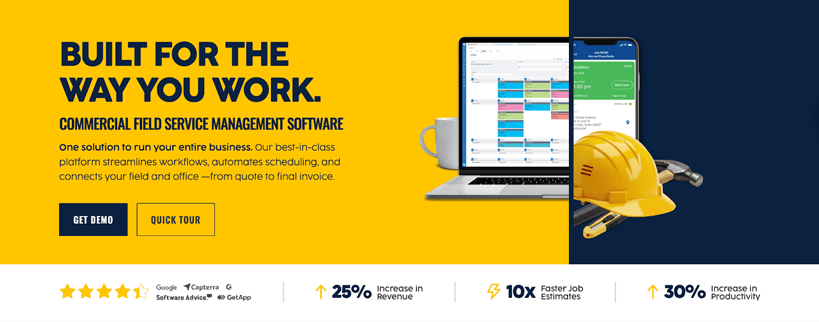
Simpro is purpose-built for trade and field service businesses that need robust job, project and asset management in one place. It connects office and field with Simpro Mobile so technicians can see job/asset history, capture time, notes and photos, build quotes on site and turn them into jobs, then invoice and take payment.
What customers say:
“Simpro has allowed us to simplify our business processes by unifying our lead management, estimating, proposals, service and project management, and invoicing in a single application. We previously had to cobble together workflows with multiple different applications, which was very cumbersome.” - Craig B, G2 Review
Key features
- End-to-end workflows for quoting, scheduling, job execution, invoicing, and payments — purpose-built for HVAC software needs
- Simtrac for fleet and asset tracking, ensuring the right tech is on the right job
- SMS messaging to keep customers updated and reduce no-shows
- Simpro takeoffs for fast, accurate quoting directly from plans
- Digital forms to standardise data capture and reduce paperwork
- Data feed for real-time job data integration
- Maintenance planner to stay on top of contracts and preventive service schedules
- Field service mobile app for timesheets, photos, signatures, quoting, and payments on site
Pricing
Simpro provides customised pricing based on the size of your team, the features you need, and the complexity of your workflows. Instead of a one-size-fits-all plan, you’ll get a package designed to maximise ROI and scale with your HVAC business.
Book a Simpro demo to see the platform in action and receive a tailored quote.


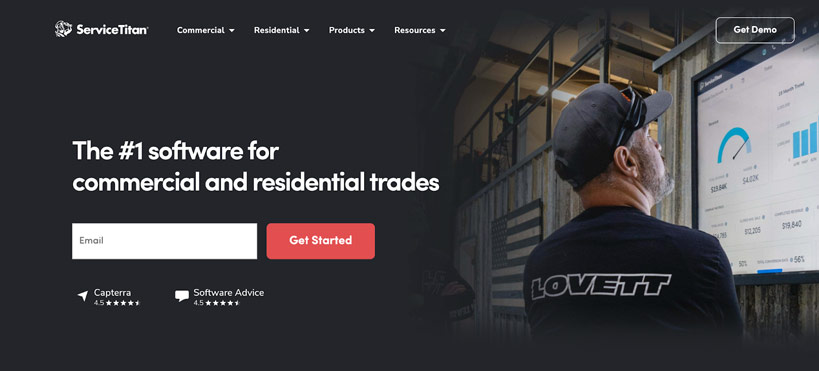
ServiceTitan is a heavyweight platform built for larger residential and commercial contractors that want deep reporting, pricebook controls, and a broad add-on ecosystem. It shines with enterprise-grade analytics and a dialled-in pricebook that can standardise margins across teams; however, it’s less friendly for smaller outfits, and total cost of ownership often exceeds SMB-oriented tools. If you value breadth and data depth over quick setup and lower monthly spend, it’s a strong fit.
Key features
- Pricebook Pro with regional price averages and smart upsell prompts
- Integrated call booking that shows CSRs customer history before answering
- Marketing Pro add-on to automate follow-up campaigns, review requests, and direct mail
- Field app with good/better/best price presentation and visual sales tools
- Advanced reporting dashboards to monitor KPIs like conversion rate, job profitability, and tech efficiency
Pricing
ServiceTitan uses a per-technician pricing model, with core features included and optional add-ons (like Marketing Pro or Pricebook Pro) billed separately. This structure works well for larger teams that can spread the cost across many jobs, but for smaller contractors, it can become expensive quickly. Exact pricing is available only through sales, and it reflects the enterprise-level nature of the platform.

Housecall Pro is a popular choice for residential HVAC and service teams thanks to its clean interface, simple scheduling, and fast setup. It makes it easy to get online booking, quoting, invoicing, and payments running without heavy training; however, it lacks some of the advanced asset management, multi-site maintenance, and enterprise reporting you’ll find in larger systems. For small to mid-size contractors that prioritise speed and usability, it’s a solid option.
Key features
- Drag-and-drop calendar for easy scheduling and rescheduling on mobile or desktop
- Customer self-booking portal so homeowners can request jobs online 24/7
- On-the-spot payments with credit card scanning, ACH, or financing options
- Automated reminders and follow-ups via text and email to reduce missed appointments
- QuickBooks Online sync for financial tracking
Pricing
Housecall Pro starts at $59/month for single users, with higher tiers adding automations, online booking, and payments. This makes it affordable for smaller residential teams, but costs rise as you add technicians or advanced features. A 14-day free trial is available.
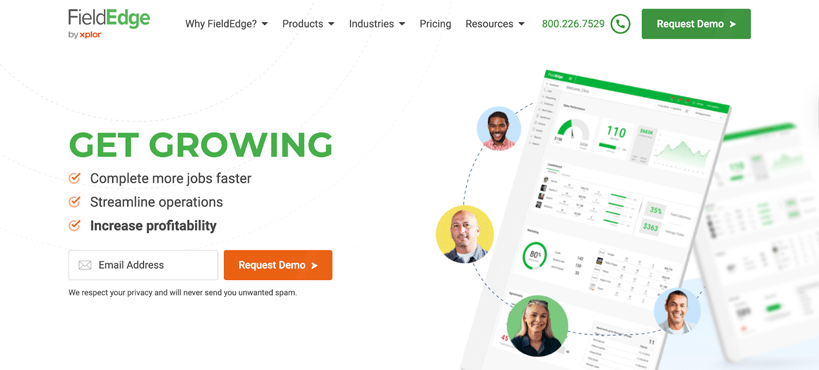
FieldEdge is tailored for HVAC contractors, with strong maintenance agreement workflows and quoting tools that simplify “good/better/best” proposals in the field. It’s built with the trade in mind and offers a long track record in HVAC service; however, pricing is not transparent, and the ecosystem can feel narrower compared to more modern, multi-industry FSM suites. Best for HVAC-first businesses that want software designed specifically around their workflows.
Key features
- Maintenance agreement tracking to manage recurring HVAC contracts and renewals
- Proposal Pro tool for good/better/best quoting in the field
- Flat-rate pricebook that syncs with QuickBooks for real-time job costing
- Service history tracking that gives techs full visibility into past jobs on-site
- Performance dashboards to measure technician productivity and profitability
Pricing
FieldEdge uses a custom-quote model, with costs shaped by team size and modules required. It’s designed for HVAC contractors managing recurring service agreements, but the lack of public pricing can make it harder to budget upfront. A demo is needed for an exact figure.
Jobber
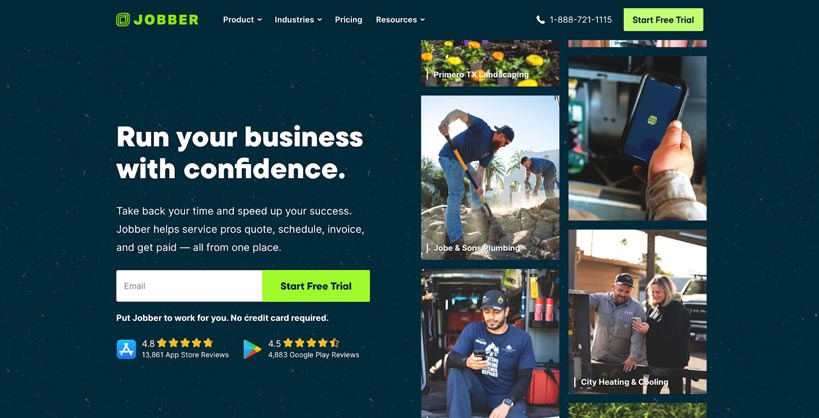
Jobber delivers an affordable and intuitive field service platform for SMB HVAC teams. It helps streamline quoting, scheduling, invoicing, and payments without much overhead; however, it doesn’t go as deep into inventory, asset-level maintenance, or commercial project workflows as higher-end tools like Simpro. For smaller contractors who want to keep things lean, Jobber is a cost-effective fit.
Key features
- Client hub where customers can approve quotes, pay invoices, and track job progress online
- Automated follow-ups to chase unpaid invoices and send service reminders
- Job forms and checklists to standardise work quality across teams
- GPS route optimisation for efficient daily scheduling
- Online booking with real-time availability shown to customers
Pricing
Jobber’s pricing is transparent, starting at $39/month for a single user. Costs increase with team size and advanced features, with higher tiers supporting unlimited users and automations. This makes it easy for SMBs to start small and scale, though enterprise-style features require the top-tier plan.
Best HVAC Diagnostic and Troubleshooting Apps
When you’re on a roof, speed and certainty matter. These apps help identify faults, check vitals, pull manuals, and log professional-grade reports.
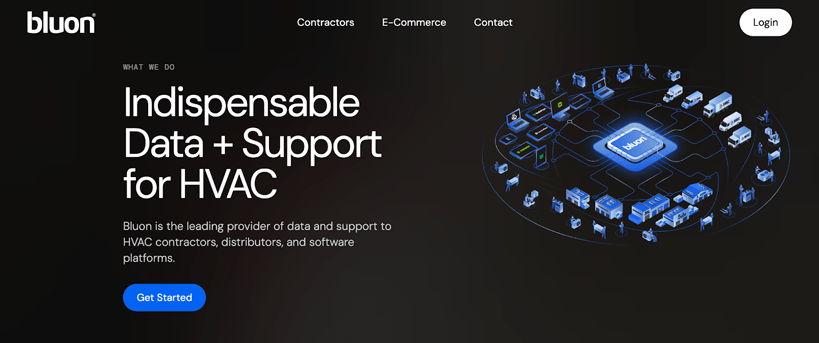
Bluon has become a go-to app for technicians with its massive database of manuals, cross-references, and live 24/7 tech support. It even adds AI-powered assistance for diagnostics. For contractors, it’s a free, technician-first resource; however, it doesn’t replace field service management or invoicing tools, so you’ll still need a platform to run the business side. As a field companion, it’s tough to beat.
Key features
- Largest HVAC parts and manuals database (400,000+ SKUs across 2,000+ brands)
- 24/7 live tech support from experienced HVAC professionals
- Cross-reference engine to identify replacement parts quickly and accurately
Pricing
Free for technicians. Bluon monetises via optional business packages, but the core app (manuals, live support, parts lookup) is entirely free, one reason it’s become so widely adopted.

iManifold pairs smart probes and meters with a powerful app for diagnostics, analytics, and report generation. It reduces manual calculations and provides precise, real-time data. However, the app ecosystem works best with its own hardware, and user reviews note occasional UI and compatibility frustrations. Still, for contractors who want deep diagnostics, it’s a strong specialist choice.
Key features
- Smart probes and sensors feed real-time system data to the app
- Advanced diagnostics engine to calculate target superheat, subcooling, and airflow
- Customisable reports with branded outputs for clients
- Data logging and cloud sync for multi-job tracking and historical analysis
- Expandable ecosystem with accessories to support different HVAC systems
Pricing
The app is free to download, but advanced features are unlocked with the Pro+ subscription: $19.95 month-to-month or $14.95/user per month (annual). This can be cost-effective for pros who want deep diagnostics, but casual users may find it more than they need.
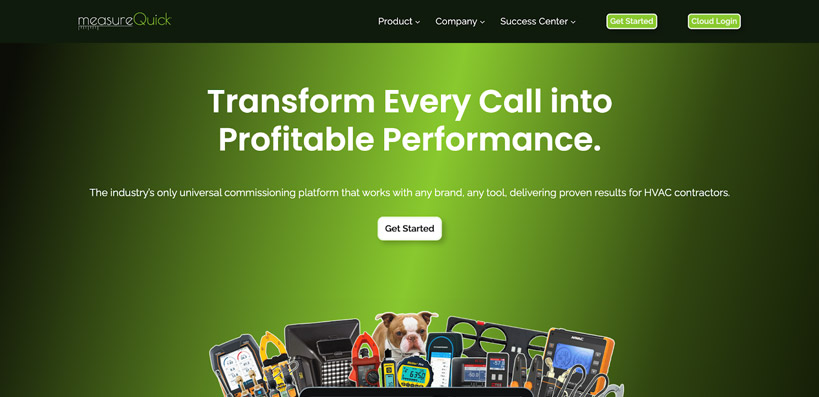
MeasureQuick is a universal, AI-assisted diagnostics app designed to work with a wide variety of smart tools. It offers detailed reports, branded outputs, and integrations with CRMs like ServiceTitan and Housecall Pro. However, Android reviews highlight stability issues, and there’s a learning curve to ensure your probes and toolkits are compatible. When properly set up, it can be a game-changer for advanced troubleshooting.
Key features
- AI-powered Vitals Score to benchmark system performance at a glance
- Universal probe compatibility (Testo, Fieldpiece, iManifold, and more)
- Branded reports to present findings professionally to customers
Pricing
MeasureQuick is available on a $49/user/month plan that includes unlimited reports, storage, and CRM integrations. It’s priced for professionals who run regular diagnostics, but hobbyists or light users may find the monthly commitment harder to justify.
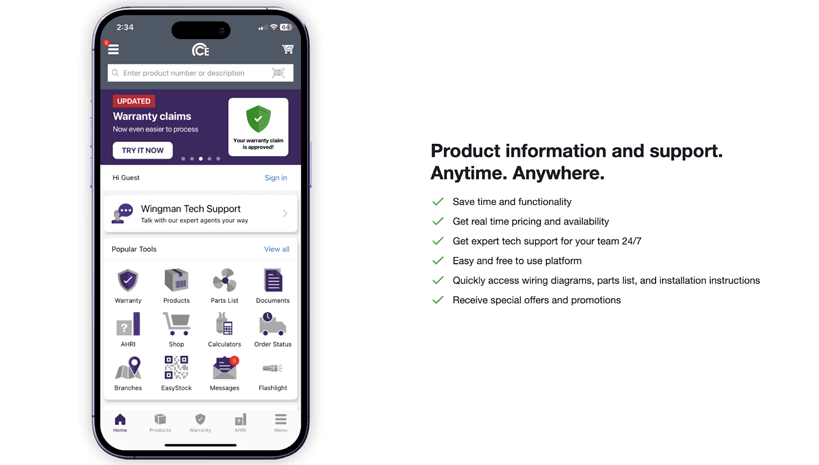
CE HVAC Pro+ is designed for contractors who purchase through Carrier Enterprise. It provides real-time parts availability, documentation, warranty info, and calculators all in one place. However, the value is largely tied to the Carrier/Watsco ecosystem, so it’s less useful if your supply chain runs elsewhere. For CE customers, it’s a highly practical free add-on.
Key features
- Real-time inventory and pricing for Carrier Enterprise parts
- Barcode scanning to speed up part identification on site
- Warranty lookup by serial number for instant validation
- Built-in calculators for load, airflow, and refrigerant charge
- Order tracking from the warehouse to the job site
Pricing
Free for Carrier Enterprise customers. The value is highest if you source parts through CE; outside that ecosystem, the app won’t deliver as much benefit.
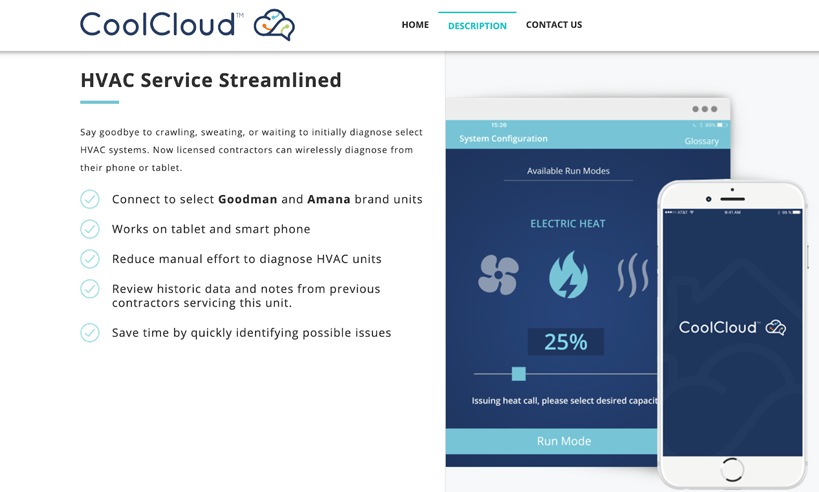
CoolCloud HVAC connects directly via Bluetooth to Goodman and Amana units for diagnostics, service history, and notes. It’s a major time-saver when working with these brands. However, its scope is narrow. It only works with Goodman/Amana, and Bluetooth connectivity can be spotty. For technicians servicing those units, though, it’s a must-have.
Key features
- Bluetooth connection to Goodman and Amana control boards for live diagnostics
- Access to full service history for each unit, including past contractor notes
- Error code and parameter monitoring without needing gauges
- On-site adjustments via the app interface to speed up servicing
Pricing
Free to download. Because it’s brand-specific (Goodman and Amana only), there are no paid tiers, but its usefulness is limited if you don’t service those systems.
Best HVAC Calculation and Reference Apps
Pocket calculators that replace the slide rule and reduce finger-math errors.
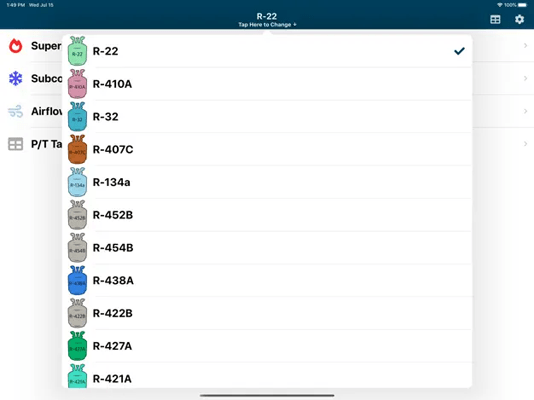
This free app from Copeland is a staple for quick superheat and subcool charging calculations across common refrigerants. It’s reliable, simple, and always in your pocket. However, it’s limited to its calculation niche. There’s no reporting, history, or integration with other workflows.
Key features
- Quick superheat and subcool calculators for common refrigerants
- Customisable inputs for temperature, pressure, and system type
- Fast troubleshooting tool for overcharge or undercharge issues
Pricing
Free on iOS and Android. It’s a focused tool for charging calculations, not a full platform, so you get all features without upgrades.
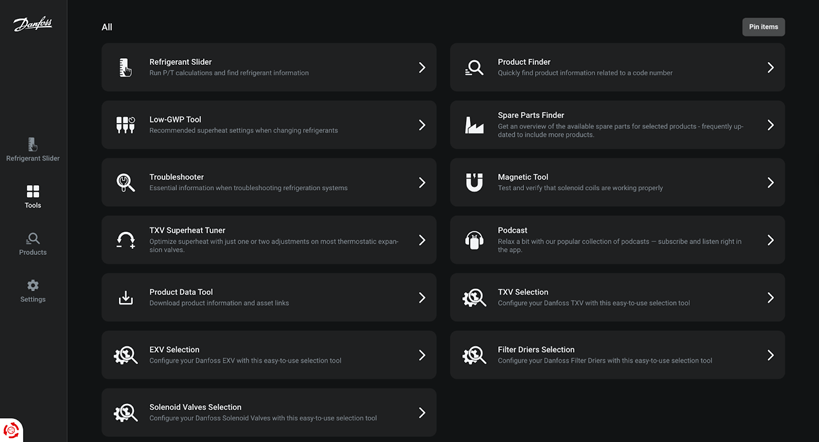
Ref Tools bundles Danfoss’ classic refrigerant slider with other HVAC tools, including troubleshooting guides and superheat tuning. It’s convenient to have everything in one app. However, some tools are fairly basic, and interface consistency can be hit-and-miss. For technicians using Danfoss components, it’s a solid all-round toolkit.
Key features
- Refrigerant Slider with PT data for 80+ refrigerants
- Troubleshooter tool for diagnosing refrigeration issues step by step
- Spare parts finder with Danfoss product cross-references
- TXV Superheat Tuner for adjusting thermostatic expansion valves
Pricing
Free to use, though it’s most valuable if you already use Danfoss components.
HVAC Buddy
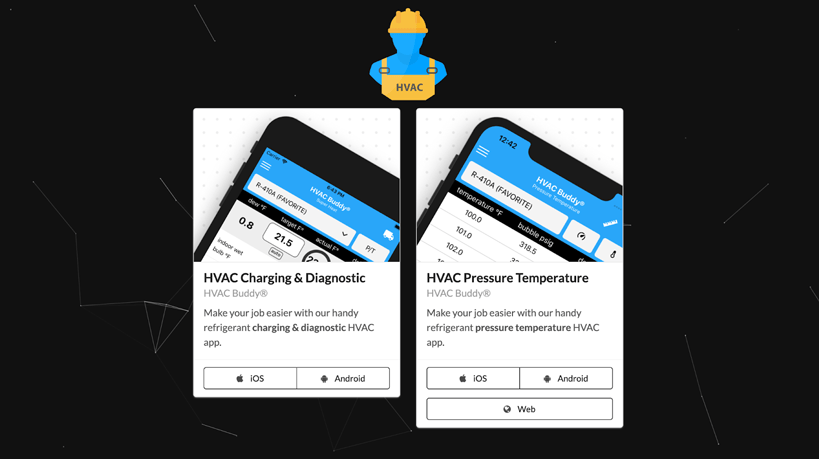
HVAC Buddy offers two simple but powerful apps for charging, diagnostics, and refrigerant PT relationships. It’s affordable as a one-time purchase, and it cuts down on manual calculations. However, it’s standalone with no job tracking or integrations, so it won’t tie into your broader workflow. Great as a pocket tool, not a platform.
Key features
- Superheat and subcool calculators for accurate charging
- Pressure–temperature tables covering 100+ refrigerants
- Diagnostic suggestions based on system readings
- Custom reports that can be saved or emailed to clients
Pricing
One-time purchase, $9.99, affordable compared to subscriptions, but keep in mind it’s a standalone calculator without integration into other workflows.
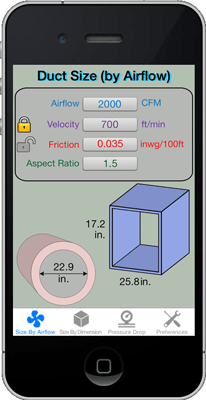
Duct Calc Elite makes quick work of duct sizing, velocity, and pressure drop calculations, with a clean interface and flexible units. However, it’s single-purpose. You’ll still need other apps for refrigeration or electrical calculations. For ductwork jobs, though, it’s one of the best tools around.
Key features
- Duct sizing calculator based on airflow, velocity, and friction loss
- Support for both metric and imperial units
- Material, temperature, and elevation adjustments for accuracy
- Instant pressure drop calculations for system optimisation
Pricing
One-time purchase of $6.99. A small investment for duct sizing and pressure calculations, but it’s single-purpose with no added modules.
HyTools focuses on hydronic calculations like flow, ΔT, valve sizing, and pressure maintenance. It’s a rare specialist app that does its niche very well. However, Android ratings are low, with some users citing stability issues, so it’s best on iOS. If you work with hydronic systems, it’s a must-have.
Key features
- Hydronic balancing calculator for ΔT, flow, and power
- Valve sizing with Kv/Cv conversion support
- Pipe sizing and pressure drop estimations for heating and cooling systems
- Automatic calculation of missing values (enter two, solve for the third)
- Pressurisation module to help select pumps and expansion vessels
Pricing
Free to download. The app is feature-rich for hydronic calculations, though Android users may find performance issues.
Best HVAC Training and Learning Apps
Keep your skills sharp, prep for certs, and train new hires without leaving the van.
HVAC School
HVAC School doubles as a learning hub and reference library, with checklists, calculators, and a popular podcast. It’s free, easy to use, and widely trusted. However, it’s less about managing jobs or business tasks and more about individual learning. Great for apprentices and technicians looking to upskill.
Key features
- Free library of articles, checklists, and diagrams
- Tech tips, podcasts, and training videos
- Community-driven learning
Pricing
Completely free. No hidden upgrades, it’s supported by the community and the creators’ training ecosystem.
SkillCat
SkillCat is a mobile trade school offering EPA 608 prep, OSHA-10 courses, and other credentials. It’s convenient for learners who want to study on their own time. However, while it’s strong for training, it doesn’t serve day-to-day job management needs. For technicians entering the industry or seeking new qualifications, it’s a powerful option.
Key features
- Online certifications and continuing education
- Self-paced EPA608 and OSHA-10 training lessons
- Job placement and community support
Pricing
Free to download, with optional in-app subscriptions for certifications and continuing education (often around $10/month).
Choose the Right HVAC App for Your Needs
- Need a single pane of glass for jobs, assets, maintenance and cash flow?
Go Simpro if you want an end-to-end platform that scales from residential to complex commercial maintenance, with strong asset histories in the field and deep reporting. - Want enterprise analytics and pricebook muscle?
Pick ServiceTitan, but budget for implementation and per-tech pricing. - Starting out or standard residential service?
Housecall Pro and Jobber get you quoting, scheduling and invoicing fast. - Heavy on in-field troubleshooting?
Pair your FSM with MeasureQuick (AI diagnostics and branded, sharable reports), Bluon (massive manuals + live support), and CE HVAC Pro+ (if you’re buying through Carrier Enterprise). - Maths and hydronics giving you pause?
Keep HVACR Check & Charge, Ref Tools, Duct Calculator Elite, and HyTools on your first screen. They’ll save time and reduce errors. - Training a new hire or cross-training?
HVAC School for daily learning and SkillCat for cert-track training on the go.
The smartest stack blends a business backbone (Simpro, ServiceTitan, Jobber, Housecall Pro, FieldEdge) with a field toolkit (MeasureQuick, Bluon, CE HVAC Pro+, Ref Tools, etc.).
If your priority is reducing admin, tightening profitability, and delivering consistent service quality across teams, Simpro is a strong, scalable choice, with the mobile tools and asset workflows HVAC businesses rely on every day.


 Back to top