
If your proposals are slow to send, hard to approve, or disconnected from how your crew works, you're leaving money on the table before the wrench turns. That’s why you’re here.
The right plumbing proposal software fixes that problem: faster quotes, cleaner approvals, and a direct line from accepted estimate to scheduled job.
This guide covers the six best plumbing proposal software tools for contractors in 2026, with honest comparisons to help you find the right fit for your team and workflow. Let’s get started.
At a Glance: The Best Plumbing Proposal Software
| Tool | Type | Starting Price | Best For | Trade-Specific? |
|---|---|---|---|---|
| Simpro® | All-in-one FSM | ~$150–300/mo | Growing businesses, commercial + service | Yes |
| FieldPulse | All-in-one FSM | Custom | Growing SMBs | Yes |
| FastPIPE | Mechanical estimating | Custom | Commercial mechanical | Yes |
| STACK | Construction takeoff | Custom | Commercial bidding | Partial |
| Jobber | SMB FSM | $39/mo | Solo to small teams | Yes |
| Housecall Pro | SMB FSM | $59/mo | Residential, 1–10 techs | Yes |
The 6 Best Plumbing Proposal Software Tools Compared
Here's what each tool does for plumbing businesses, where it fits, where it doesn't, and what to watch out for.
1. Simpro
Simpro is a field service management (FSM) platform built from the ground up for trade contractors. Unlike generic tools adapted from other industries, Simpro's quoting workflows reflect how plumbing businesses actually operate, whether it’s service jobs with fast turnarounds, project work requiring multiphase estimates, or commercial accounts with formal approval chains.
The quoting process in Simpro moves from estimate to accepted job without rekeying. Techs build quotes in the field via Simpro Mobile, pulling from pre-loaded pricebooks. Customers receive an email with an online approval link and sign by typing their name — no printing, scanning, or PDF attachments. The moment a quote is accepted, Simpro updates the status and stores the signed document centrally. Approved quotes convert directly to scheduled jobs.
For businesses running complex commercial plumbing estimating, Simpro's Takeoffs add-on lets estimators upload digital plans, mark up piping and fixtures, and auto-generate materials lists, cutting the estimating process time without sacrificing accuracy. Simpro users report building estimates up to 10× faster than manual methods.
Simpro also supports good/better/best tiered pricing natively, with a clear internal approval workflow (manager review → approved → sent to customer) before quotes reach the client. Once jobs are underway, you can view budgeted vs. actual costs in real time, analyzing the impact of scope changes on margin before updating a quote.
Best for: Midmarket and growing plumbing businesses with 5–50+ employees, commercial work, project-based jobs, or multi-location operations. Ideal for companies that have outgrown Jobber or need an upgrade to handle increasing complexity.
Worth knowing: Pricing is custom to each individual build, as you aren’t charged for tools you don’t need. The platform takes longer to onboard than lighter tools (though there is plenty of support provided). Better suited to businesses with structured workflows than solo operators.
2. FieldPulse
FieldPulse is an all-in-one field service platform that sits between Jobber and Simpro in terms of depth and pricing. FieldPulse’s estimating tools calculate labor rates, material costs, and taxes in one place, with one-click conversion from estimate to invoice. Customizable templates, pricebook integration, a built-in CRM, and integration with QuickBooks round out the core proposal features.
FieldPulse carries a 4.7/5 rating on G2.
Best for: Small- to midsize residential plumbing businesses (1–20 employees) looking for a sufficiently featured platform without enterprise-level pricing.
Worth knowing: Smaller user community than Jobber or Simpro. Limited support for commercial plumbing or multiphase project work.
3. FastPIPE
FastPIPE is a mechanical estimating software built for commercial plumbing and piping contractors. It's a specialized takeoff and estimating tool that handles complex pipe routing, fitting counts, and material costs on large commercial jobs. For contractors doing commercial plumbing estimating on multi-story or industrial sites, FastPIPE handles the estimating process that generic tools can't.
Best for: Commercial plumbing contractors and estimators doing complex mechanical projects that require accurate material takeoffs from digital drawings.
Worth knowing: FastPIPE handles estimating, not operations: no scheduling, dispatch, invoicing, or customer approvals. You'll need a separate FSM platform for those functions. Not suitable for residential plumbing work.
4. STACK
STACK is a construction takeoff and estimating platform used in the commercial construction trades, including plumbing. Estimators upload digital plans, measure piping runs and fixture counts, and generate material lists that feed into bid documents. Cloud-based access makes it practical for estimating teams collaborating across job sites.
Best for: Commercial plumbing businesses competing on large construction bids where the bottleneck is digital takeoff from plans. Works alongside a separate FSM or project management system.
Worth knowing: STACK handles the front end of commercial bidding, but not job execution, invoicing, or customer proposal delivery. For residential service or mixed residential/commercial plumbing businesses, a purpose-built FSM is a better starting point.
5. Jobber
Jobber is the best entry point for most plumbing businesses previously unfamiliar with dedicated proposal software. It's user-friendly and easy to learn. Jobber covers the fundamentals well, including branded quotes with photos, online approval, one-click estimate-to-invoice conversion, and a drag-and-drop scheduling calendar that links to accepted quotes.
Customer support is well-rated across the user base, which matters for teams onboarding to software for the first time.
Pricing starts at $49/month for a single user (Core plan) and scales from there. Automated quote follow-ups — one of the highest-leverage features in any proposal tool — are locked to the Connect plan ($139/month for one user annually), with additional automations at the Grow plan ($199/month annually, one user).
Jobber's AI feature adds reporting and suggestions on estimating inefficiencies via voice and chat, although it's less mature than the core product.
Best for: Solo contractors to small residential teams (1–10 employees) doing $200,000 to $1.5 million annually. Strong first platform for plumbing businesses that have been operating on spreadsheets or manual quotes.
Worth knowing: Jobber isn’t ideal for commercial plumbing estimating and multiphase project management. Inventory management is limited. As team size grows past 10, most businesses need more power.
6. Housecall Pro
Housecall Pro is built for residential home services, with a strong focus on customer-facing experience. Its proposal flow is clean: pre-set templates with photos and service details, side-by-side good/better/best package comparisons, built-in financing options, and digital approval with deposit collection. Field techs highly rate the mobile app.
Pricing runs $59/month for a single user (annual) on the Basic plan, with the Essentials plan covering five users at $149/month. The customer-facing presentation — especially for in-home sales — is more polished than most competitors at this price point.
Automated follow-ups on open quotes are built in, and the platform supports Spanish-language communications — useful for teams serving diverse residential markets.
Best for: Residential plumbing businesses with 1–10 technicians doing $500,000 to $3 million and focused on service work. Particularly strong for businesses that sell to homeowners in person.
Worth knowing: Less depth for commercial plumbing or project-based work. Job costing is lighter than enterprise tools. Add-on fees for larger teams make it more expensive than it appears at the lower tiers.
Choose the Best Plumbing Proposal Software
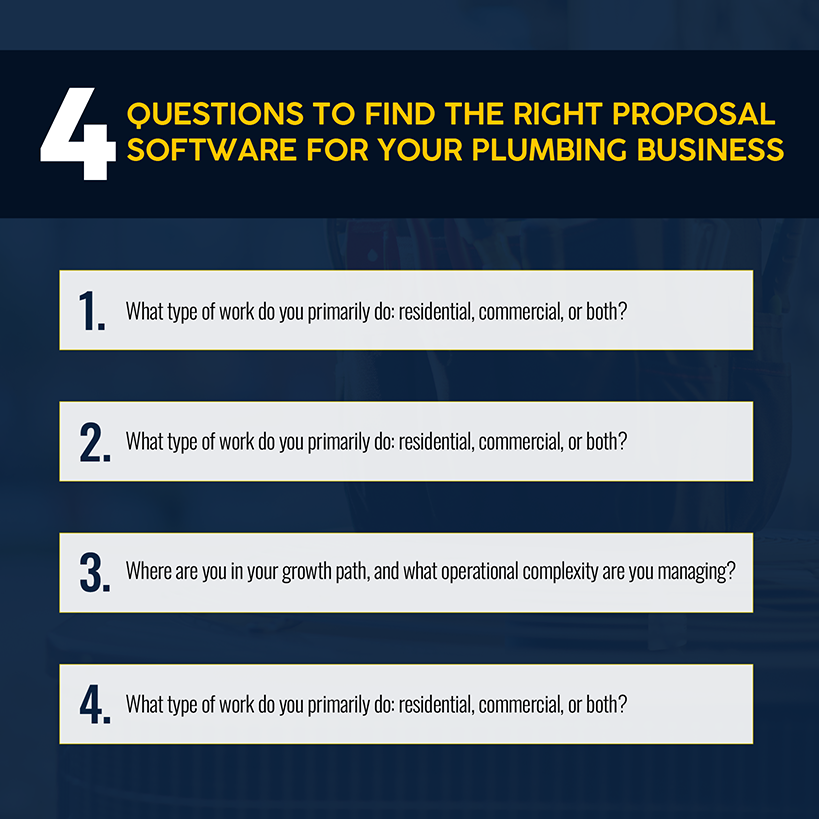
Once you know about the best options, matching yourself to the right tool comes down to four questions:
- What kind of work do you primarily do? Residential service, commercial projects, or both? Tools like Jobber and Housecall Pro are built for residential. FastPIPE and STACK are built for commercial mechanical estimating. Simpro handles both, which is why it’s the default recommendation as plumbing businesses grow into mixed work.
- How many technicians do you have? Solo and small teams (1–5) get good value from Jobber or FieldPulse. Teams of 5–20 need the depth provided by Simpro or Housecall Pro’s MAX tier. Teams above 25 should be running Simpro.
- Where are you in your growth path? If proposals live in spreadsheets, any of the FSM-based tools here is an upgrade. If you're past $2 million in revenue and hitting operational limits, you need a platform that handles job costing, commercial workflows, inventory, and multi-location operations together — not with separate software. That's where Simpro plumbing software earns its position.
- What do you need proposals to do after they're accepted? Do you need accepted proposals to become scheduled jobs automatically? That rules out standalone proposal tools. Instead, look for a platform with built-in functionality.
If you want to grow your plumbing business by improving close rates, cutting the time between quote and job start, and giving customers a professional approval experience, your proposal tool matters more than most contractors realize. Pick one that fits today and can scale to where you're going.
If your quotes are still living in spreadsheets — or you've outgrown a lighter tool and you're piecing together workarounds — that's the gap Simpro is built to close. If you are looking for something purpose-built for trade contractors, schedule a demo to see how it handles the full cycle.
Common Mistakes to Avoid When Choosing Plumbing Proposal Software
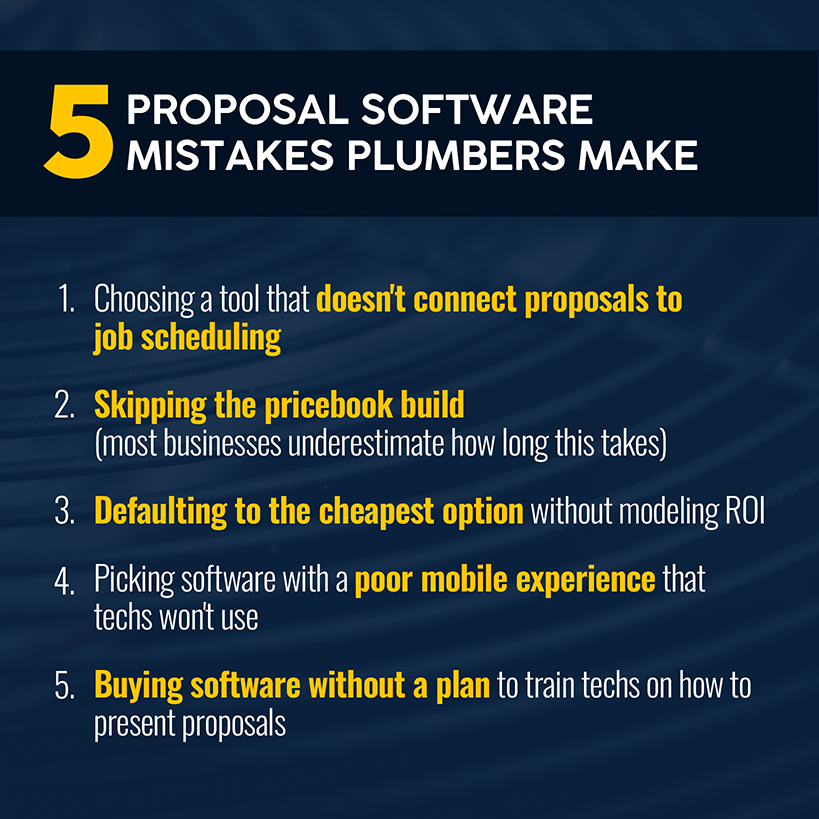
Buying a tool for plumbing proposals can be costly, especially if you choose the wrong option. Here are some common pitfalls to avoid when making your decision:
- Buying a tool that doesn't connect to field operations. PandaDoc and Proposify are professional proposal platforms built for sales teams. For plumbing businesses, a proposal that doesn't auto-convert to a scheduled job creates manual work downstream — exactly the problem good software should solve.
- Skipping the pricebook build. Proposal software is significantly less useful without a complete, accurate pricebook loaded in. For a mid-sized plumbing business, that setup realistically takes two to four weeks. Budget for it upfront.
- Choosing the cheapest option without modeling ROI. The difference between a $39/month tool and a $150/month tool disappears quickly when the pricier tool increases your close rate on consistent job volume. Model the return before defaulting to the lower subscription.
- Ignoring the mobile experience. Most plumbing proposals are built and presented in the field on a phone or tablet. If the mobile experience is clunky, techs won't use it consistently, producing zero workflow benefit.
- Not training technicians to present proposals. Software alone doesn't improve close rates. Techs need to know how to walk a customer through good/better/best options, present on a tablet, and ask for the digital signature. All that requires deliberate training.
What Plumbing Proposal Software Helps You Do
At a basic level, plumbing estimating software helps you build, send, and track quotes. But to grow revenue and plumbing profit margins, the real value is what happens around that quote — and after it.
A purpose-built proposal tool lets your techs price jobs from the field without calling the office. Techs pull from a pre-loaded pricebook, ensuring accurate material costs and protected margins.
Accurate estimates come from pre-set pricing, not manual math — which matters when you're pricing 20 jobs a week. The right proposal tool presents good/better/best options to customers — and consistently drives higher average ticket values. And when a customer approves, the job creates itself in your system, no double entry required.
For home services businesses and residential plumbing teams, cloud-based access means the office and field are always working from the same data — no version-control headaches, no outdated pricebooks sitting on a laptop.
According to Proposify's 2025 State of Proposals analysis of 900,000+ proposals, sending through dedicated software achieves a 36% close rate, nearly double the industry average of 20%. Proposals with e-signatures close 4x more often and 40% faster. Proposals with automated follow-up reminders are 5% more likely to close.
If you want to bid plumbing jobs with that kind of consistency and win rate, the tool you use matters.
Frequently Asked Questions About Plumbing Proposal Software
How much does plumbing proposal software typically cost?
Entry-level tools like Jobber start at $49/month for a single user. Mid-tier platforms like Housecall Pro run $59–$299/month, depending on team size. Enterprise platforms like Simpro use custom pricing; estimated costs range from $150–$300/month for 1–5 users to $600–$1,500+/month for larger teams, plus setup fees. Commercial-specific tools like FastPIPE and STACK also use custom pricing.
The more useful question is ROI: A tool that costs $150/month and wins three additional jobs per month at an $800 average ticket pays for itself in the first week.
Can plumbing proposal software help track approved versus pending quotes?
Yes — and this is one of the most operationally useful features of these platforms. Tools like Simpro, Jobber, and Housecall Pro let you see in real time which quotes are sent, viewed, approved, or expired. Simpro updates the quote status as soon as a customer signs online. Simpro and FieldEdge also notify you when a customer opens your proposal — a trigger to follow up while the job is top of mind.
According to Proposify's 2025 data, when multiple stakeholders view a proposal, close rates double. Tracking views isn't just nice to have — it's intelligence that changes how you follow up.
Is plumbing proposal software worth it for a small team?
For a solo plumber or a team of two, assess your current job volume and average ticket size. If you're running three to five quotes per week, even a basic tool pays for itself quickly. Features like faster quote delivery, e-signature, and automated follow-ups on open quotes will move the needle. According to Loopio's 2025 RFP report, 60% of organizations achieve ROI within one year of implementing proposal software — and that's not exclusive to large teams.


 Back to top