
On Thursday, a crew finished a rooftop unit swap, and by noon the crane was gone. On Monday, the inspector asked for the paperwork, and HVAC project management templates would have kept it all in one place. Instead, the load calculation sat in the estimator's email, the permit card sat in the project manager's truck, and the startup readings sat in a technician's notebook.
Without a template, each of those records can end up wherever the person who made it left it. A template decides that before the job starts: you name each record, who fills it in, and when it's due. That gives every project manager the same list to work from, whatever their experience.
For HVAC, the list starts with a Manual J load calculation behind the equipment size and an efficiency rating that clears a federal minimum, which varies by region. It continues with the refrigerant rules that changed this year, a fall protection plan for the roof, and a change order signed before the extra ductwork goes in. The template below has a place for each one.
Download Your HVAC Project Management Template
Get the template. Copy the table below into Excel, Google Sheets, or Word, or print it as a one-page PDF. Save it as a master file and make a fresh copy for every job.
| Section | What it holds | Owner | Due |
|---|---|---|---|
| Overview and scope | Customer, site, equipment, sizing method, refrigerant | Project manager | Before kickoff |
| Budget | Estimate lines by phase and cost type, POs, actuals | Project manager | Before kickoff, then weekly |
| Schedule | Lead times, rigging day, inspection holds, startup | Project manager | Before kickoff |
| Resources | Crew by phase, subs, lift and rigging | Operations manager | Before kickoff |
| Equipment and materials | Model, serial, line sets, ordered vs. delivered | Office admin | At order |
| Compliance and safety | Permits, inspection log, refrigerant records, roof plan | Crew lead | Before and during work |
| Progress | % complete by phase, hours and cost to date | Project manager | Weekly |
| Change orders | Scope change, cost, days added, approval | Project manager | Before the work |
| Closeout | Startup readings, warranty, manuals, sign-off | Crew lead | Before final invoice |
Every row maps to a section of the job record, and the sections that follow spell out what to put in each field.
What Is an HVAC Project Management Template?
An HVAC project management template is a reusable set of documents that a contractor copies for each install, replacement, or multi-phase job. It carries the job from scope and budget through crew, materials, inspections, and change orders to closeout.
It starts where the signed bid ends. The bid prices the work, and the template turns the scope you priced into a budget, a schedule, and records you can hand to an inspector or a customer.
Related: The scope on your template should match what you quoted, and this HVAC bid template shows how to structure that quote.
What Should an HVAC Project Management Template Include?
Each section below follows the order a job runs in, from the scope you priced to the startup readings you hand the customer.
1. Project Overview and Scope of Work
Write down the job type, the equipment going in, how you sized it, and which revision of the project plans you priced from. In jurisdictions that adopt the 2024 IRC, equipment has to be sized to ACCA Manual S from loads calculated under Manual J (or another approved method). Give the load calculation its own field and put a name next to it.
Put the rating you're installing next to the federal minimum for the job's region. Under DOE's 2023 standards, a split-system air conditioner under 45,000 Btu/h needs 13.4 SEER2 in the North and 14.3 in the Southeast and Southwest. Split-system heat pumps need 14.3 SEER2 and 7.5 HSPF2 nationwide. In the North, the manufacture date decides which standard applies, and in the Southeast and Southwest, the installation date does.
Manufacture date matters for refrigerant too. EPA's May 2026 final rule, effective July 27, 2026, lets residential and light commercial air conditioning and heat pump inventory made or imported before January 1, 2025, continue to be installed. Write the manufacture date and refrigerant type on the scope line before you order equipment.
2. Budget and Cost Tracking
Start the budget from the won estimate, not a blank sheet, with one line per phase and cost type. Give rigging its own line instead of folding it into labor or subcontractors. A single miscellaneous line can hide an overrun, because you can't tell which phase caused it.
Track four numbers on every line: original budget, approved change orders, committed cost from purchase orders, and actual cost to date. Committed cost shows what you've ordered before the supplier's invoice arrives, while you still have room to react.
Related: Once you track the budget by phase, the numbers worth watching across every job are in this guide to HVAC KPIs.
3. Project Schedule and Milestones
List the milestones that stop a crew from moving on: permit issued, equipment delivered, rigging booked, rough-in inspection, set and connect, startup, and final inspection. Enter lead time the day you place the order. A unit that ships after the install date you promised pushes back the phases behind it on the project schedule.
Treat every inspection as a hold. Don't close the ceiling until rough-in passes. On multi-phase jobs, a Gantt view shows which tasks wait on which, so you can see a late unit before the crew shows up to set it.
4. Task and Resource Allocation
Name a crew lead for each phase and list who's on it, since a rooftop replacement might need two techs on demo, a rigging sub for one day, and an electrician for the disconnect. Add subcontractor contacts and the person pulling the permit, plus shared equipment such as lifts and recovery machines.
Check for double-bookings before the week starts, and treat a blank resource line as a reminder to call the electrician.
5. Equipment and Materials List
Log every major item with its model, serial number, tonnage, refrigerant type, and warranty registration status, then follow each one from ordered to delivered to installed. Add the small items that stall jobs when they're missing, such as line sets, disconnects, pads or curbs, condensate pumps, thermostats, and filters.
You'll use serial numbers twice. Warranty registration needs them at closeout, and the maintenance agreement needs them for the asset record afterward.
6. Compliance, Safety, and Inspections
An inspector or auditor reads this log, so give every entry a date and a name. Four items belong in it:
- Permit number and inspection results.
- Refrigerant handling records.
- Roof access and fall protection plan.
- A pre-1978 check for lead-safe work practices.
Rooftop work means ladders and fall protection. Those topics, along with fall protection training, hold three of the top ten spots on OSHA's preliminary fiscal 2026 list of most-cited standards across all industries, with general fall protection requirements at number one. For the pre-1978 check, EPA's RRP rule requires certification for anyone paid to disturb paint in housing built before 1978, so record the building's age in the scope section.
7. Progress Tracking and Status Updates
Update % complete by phase on the same day every week, and record hours and cost to date next to it. Those numbers feed your billing and your work-in-progress report, so an optimistic % complete inflates both.
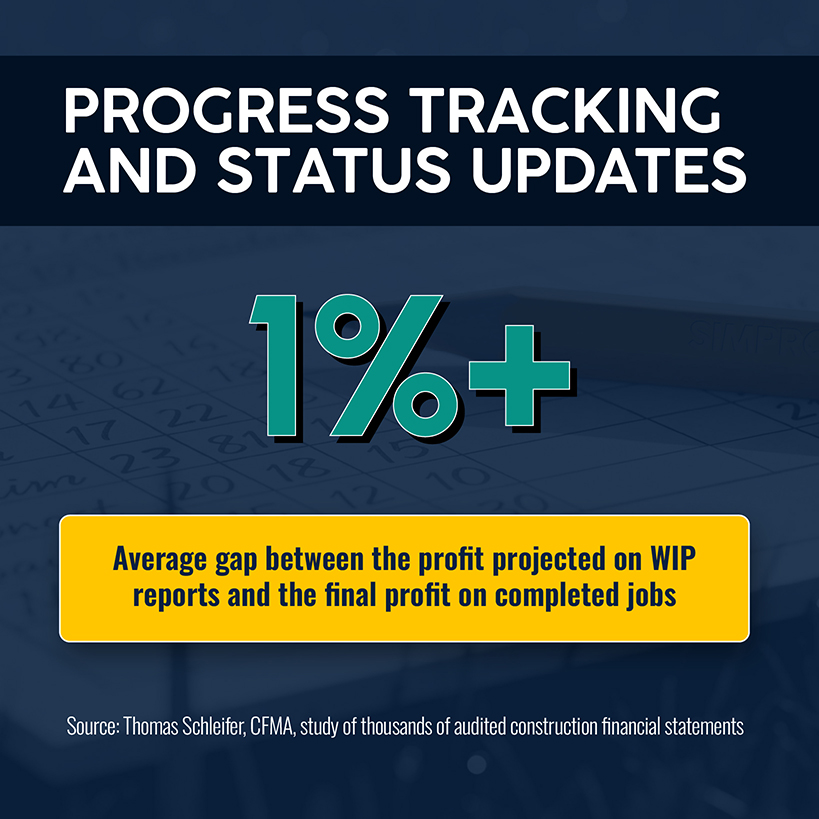
Thomas Schleifer, a former Arizona State University professor, studied thousands of audited construction financial statements. In an article for the CFMA, he reported that profit projected on WIP reports ran a little over 1% above final profit on average, and he blamed the gap mostly on misplaced optimism and unaware management. Add a blocker column to the weekly update, with entries like waiting on permit or waiting on equipment, so a slipped phase comes with its reason attached.
8. Change Orders and Variations
A change order is a written agreement that changes the work, the contract sum, the contract time, or any combination, and it becomes binding once the parties sign. Your log needs a description and a reason, the cost by type, the days added, and who approved it and when.
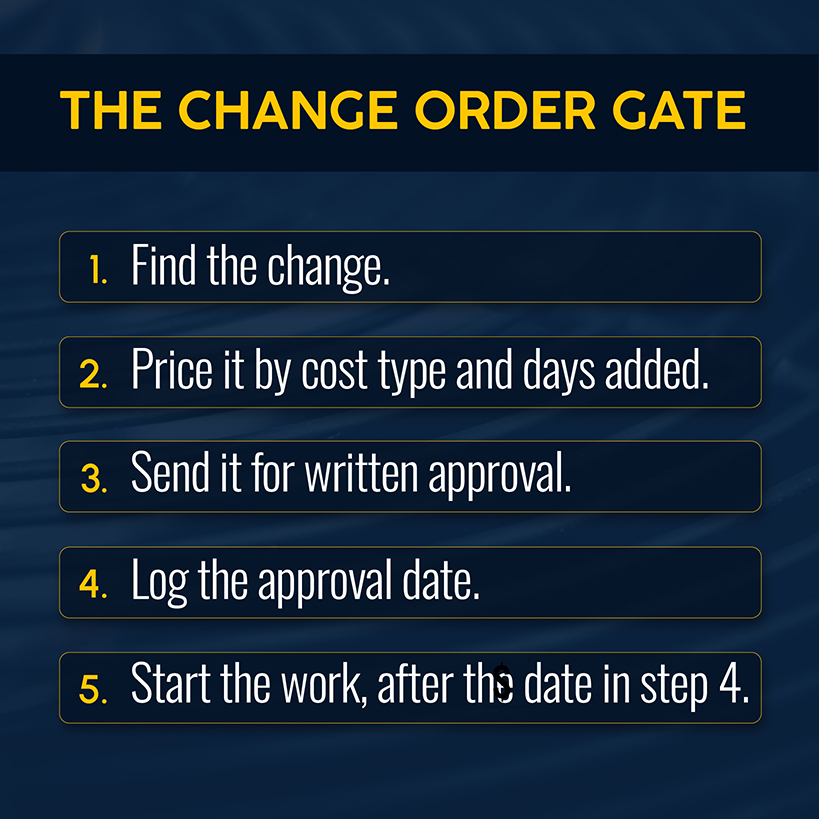
Say a rooftop swap turns up a curb that doesn't match the new unit. The curb adapter runs $1,800 and an extra crane hour adds $650. If the crew sets the unit Thursday and the paperwork arrives Monday, you're negotiating a $2,450 cost you've already spent. Set one rule: no work starts before the approval date.
9. Project Closeout and Documentation
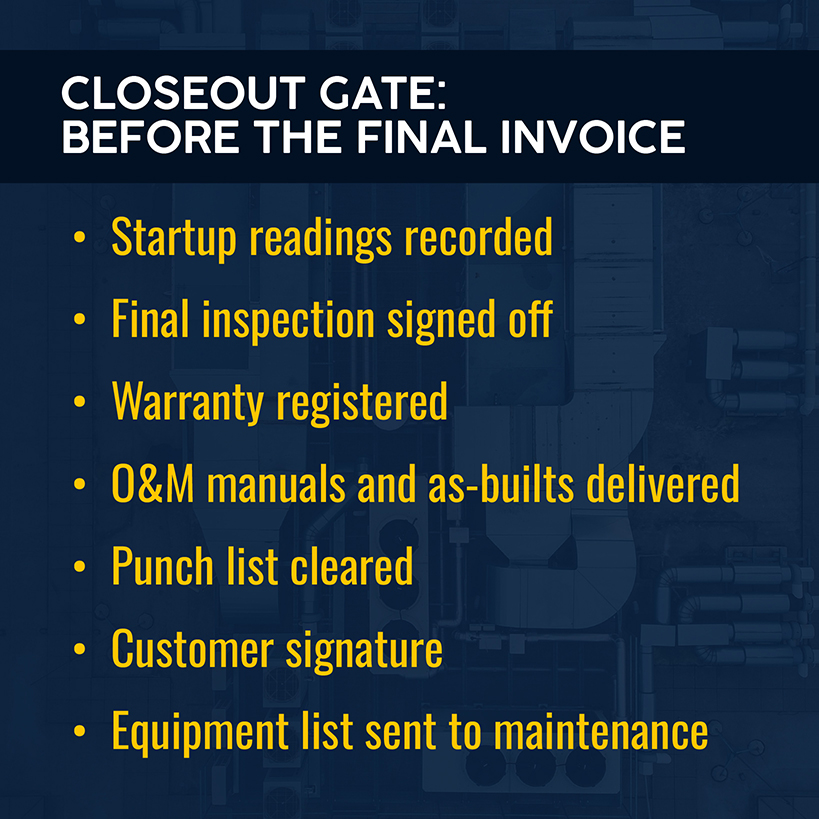
Closeout is easy to skip when the crew is already on the next job, so make it a gate: no final invoice until the list is signed. The 2024 IRC requires installation per the manufacturer's instructions, so record the startup readings the manufacturer specifies, along with airflow and test-and-balance results where the job calls for them. Add final inspection sign-off, warranty registration, O&M manuals, as-builts, the punch list, and the customer's signature.
Then hand the equipment list from section 5 to whoever writes the maintenance agreement, because it's the asset list for the next visit.
Types of HVAC Project Management Templates
Keep separate HVAC templates for projects that differ in size. A residential changeout and a commercial retrofit both run on the nine sections, and the changeout fills in far fewer of them.
- Residential changeout. One page covering sizing documentation, efficiency rating against the regional minimum, refrigerant type, permit and inspection dates, startup readings, and customer sign-off. Leave out the schedule and the change log until the job grows.
- Commercial project. The full set, with a phase schedule, a change order log, and progress billing tied to % complete.
- Installation. A phase checklist from site survey through startup, with the equipment list and inspection holds attached to the phase where they apply.
- Maintenance and service. An asset list with a visit schedule and the checklist the technician completes on each visit.
- Schedule and Gantt. A dated view of phases and dependencies built around equipment lead times and inspection holds, which suits multi-phase jobs where one late delivery sends a crew somewhere else.
Whichever type you start with, fill it in the order the job runs.
Related: Technicians completing the maintenance template can work from this HVAC maintenance checklist.
How to Use the Template in Real HVAC Projects
Six steps let you manage projects from signed bid to closed file, and each one points back to a section of the template.
- Define scope. Fill in the overview and scope section from the signed bid, including the sizing method and efficiency rating, plus the refrigerant and manufacture date.
- Build the schedule. In the schedule section, enter lead times from the order confirmation and add every inspection as a hold.
- Assign the team. In the resources section, name a crew lead for each phase and book rigging and subcontractors.
- Track costs. Load the estimate lines into the budget section and enter each purchase order as committed cost the day you place it.
- Monitor progress. Update the progress section weekly, log the blocker on any phase that slipped, and write up every change order in its log before the work.
- Close the project. Finish the closeout section (startup readings, warranty registration, and sign-off) before the final invoice, then copy the equipment list into a maintenance record.
Run one job through those six steps and note every place someone had to retype something.
Related: For jobs with several crews and phases, this overview of field service project management covers what comes after a spreadsheet.
Where Templates Fall Short for Growing HVAC Businesses
Project management templates for HVAC that live in separate spreadsheets leave every update to whoever remembers to make it. A change order approved on Tuesday doesn't reach the schedule until someone retypes it, and a purchase order only reaches the budget if someone enters it a second time. The closeout list ends a job without starting the maintenance record that should follow it. The copy in the truck can be last Friday's.
Related: Job tracking is one piece of the bigger picture on how to grow HVAC business.
Cinos, an AV and IT systems integrator, moved its project work back to Simpro® after years on another platform. Managing director Johanna Guest said the team had been "relying on bank statements to know if we were profitable." After the move, Cinos reported project managers handling 50% more work and 10 to 15% higher profit margins on project delivery.
The operational fix: put the budget, schedule, change orders, and closeout record on one job, so an update in one place shows up in the rest.
Gain Full Visibility and Control Over HVAC Projects With Simpro
In Simpro, estimates start from takeoff templates and pre-built assemblies. An accepted quote converts into a project job, where you assign tasks, resources, and materials and separate operational costs by phase. Gantt chart views track task status and dependencies, and estimated and actual costs sit on the same job. Extra work goes in as a variation instead of a text message.
You see required materials next to materials used, and you bill progress, final, and retention claims from the same job record. Your field staff can open safety and compliance audits from Simpro Mobile. Simpro's customer results include a 30% improvement in field technician productivity.
Related: The full set of project tools is laid out on the project management software page.
Your template covers the job you're running this month. When you're running several at once, Simpro keeps estimated and actual costs, the Gantt schedule, and variations on the same job. You can compare the margin you priced against what the job is costing while it's still open. Schedule a demo today.


 Back to top
