
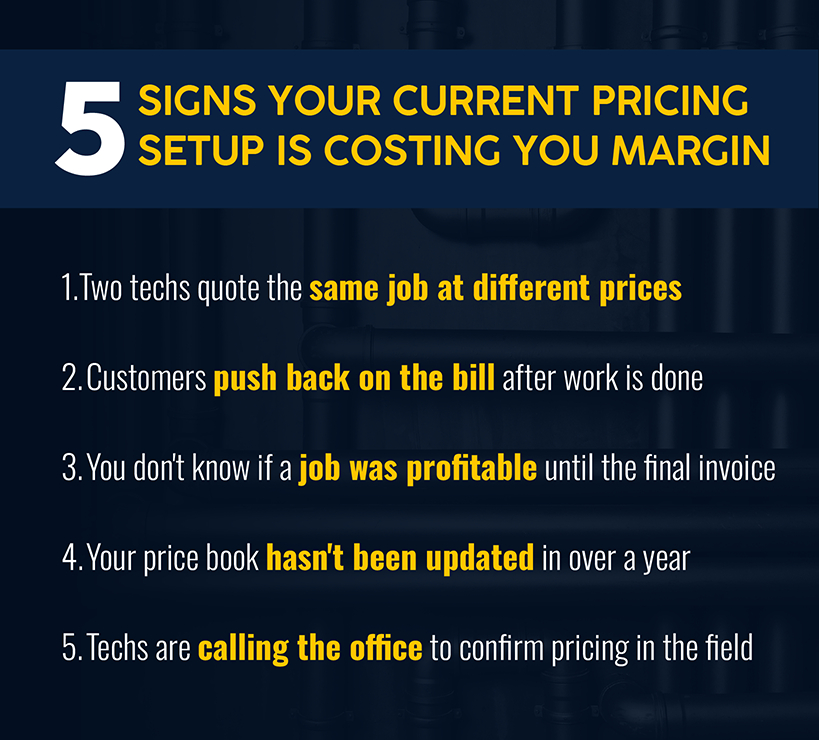
Pricing inconsistency is a quiet margin killer, but you already know that.
This guide compares six flat rate pricing tools for plumbing that can keep you out of trouble, side by side — from full plumbing software platforms with native flat rate functionality to standalone pricing layers you can drop on top of what you're already running.
Whether you're a plumbing contractor running five trucks or a service business managing a mixed residential and commercial book, the right tool depends on what you're already running and where the gaps are.
Here's what's in each app, who it's built for, and what to watch out for before you buy.
Best Plumbing Flat Rate Pricing Apps At A Glance
| Tool | Best For | Pre-Built Price Book | Full FSM | Starting Price |
|---|---|---|---|---|
| Simpro® | $1M+ commercial/mixed portfolios | Most customizable | ✅ | Tailored to your operation |
| Housecall Pro | Small to mid-sized residential teams | ✅ Via Profit Rhino | ✅ | $79/mo |
| FieldEdge | Mid-size plumbing/HVAC (5–15 trucks) | ✅ 30,000+ repairs | ✅ | ~$100–125/user/mo |
| Jobber | Solo to 15-tech residential shops | ❌ Build manually | ✅ | ~$29/mo |
| Flat Rate Plus Online | Dedicated flat rate price book add-on | ✅ Pre-built | ❌ | Contact for pricing |
| The New Flat Rate | Upsell-focused operations, any size | ✅ Curated modules | ❌ | $99/tech/mo |
The Best Plumbing Flat Rate Pricing Apps
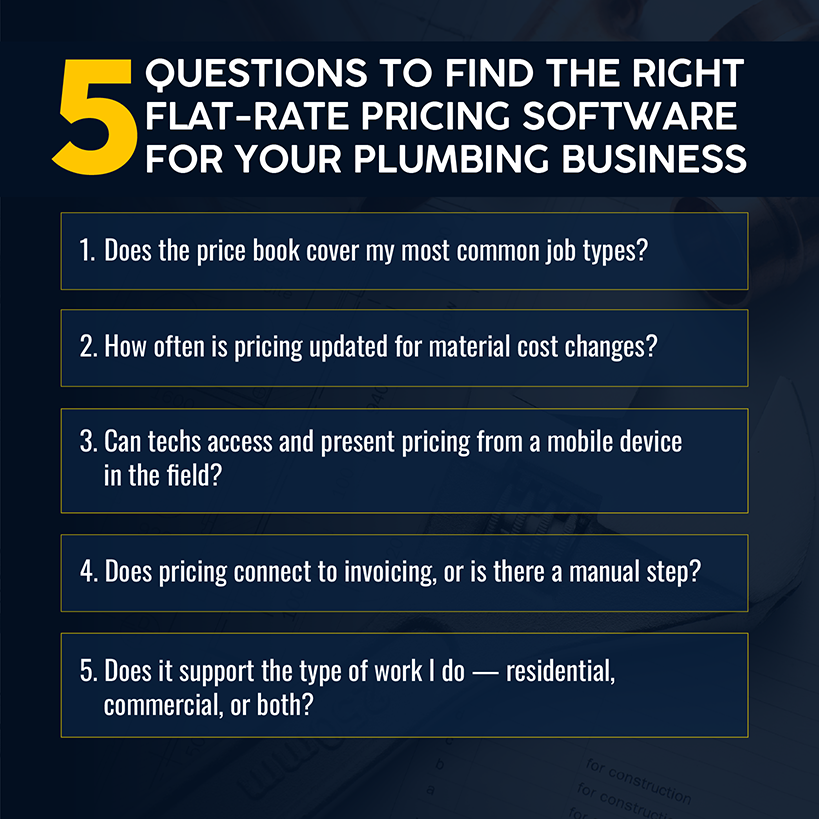
The six tools below represent two different product categories: all-in-one field service management platforms (FSMs) with flat rate built in, and standalone flat rate pricing layers that sit on top of your existing workflow. Which category you need depends more on your current operation than on feature lists.
1. Simpro: Best For Plumbing Businesses That Need Flat-Rate Pricing Connected To Broader Operations
Simpro is built for plumbing businesses managing complexity: multi-crew operations, commercial project work, mixed residential and project portfolios, and teams where job costing at the line-item level isn't optional.
Two features sit at the center of how Simpro handles flat rate pricing: Pre-Builds and Cost Centers.
-
Pre-Builds are reusable job templates that bundle labor, materials, and a sell price into a single line item that a tech can add to a quote or job on Simpro Mobile. There are two types.
- Standard price pre-builds calculate the sell price dynamically from the components inside them — so if your material costs change, the price adjusts.
- Flat rate pre-builds work differently: the sell price is locked at a fixed value and stays there regardless of what happens to material costs or pricing tiers in your catalog.
That distinction matters. When a tech creates a pre-build on-site, the locked price populates automatically, and the customer sees a single approved number. No calling the office, no on-site math, no price that drifts between quote and invoice.
-
Cost Centers are how Simpro tracks profitability across the different types of work. You assign a cost center to each job, such as Service Work, Maintenance, or Commercial Install. Labor, materials, and expenses are tracked against that cost center throughout the job lifecycle, so you can pull a profit and loss breakdown by work type, not just by job.
For a plumbing contractor running residential service calls alongside commercial project work, you avoid blending margins. If your service division is carrying your project division, you'll see it. If a crew is consistently over-budget on labor, you'll see that too — before it becomes a pattern.
Together, you have a system where flat rate pricing protects the customer-facing number, and job costing protects the margin. For businesses handling commercial plumbing work or mixed portfolios, the difference between knowing your numbers and guessing is clear.
Simpro supports 250,000+ users and 24,000+ businesses globally, and integrates with QuickBooks, Xero, Sage, MYOB, Stripe, Square, and HubSpot.
Pros:
- Flat rate pre-builds lock sell prices independent of material cost fluctuations
- Cost Centers break out profitability by service type, so no blended margins hide what's working
- Supports service, project, and maintenance contracts under one platform
- Custom built so you only pay for parts of the platform that your team needs
Cons:
- No universal pricing; requires a conversation
- Every mobile user requires a separate paid license
- A bit of a learning curve; onboarding can take up to a few weeks
- Not purpose-built for consumer-facing upsell presentation mechanics
Pricing
Quote-based. Estimates range from $150–300/month for 1–5 users to $600–1,500+/month for 10–25 users, plus onboarding fees.
2. Housecall Pro: Best For Small To Mid-Sized Plumbing Teams That Want Ease Of Use
Housecall Pro makes flat rate pricing accessible for plumbing businesses that don't have time for a six-month implementation. The platform handles scheduling, dispatching, plumbing invoicing, and payments, and its integration with Profit Rhino (an additional $149/month) solves the cold-start problem: instead of building hundreds of line items from scratch, you import a pre-built plumbing price book, adjust for your local rates and margins, and you're quoting the same day. Because the price is agreed upfront, the final invoice matches the quote. No renegotiation at job end.
The Profit Rhino integration covers roughly 90% of the most common plumbing service repairs, with quarterly updates to reflect material cost changes. One note: Profit Rhino does not include install pricing due to regional variability — that still requires manual build-out. For teams working through how to charge for plumbing work consistently across multiple techs, the setup is fast and usable.
Pros:
- Pre-built price book eliminates cold-start effort
- Lower price point than enterprise platforms
- Strong mobile UX with low training overhead
- Free trial available
Cons:
- Profit Rhino does not cover install pricing
- MAX plan caps at 8 users
- Basic job costing
- Total cost is base plan plus $149/month for Profit Rhino
Pricing
Basic: $79/month (1 user); Essentials: $189/month (1–5 users); MAX: $329/month (up to 8 users). Profit Rhino integration: additional $149/month.
3. FieldEdge: Best For Plumbers That Want Flat-Rate Pricing With Coolfront
FieldEdge's flat rate offering is powered by Coolfront — a database of over 30,000 repairs and 16,000 parts that techs access directly from a mobile device in the field. Changes made in the office sync in real time to every truck. The Coolfront database is regularly updated for current parts and repair pricing, and the platform's Proposal Pro tool lets techs present structured good-better-best options on-site without additional sales training.
For shops running QuickBooks Desktop specifically, FieldEdge has a meaningful edge: it maintains one of the strongest QuickBooks Desktop integrations in the category. Many newer FSM platforms have moved to Online-only support. Flat rate pricing flows directly from FieldEdge into QuickBooks — no duplicate entry. FieldEdge also includes service agreement management for plumbing businesses, building recurring revenue alongside standard repair work. See our guide to pricing for field service teams for how agreement pricing structures typically work. FieldEdge reports an average 138% return on investment for plumbing businesses on the platform.
Pros:
- One of the deepest pre-built plumbing and HVAC repair databases available
- Strong QuickBooks Desktop compatibility
- Well-designed service agreement tracking
Cons:
- No published pricing; mandatory 5-week onboarding before go-live
- Per-user pricing scales steeply — a 7-person team runs approximately $825/month before add-ons
- No free trial
Pricing
Approximately $100/month per office user and $125/month per field tech, plus a mandatory $500–$2,000 setup fee. Not publicly listed.
4. Jobber: Best For Small Plumbing Businesses That Need Simple Pricing Plus Scheduling
Jobber handles the fundamentals well for solo operators and small residential plumbing teams. The core quotes scheduling, dispatching, invoicing, and basic job costing workflow is all here, accessible from a mobile app that doesn't require training to use. Flat rate pricing is set up through job templates and saved estimate line items. Services get priced once, saved, and reused. A tech can build and send a quote from the field in under two minutes.
What Jobber doesn't offer is a pre-built plumbing price book. You build the service item catalog yourself. This is a meaningful upfront investment for businesses with large service menus, and quite manageable for operations with a tighter offering.
Jobber integrates with QuickBooks Online and Xero. A 14-day free trial is available on the Grow plan.
Pros:
- Lowest price point in the category
- 14-day free trial, no credit card required
- Strong mobile app with offline capability
Cons:
- No pre-built flat rate price book; catalog must be built manually
- Not suited for commercial-scale or complex multi-crew dispatching
- Easy to outgrow quickly for teams that want to scale
Pricing
Core (1 user): from approximately $29/month billed annually. Multiple tiers available. 14-day free trial on the Grow plan.
5. Flat Rate Plus Online: Best For Businesses That Want A Dedicated Flat-Rate Price Book
Flat Rate Plus Online is a standalone pricing tool built specifically for flat rate price book management and customer presentation. It doesn't replace scheduling, dispatching, or plumbing invoicing. The focus is the price book itself: a pre-built catalog that techs access and present on a mobile device in the field.
For businesses that have a functional FSM they're keeping but want to standardize flat rate pricing without forcing a full platform migration, a dedicated pricing layer solves the specific problem without overhauling everything else.
The tradeoff: running two subscriptions adds cost, and pricing data doesn't automatically flow into job costing or operational reporting unless you're doing manual reconciliation or building out third-party workflows.
Pros:
- Purpose-built for flat rate price book management
- No FSM migration required
- Faster time-to-value than building a price book from scratch inside an FSM
Cons:
- Does not include scheduling, dispatching, work orders, or invoicing
- Requires a separate FSM for full field operations
- Pricing data stays siloed from job costing
Pricing
Contact for pricing details.
6. The New Flat Rate: Best For Menu Pricing And Upsell-Driven Plumbing Sales
The New Flat Rate (TNFR) approaches flat rate pricing from the sales side. Its core mechanism is a five-option menu: every service call uses a pre-built presentation showing five service options at different price points. Customers choose their level. Techs don't pitch, they show the menu.
The platform claims 2x–3x average ticket increases for contractors who implement consistently, though individual results depend on tech adoption and how rigidly the presentation structure is followed.
TNFR works alongside 250+ FSM tools, including Simpro. For businesses with scheduling and dispatching sorted that want to address HVAC and plumbing pricing strategy from a presentation angle, this is the most purpose-built tool for that specific goal.
Pros:
- Claims 15% higher closing rates and 2x–3x average ticket increases
- The menu structure removes selling pressure from techs
- Works alongside any existing FSM
Cons:
- Does not include scheduling, dispatching, job tracking, or invoicing
- Total cost is TNFR plus an FSM subscription
- Less applicable to commercial flat rate scenarios
Pricing
Starts at $99/month per tech. Scales with the number of trades and support tier.
Are Flat-Rate Pricing Apps Better Than Manual Price Books Or Spreadsheets?
For a plumbing business with two or three technicians and a tight service menu, a spreadsheet price book can work. For everyone else, the limitations emerge fast.
A spreadsheet can't update automatically when material costs change, and with plumbing fixture costs up nearly 28.4% since early 2021, a price book set 18 months ago is losing margin on every call. It can't be accessed in real time from a mobile device. It can't flow into an invoice automatically. And it creates pricing inconsistency the moment you have more than one tech, because version control on a shared spreadsheet is a job nobody signed up for.
Digital flat rate pricing apps solve all of that. Once you're running more than 2–3 technicians, a dedicated flat rate tool earns its cost through margin protection alone.
The more consequential question isn't paper vs. app, it's whether you need a full FSM with flat rate built in, or a dedicated pricing layer on top of your existing workflow. Platforms like Simpro manage your entire operation with flat rate as a built-in feature. Tools like The New Flat Rate, Profit Rhino, and Flat Rate Plus Online handle pricing and presentation only, so you'll need a separate platform for everything else. Both approaches work. The right answer depends on whether your current FSM is worth keeping.
Running a plumbing business at scale means pricing decisions made in the field determine whether the month ends in the green. If you're managing 10+ technicians across service and commercial work, the right platform doesn't just standardize pricing, it connects pricing to job costs, field operations, and business reporting in real time.
Simpro is built for that kind of operation. To see how flat rate pre-builds fit into your workflow and what line-item job costing data looks like in practice, schedule a demo.
Frequently Asked Questions about Best Plumbing Flat Rate Pricing Apps
Can Plumbing Flat Rate Pricing Apps Work For Commercial Jobs?
Most pre-built price books like Profit Rhino, The New Flat Rate, and FieldEdge's Coolfront are built for residential service call work. The pricing assumptions break down on commercial jobs where scopes vary significantly.
For commercial plumbing, a platform like Simpro lets you build flat rate pre-builds from a supplier-linked catalog. You're not locked into industry-average pricing, and you can build prices specific to your actual material costs, labor rates, and margin targets.
How Hard Is It To Build Or Import A Flat-Rate Price Book?
Platforms with pre-built databases eliminate most of the cold-start problem. You import an industry-standard book, adjust markup for local rates, and you're quoting within one onboarding session.
Platforms where you build from scratch require more upfront time but give you greater control. A practical benchmark: budget 15–20% of your first-year software costs for training, data migration, and internal setup.
Do Flat-Rate Pricing Apps Help Increase Close Rates Or Just Speed Up Quotes?
Both, but the degree depends on the tool and how it's used. Speed alone has a measurable effect: faster quotes give customers less time to shop around, and a professional on-site presentation builds confidence.
Tools designed around presentation mechanics are built to influence ticket size, not just speed. For platforms where flat rate is primarily a pricing consistency tool, the close rate is more indirect because it comes from professionalism and consistency rather than structured upsell.


 Back to top