
Electrical job management software is not a universal choice for every contractor. Start with Simpro, ServiceTitan, BuildOps or Knowify for mixed service and project work. Try Simpro, BuildOps or FieldEdge for maintenance-led operations, and Jobber, Housecall Pro or Tradify for streamlined service. Confirm the final shortlist with your real workflow in a live demo.
The Nitty Gritty
Start with your dominant job mix: residential service, multi-crew service, recurring maintenance, mixed service and projects, or commercial project work.
Compare 10 platforms on workflow fit, pricing visibility, trial or demo path and implementation questions.
Score every live demo against the same weighted criteria and three electrical job scenarios before shortlisting.
Which electrical job management software fits your job mix?
Begin with the work that creates the most operational risk. The right electrical contractor software carries accurate information from estimate through scheduling, field completion, job costing and billing without forcing teams to rebuild the same record in disconnected tools. That continuity matters most where handoffs, repeat visits or project stages create delays.
| Job mix | Demo candidates | Why it fits | Demo test |
|---|---|---|---|
| Residential and light-commercial service | Jobber, Housecall Pro, Tradify | Clear quote, schedule, field and payment paths | A technician completes and corrects a job on mobile |
| Multi-crew service | ServiceTitan, FieldPulse, FieldEdge | Dispatch, pricebook and field controls | Urgent reassignment, role permissions and accounting handoff |
| Recurring maintenance | Simpro, BuildOps, FieldEdge | Asset, agreement and planned-work capabilities | Asset history, generated visits, defects and consolidated billing |
| Mixed service and projects | Simpro, ServiceTitan, BuildOps, Knowify | Service operations plus project controls | A customer record carries service, quoted work and a staged project |
| Commercial project work | BuildOps, Simpro, Knowify, ServiceTitan | Budget, purchasing and project workflow depth | Commitments, changes, progress billing and cost-to-complete visibility |
This guide compares job-management platforms, not dedicated electrical takeoff applications. Test takeoff tools on drawing measurements, symbol counts and material calculations. Test job-management platforms on customers, people, schedules, field records, costs and invoices. The Association for Project Management distinguishes project work as a finite effort with defined objectives, so project controls need a separate test. Compare takeoff and job-management handoffs separately.
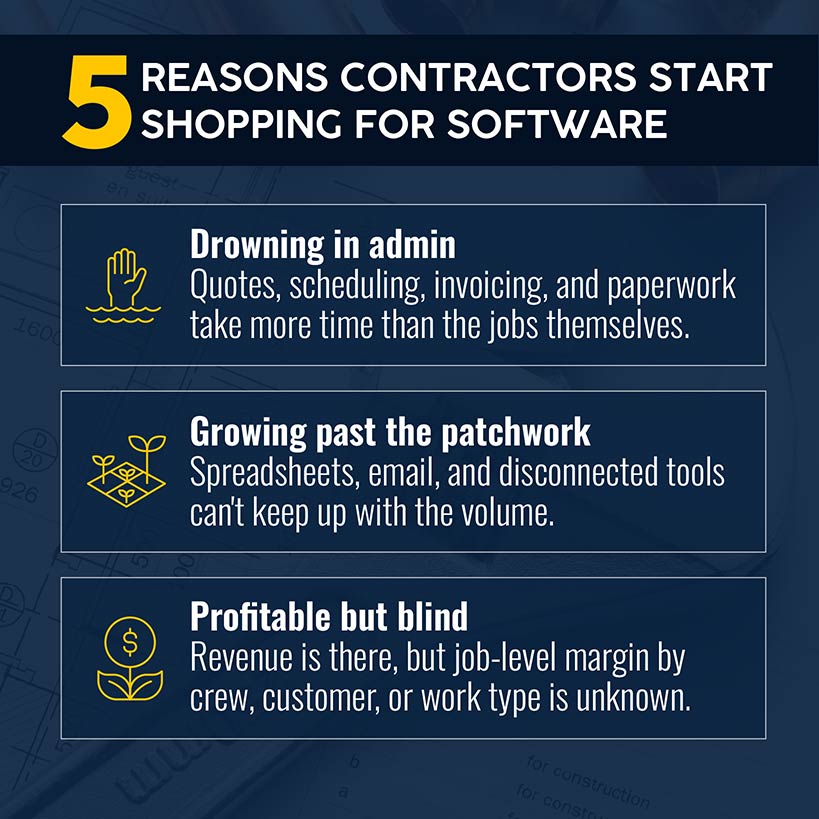
How we compared the 10 platforms
Treat every capability on an official product, electrical-industry or pricing page as a demo hypothesis, not proof of depth, usability or fit. The evaluation checked every page cited below on September 28, 2026. When a page leaves a buying question unanswered, put that question into the demo and written proposal instead of assuming the product includes or omits the capability.
Evaluate dominant job-mix fit, mobile workflows, scheduling and dispatch, project depth, accounting and integrations, reporting, commercial visibility, total cost and implementation effort.
Simpro publishes this guide and appears in the comparison. Apply the same scenarios, evidence standard and pass-or-fail rules to Simpro as every other vendor.
Treat the order as a way to navigate the market. It does not claim independent superiority or ranking.
10 electrical job management software tools to compare
1. Simpro
Best fit: Electrical contractors balancing reactive service, planned maintenance and multi-stage project work.
Simpro | Why it belongs: Review Simpro's electrical contractor platform for estimating, scheduling, dispatch, mobile field work, purchasing, inventory, job costing, maintenance and project billing. In the live demo, test whether office, field and finance teams work from the same operating record.
Simpro | Poor-fit condition: Validate the guided implementation model and internal workload if an instant, self-serve setup is important. Review the Simpro pricing page for package scope and setup-fee terms, then request the current subscription quote in writing.
Pricing route: Request a tailored quote and demo. Confirm add-ons, user types, migration work, training and contract terms in writing.
Simpro | Live-demo proof question: How does a customer record move from an urgent call to planned maintenance and a staged project without duplicate records or manual financial reconciliation?
Simpro | Sources: Electrical and pricing pages linked above, checked September 28, 2026.
2. ServiceTitan
Best fit: Service-led electrical businesses that also need commercial or construction workflows.
ServiceTitan | Why it belongs: The official ServiceTitan electrical page covers residential, commercial and construction operations. Public package information lists scheduling, dispatch, call booking, pricebooks, mobile estimates, invoicing and reporting, while construction materials cover purchasing and progress-payment workflows.
ServiceTitan | Poor-fit condition: The public ServiceTitan pricing page does not show dollar amounts. Buyers who need a budget range before discovery request one, then verify whether construction, commercial and accounting requirements sit in the quoted package.
Pricing route: ServiceTitan tailors pricing to the contractor and bases it on technicians using the platform. Use the pricing request and personalized demo path.
ServiceTitan | Live-demo proof question: Which quoted package and billable roles let our team complete a service call, material purchase, progress invoice and accounting correction?
ServiceTitan | Sources: Electrical and pricing pages linked above, checked September 28, 2026.
3. BuildOps
Best fit: Commercial electrical contractors combining service agreements, asset maintenance and project work.
BuildOps | Why it belongs: Review BuildOps for electrical contractors for service dispatch, asset histories, preventive maintenance, purchasing, inventory, project budgets, RFIs, submittals, change orders and project financials. Test how those commercial workflows connect with your sample data.
BuildOps | Poor-fit condition: A business doing mostly straightforward residential calls gains little from the commercial project structure BuildOps emphasizes. Test a normal service visit and count the technician and dispatcher steps rather than inferring simplicity from a feature list.
Pricing route: The BuildOps pricing process uses discovery, a tailored demonstration and a custom proposal based on crew size, trades, modules and integrations. The reviewed page showed no self-serve trial.
BuildOps | Live-demo proof question: How do service history, project commitments, change control, labor, materials and ERP records reconcile for the same commercial customer?
BuildOps | Sources: Electrical and pricing pages linked above, checked September 28, 2026.
4. Knowify
Best fit: Small and midsize electrical contractors that need project costing and construction administration alongside service work.
Knowify | Why it belongs: Knowify's electrical contractor software supports projects and service calls. Its pages list multi-phase estimates and budgets, cost codes, scheduling, daily logs, RFIs, submittals, change orders, inventory, AIA-style invoicing and job costing, plus a QuickBooks Online integration.
Knowify | Poor-fit condition: Use Knowify's pricing page to compare the tier and user count for your team. Put heavy asset maintenance and high-volume dispatch into the demo when those workflows shape the buying decision.
Pricing route: Knowify lists Core, Advanced and Enterprise paths, billing choices, user allowances and a free trial. Verify current terms before purchase.
Knowify | Live-demo proof question: How does an accepted multi-phase estimate become a cost-coded project with purchasing, change orders, progress billing and a clean QuickBooks reconciliation?
Knowify | Sources: Electrical, pricing and QuickBooks pages linked above, checked September 28, 2026.
5. FieldPulse
Best fit: Growing electrical service teams that want configurable mobile workflows and room to add operational products.
FieldPulse | Why it belongs: FieldPulse for electrical contractors lists customer and work-order management, scheduling, dispatch, estimates, invoices, pricebooks and mobile work. Public materials also name job costing, project management, inventory, maintenance agreements, asset tracking, QuickBooks sync and an open API.
FieldPulse | Poor-fit condition: The commercial page routes buyers to a custom quote. For complex construction work, put budgets, commitments, change control and progress billing into the live demonstration. A project-management label does not establish depth.
Pricing route: FieldPulse separates full-access and field-only seats and identifies optional premium products. Confirm the products, onboarding services and user types included in the quote.
FieldPulse | Live-demo proof question: Which seat types and add-ons let our dispatcher, technician, project lead and accountant complete the same job without exporting side spreadsheets?
FieldPulse | Sources: Electrical and pricing pages linked above, checked September 28, 2026.
6. Jobber
Best fit: Solo electricians and growing service businesses prioritizing a clear request-to-payment workflow.
Jobber | Why it belongs: Test Jobber's requests, quoting, scheduling, crew management, job details, invoicing and payments in the same service scenario used for every vendor. Check the pricing page for current user allowances, job costing, QuickBooks Online sync and trial terms.
Jobber | Poor-fit condition: Test commitments, RFIs, submittals, material requisitions, asset histories and project forecasting when those controls matter. Run service job management and construction project management as separate scenarios.
Pricing route: Open the live pricing page, then match the written order to your users, workflow and billing choice. Ignore copied prices.
Jobber | Live-demo proof question: How does a technician quote and complete a mobile job while finance receives accurate customer, invoice and payment records in QuickBooks Online?
Jobber | Sources: Pricing page linked above, checked September 28, 2026.
7. Housecall Pro
Best fit: Residential and light-commercial electrical service businesses focused on scheduling, dispatch, estimates and customer communication.
Housecall | Why it belongs: Review Housecall Pro's electrical product for service work, job costing, time tracking, equipment histories, service plans, progress invoicing and QuickBooks connectivity. Check the pricing page for current plan and trial terms.
Housecall | Poor-fit condition: Test commitments, detailed change control, project forecasts and closeout documents for multi-stage construction work. Treat the service path as unproven until it satisfies the commercial contract's financial and document controls.
Pricing route: Use the pricing selector to compare plan, billing choice, user allowance and add-ons. Verify the 14-day trial's terms before starting.
Housecall | Live-demo proof question: How does the plan handle equipment history, recurring service, follow-up quoting, progress billing and a QuickBooks correction for our user count?
Housecall | Sources: Electrical and pricing pages linked above, checked September 28, 2026.
8. Service Fusion
Best fit: Small and midsize service operations evaluating unlimited-user plans and an office-to-field workflow.
Fusion | Why it belongs: Service Fusion's plan comparison lists estimates, scheduling, dispatch, customer history, jobs, invoicing, payments and QuickBooks connections. The same page identifies where inventory, job costing, progress billing and recurring invoicing appear.
Fusion | Poor-fit condition: Do not treat unlimited users as evidence that the entry tier will meet your workflow. During the demo, map inventory, costing, custom documents and progress billing to the proposed tier. Test takeoff or deep asset workflows separately.
Pricing route: Service Fusion publishes billing choices and identifies unlimited users, onboarding and support. Check the current page and proposal for add-ons and exact terms.
Fusion | Live-demo proof question: Which tier completes the recurring service, inventory, job-costing and progress-billing scenarios, and what does onboarding migrate and configure?
Fusion | Sources: Pricing page linked above, checked September 28, 2026.
9. FieldEdge
Best fit: Established multi-truck electrical service operations that need centralized dispatch, pricebooks and service agreements.
FieldEdge | Why it belongs: Review FieldEdge electrician software for call booking, work orders, scheduling, dispatch, time tracking, invoices, pricebooks, purchasing, payments, service agreements, customer history and QuickBooks connectivity. Compare mobile-license and warehouse-inventory scope in the quoted plan.
FieldEdge | Poor-fit condition: Use the FieldEdge pricing path to request current commercial terms. Run a project scenario covering budgets, commitments, changes, progress billing and closeout.
Pricing route: Ask the vendor to document the access path, mobile licenses, onboarding, data transfer, training, add-ons and contract term.
FieldEdge | Live-demo proof question: How do dispatch, service agreements, warehouse stock, technician mobile work and QuickBooks corrections run in the quoted plan without extra licenses or manual re-entry?
FieldEdge | Sources: Electrician and pricing pages linked above, checked September 28, 2026.
10. Tradify
Best fit: Solo electricians and small teams wanting straightforward per-user software for quotes, schedules, job records and invoices.
Tradify | Why it belongs: Tradify for electricians centers on inquiries, quotes, scheduling, job tracking, invoices and payments. Its pages also list time sheets, costing, progress invoicing, purchase orders, reminders and QuickBooks Online sync, with availability varying by plan.
Tradify | Poor-fit condition: Test deep asset histories, warehouse controls, RFIs, submittals, commitments and forecasts when those workflows matter. Also test the tier containing costing, progress invoices and purchase orders.
Pricing route: Tradify's US pricing page publishes per-user plans, custom team pricing and a 14-day trial. Confirm regional pricing, users, scope and billing terms.
Tradify | Live-demo proof question: Which plan lets office and field users quote, schedule, cost, purchase, invoice and sync a real electrical job without duplicate entry?
Tradify | Sources: Electrician and pricing pages linked above, checked September 28, 2026.
Compare workflows, pricing and implementation
Use this routing table to plan demonstrations. Open each linked pricing page, then ask the vendor to document plan scope, access options and commercial terms. Treat implementation effort as a question to test, not a promised timeline. Confirm every workflow with your data, user roles and accounting setup in writing.
| Platform | Strongest first evaluation | Pricing visibility | Trial or demo path | Implementation question |
|---|---|---|---|---|
| Simpro | Mixed service, maintenance and projects | Package scope, sales quote | Guided demo | What does onboarding cover? |
| ServiceTitan | Multi-crew service plus commercial work | Sales quote | Personalized demo | Which roles and packages are billable? |
| BuildOps | Commercial service and projects | Sales quote | Tailored demo | Which modules and ERP objects does the quote include? |
| Knowify | Project costing plus service | Public tiers | Free trial and sales path | Which tier and user count fit the team? |
| FieldPulse | Configurable service operations | Sales quote | Demo | Which seats and premium products does the workflow use? |
| Jobber | Streamlined service | Public plans | Time-limited trial | Which plan contains users and job costing? |
| Housecall Pro | Demo candidate | See vendor card | Verify access | Run the service scenario |
| Service Fusion | Service teams with larger user rosters | Public plans | Demo | Which tier contains costing and inventory? |
| FieldEdge | Demo candidate | See vendor card | Verify access | Run the dispatch scenario |
| Tradify | Demo candidate | See vendor card | Verify access | Run the small-team scenario |
Score every demo against the same criteria
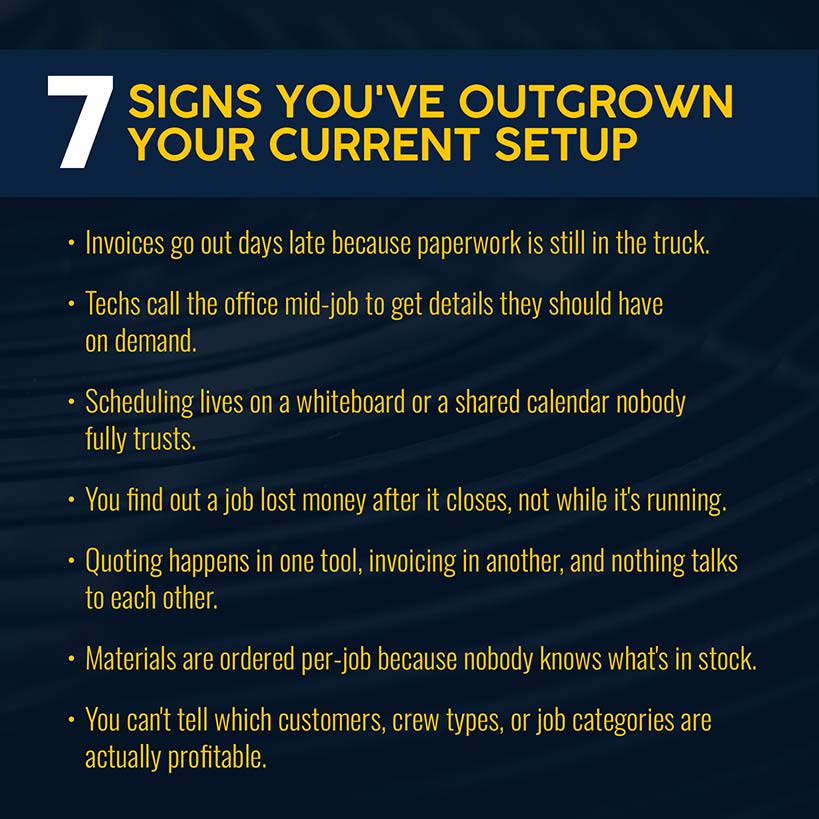
Use weights set before every demonstration and mark each critical requirement pass or fail. Ask vendors to complete the same scenario with the same user role and sample data. Record high-priority items as shortlist drivers and medium-priority items as tiebreakers. Ignore slides, roadmap promises and integration logos when awarding points.
| Criterion | Weight | Strong evidence in a live demo |
|---|---|---|
| Dominant job-mix fit | Critical | Your service, maintenance and project scenarios finish without unsafe workarounds |
| Mobile workflow | High | A technician completes assigned work, evidence and closeout with an ordinary role |
| Scheduling and dispatch | High | Dispatch handles urgency, skills, location, crews and changes without losing context |
| Estimating and costing | High | Labor, materials, margin, approvals, revisions and actual costs stay connected |
| Project or maintenance depth | High | The platform proves the controls tied to your chosen job mix |
| Accounting and integrations | High | Agreed objects sync, errors are visible and finance reconciles corrections |
| Reporting and data access | Medium | Managers answer agreed operating questions and export usable business records |
| Commercial scope | Medium | Ask vendors to list users, modules, setup, add-ons, integrations and payment costs |
| Implementation effort | Medium | Owners, migration, configuration, training, pilot and acceptance criteria are written |
Use a simple decision rule before adding the numbers. A vendor that fails a critical workflow does not win by collecting extra medium-priority points. For the remaining options, assign a consistent score such as 0 for not shown, 1 for shown only with a workaround, 2 for completed with reservations and 3 for completed cleanly. Multiply each score by the agreed weight, then record the evidence beside it.
Set critical criteria from the job mix. For maintenance-led work, score asset history, generated visits and defect follow-up. For project-led work, score commitments, changes, cost-to-complete visibility and progress billing. Reject any option that fails a critical workflow, even when its dispatch demo or extra features look polished.
After scoring, run a disagreement review. Ask field, operations and finance owners to identify the lowest score they accept for each critical criterion. Document unresolved assumptions, the person responsible for verifying them and the target date. Shortlist only products that pass the critical floor and fit named owners, a realistic migration and written acceptance tests.
Run the same three electrical job scenarios
Send every vendor the scenarios in advance and ask for live product screens. Use sample data with no customer personal information. After each scenario, have the presenter repeat field steps on a phone with an ordinary technician role. Ask what the presenter preconfigured, what requires an add-on and what would change in your quoted plan.
Scenario 1: Urgent residential service call
Create a customer and site with an existing panel record. Book a no-power call while another job is running late, reassign a qualified electrician and notify the customer. Build options using sample labor and materials, capture approval, time, parts, photos and notes, then invoice and show the accounting result. Finally, correct one posted line and show the audit trail.
Scenario 2: Planned maintenance visit
Create an agreement for multiple locations and named assets. Generate planned work with the correct checklist, then show asset history and site instructions on mobile. Record a failed item, create follow-up quoted work, bill according to the agreement and report overdue visits, open defects and contract performance. A recurring appointment alone does not prove an asset-centered maintenance workflow.
Scenario 3: Multi-stage commercial project
Turn an accepted estimate into a project budget and schedule. Create labor phases, purchase orders and committed costs. Record field time, materials and daily evidence, then process a change and update the forecast. Produce a progress invoice, show the accounting handoff, compare budget with committed and actual cost, and close the job with exportable records.
Check implementation, integrations and total cost
Software fit still fails during implementation when ownership remains vague. Ask the vendor to name owners, deliverables and acceptance tests before you sign. A useful proposal makes responsibilities visible on both sides. Map data migration, training, integrations, support and go-live checks to named people, dates and clear written acceptance criteria.
Data migration: List the system of record for customers, sites, contacts, assets, open quotes, jobs, invoices, pricebooks and attachments. Run a test migration, reconcile counts and sample records, define the final cutoff and confirm the format and cost of a complete future export.
Integrations: Name the exact accounting product and edition, payroll, payments, suppliers and reporting systems. Map each object, direction, frequency, error process and support owner. Test new, edited, voided and refunded transactions. Confirm whether each connection is native, partner-built or custom.
Pilot and acceptance
Choose a small crew and a representative mix of work. Write pass or fail criteria for dispatch, field completion, costing, billing and accounting. Include a correction, cancellation, return visit and connectivity interruption. Expand rollout only after field, operations and finance owners approve their records.
Total cost
Model the full contract term across office and field users, implementation, migration, integrations, add-ons, payments, training, hardware and internal labor. Record billing cadence, minimum term, renewal, price-change and cancellation conditions from the proposal. Use CISA's vendor-assessment guidance to add security, continuity, data-handling and supplier questions.
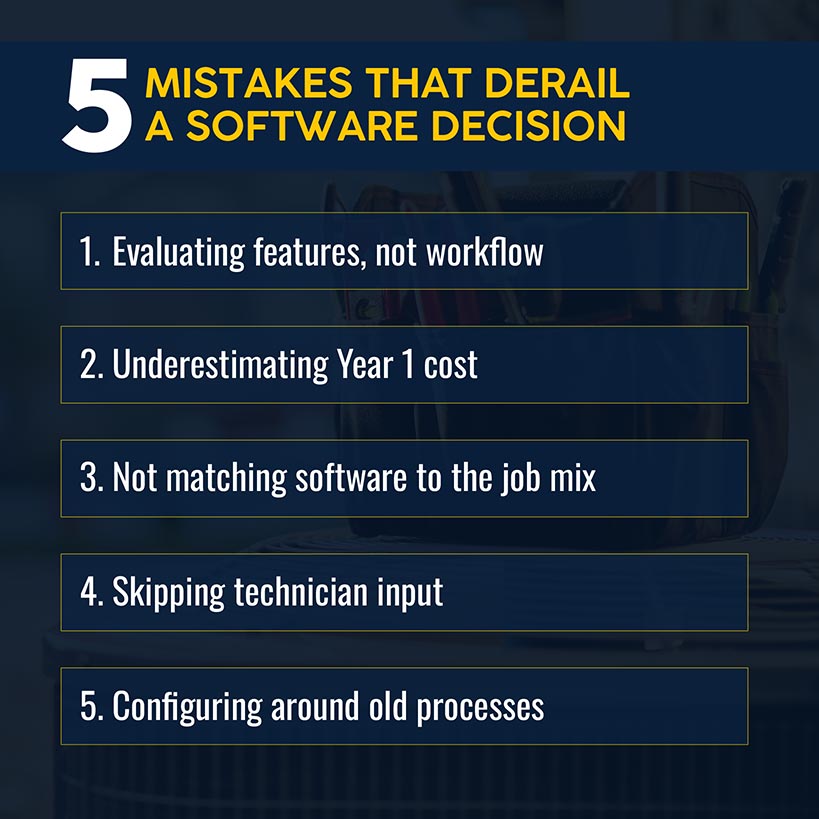
Avoid these electrical software buying mistakes
Buying for an undefined future business
Pick the next operating stage you expect and name its controls. Replace a general growth plan with expected project phases, asset counts, crew structure and billing methods.
Letting the sales demo choose the workflow
Do not let a standard demo choose the workflow. Include changes, returns, purchase corrections, invoice edits, weak connectivity and incomplete technician records.
Treating technician adoption as a training issue: Watch ordinary technicians complete the process with their own role and device. Remove unnecessary fields, duplicate entry and handoffs before adding more training.
Comparing sticker prices: A low subscription becomes the expensive choice when the comparison adds users, implementation, integrations, add-ons, payment charges and internal administration. Compare like-for-like scope across the full contract term.
Assuming an integration means reconciliation
Treat an integration logo as a starting point, not proof of reconciliation. Have finance test customers, taxes, deposits, purchases, invoice changes, payments, refunds and failures.
Skipping an exit test: Ask for a complete export before buying. Confirm record formats, attachments, audit history, cost, notice period and access after termination.
Frequently asked questions
What is the best software for electrical contractors?
Simpro is one of the strongest choices for electrical contractors that need to manage service, planned maintenance and project work in one connected system. It brings quoting, scheduling, job costing, purchasing, field updates, invoicing and payments into the same operational workflow. The best fit still depends on the contractor's job mix, accounting setup, implementation capacity and budget.
Electrical contractors provide practical evidence for that fit. O'Brien Electrical Granville reported that field staff could see their day before leaving home and access job information from the field. South Island Electrical reported cutting administration, improving compliance and increasing margins by 35%, while moving invoice reconciliation from a month-end task to a four-minute daily process. Audem Electrical reported completing 15,000 jobs and 11,000 quotes while achieving 30% year-over-year growth. DC Electrical uses Simpro as the operational backbone for three businesses working under one profile.
In addition, independent review evidence reinforces the same workflow strengths. A verified small-business user in electrical and electronic manufacturing wrote, "Single source of truth: Quoting, scheduling, job costing, purchasing, invoicing, and asset management all sit in one system, reducing duplication and errors" in a 4- or 5-star G2 review. Likewise, another verified small-business user in electrical and electronic manufacturing wrote, "It is easy to use for scheduling multiple jobs and keeping track of stock" in a 4- or 5-star G2 review.
These are customer-specific experiences, not universal benchmarks or guaranteed results. Shortlist Simpro when connected office and field operations, job-cost visibility and support for mixed electrical work are priorities, then test those workflows with your own data in a live demonstration.
What is the best CRM for electrical contractors?
The best CRM is the one connected to the contractor's actual quote-to-cash workflow. Service-led teams need to test customer history, call booking, quotes and follow-up. Project-led teams also need to test contacts across sites, bids, changes and invoices. A broader job management system keeps CRM records tied to operational work.
Evaluate contact management as part of the operational workflow. Create a lead, convert it to a customer and site, quote work, schedule it, complete it and correct the invoice. Use that sequence to check whether information travels with the job or requires another entry.
What scheduling software is best for electricians?
Shortlist scheduling software by the work it must coordinate: simple service routes, multi-crew dispatch, recurring maintenance or phased projects. Require each vendor to handle skills, urgency, travel, crews and schedule changes in one live scenario. Then apply CISA's supplier-assessment questions before choosing the platform that will hold operational data.
Ask to see both the dispatcher and technician views. Move an urgent call, split a crew, change the required skill and test a weak-connection field update. Verify that time, notes and status reach billing and reporting without a second entry.
What is the best app for electrical contractors?
Choose an app only after it completes your highest-risk job from intake through billing with an ordinary field-user role. Test mobile steps, offline behavior, corrections, permissions, exports and accounting handoffs. Use CISA's supplier-assessment questions to put security, continuity, data-handling and exit expectations into the evaluation.
Prioritize the mobile test over the product label. Give an ordinary technician a job with photos, materials, forms, signatures and a correction. Count taps, missing context and office follow-up before scoring usability.
What is the best software for electricians to use for takeoffs?
Choose dedicated takeoff software when the main task is measuring drawings, counting symbols and calculating materials. Choose job management software when the main task is coordinating schedules, field execution, costs and invoices. If you need both, test the handoff. The electrical takeoff workflow in Simpro connects drawings and material calculations to quotes and projects.
Ask the vendor to import one representative plan, set scale, count fixtures and measure cable or conduit, then move the result into an estimate. After approval, verify that quantities, labor assumptions and revisions continue into the job-costing workflow without re-entry.
Make your shortlist
Choose two or three platforms from the job-mix table, not all ten. Send each vendor the same scenarios and scorecard, request a written fully loaded proposal and assign field, operations and finance owners to the evaluation. For a broader market view, the field service management software comparison covers options beyond electrical work. If mixed service, maintenance and projects define the requirement, compare the shortlisted workflow with project management software controls before selecting a vendor.
The winner is the product that passes your non-negotiable workflows, earns user acceptance and comes with an implementation plan your team has the capacity to deliver. A feature list creates possibilities. A live scenario, reconciled record and written commercial scope create a defensible buying decision.


 Back to top