Tell your platform what needs doing
JustDo: AI office assistant for field service businesses
JustDo is Simpro's AI office assistant for field service businesses. Tell it what needs doing in plain English, or hand it an email, PDF, photo or spreadsheet, and it drafts the job, customer or quote in Simpro Lightning. Your team checks every draft and approves it before anything sensitive happens.
Get Demo See JustDo in action
Built for field service trade offices that can't keep up with the inbox

Electrical

Plumbing

HVAC

Security

Fire Protection
...and more
Office admin
AI data entry for field service offices
Work reaches your office as emails, photos, PDFs and spreadsheets, and someone types it all into the system before a job can be scheduled. JustDo handles that AI data entry: it reads the source, drafts the job, customer or quote in Simpro, and your team reviews and approves it. Trade businesses spend about 18.5 hours a week on administration, and JustDo takes on the repetitive entry and clean-up.

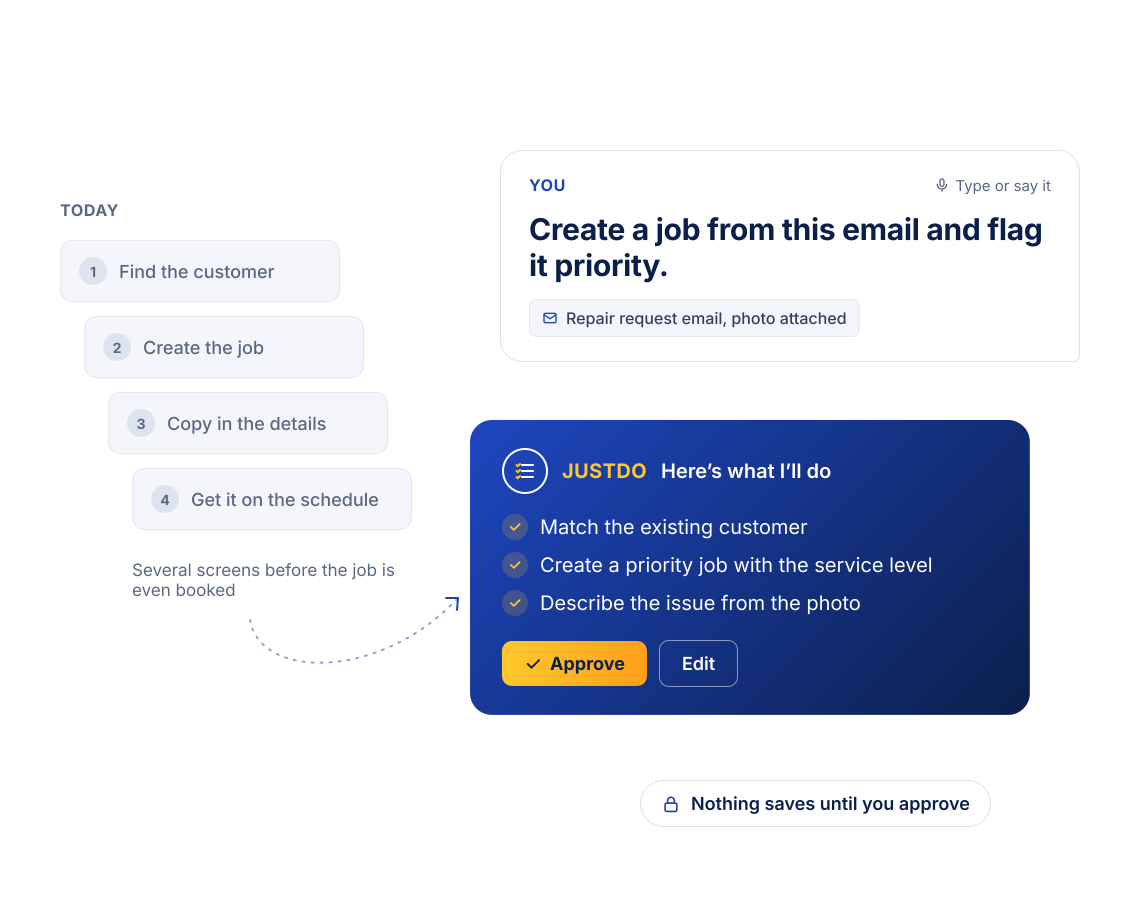
The priority repair request
It arrives by email. Someone finds the customer, creates the job and copies in the service level and description before it can be scheduled.

Photo
The photo from a new customer
A homeowner emails a photo of a leaking boiler. The office creates the customer, then writes up a job from a photo it has to interpret.

Spreadsheet
The list of sites
A spreadsheet of sites or planned maintenance visits arrives and gets typed in line by line.

Quote
The quote request
A customer describes the work in an email or a PDF, and someone rebuilds it as a quote, line by line.
Meet JustDo
What is an AI office assistant?
An AI office assistant handles routine office tasks from plain-English instructions and everyday documents. JustDo is the AI office admin built into Simpro Lightning for field service offices: type or say what needs doing, or attach an email, photo, PDF or spreadsheet, and it prepares the job, customer or quote in Simpro. You review and approve before anything sensitive happens.
- Admin hours back: less office time spent re-keying emails, photos and spreadsheets, so your team can put more time into customers and scheduling.
- Faster to the schedule: creating a job takes an instruction instead of several screens, so work reaches the schedule and the quote sooner.
- Approval built in: JustDo previews its work and asks for approval before anything sensitive happens.
 See JustDo in action
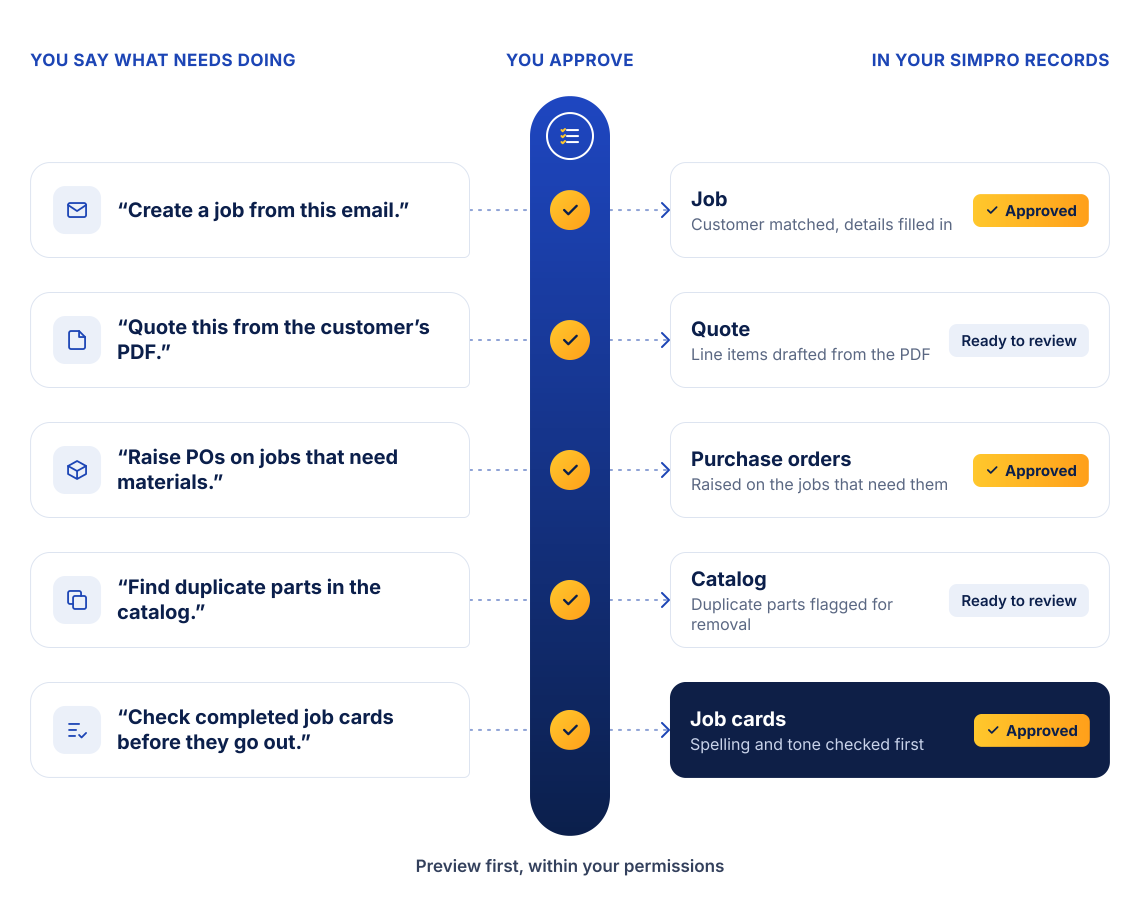
How JustDo works inside Simpro
Your digital worker for office admin
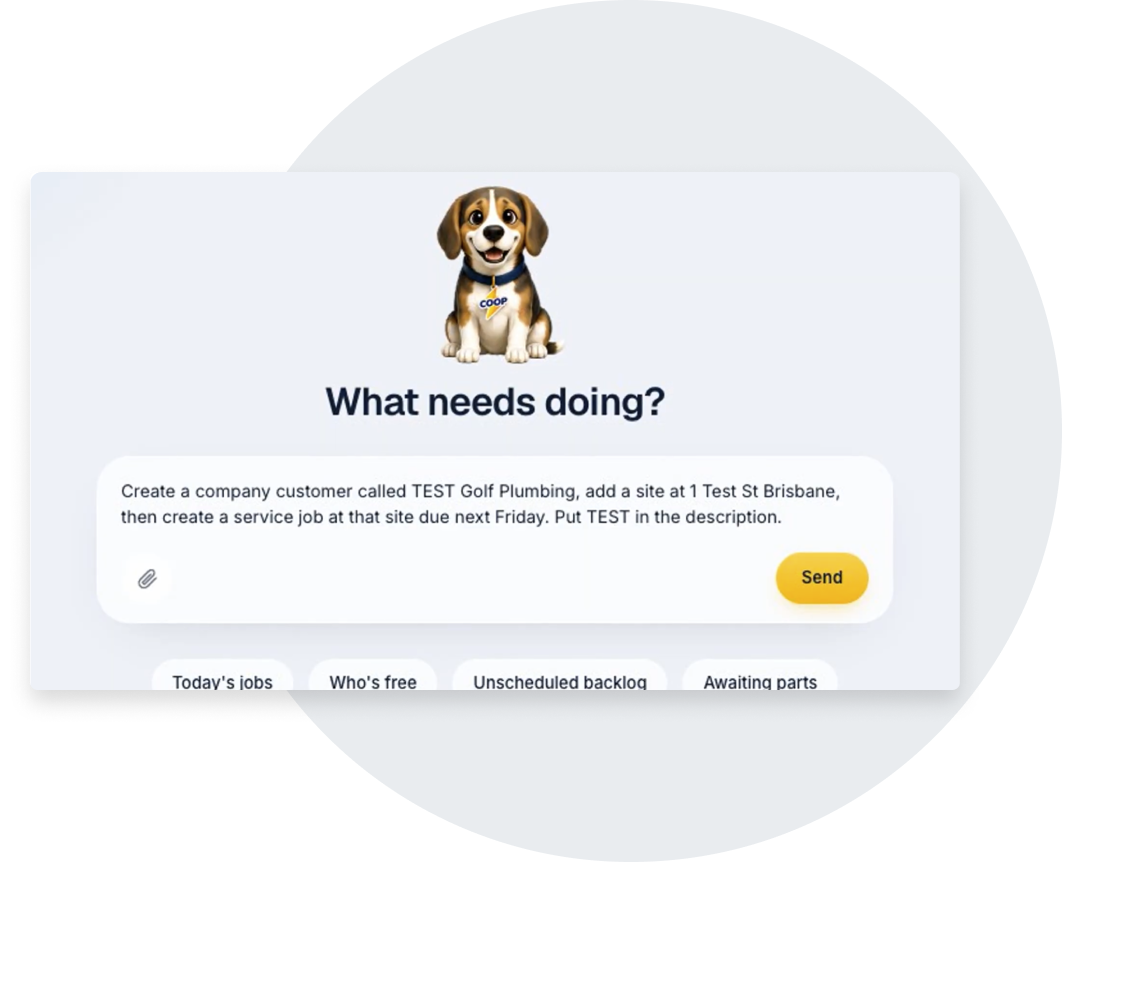
Tell it what you want
Type or say what needs doing, or attach an email, photo, PDF or spreadsheet, and JustDo drafts the job, customer or quote.
Works from
- A typed or spoken instruction
- Emails, photos, PDFs and spreadsheets
- Gmail and Google Drive, connected as sources
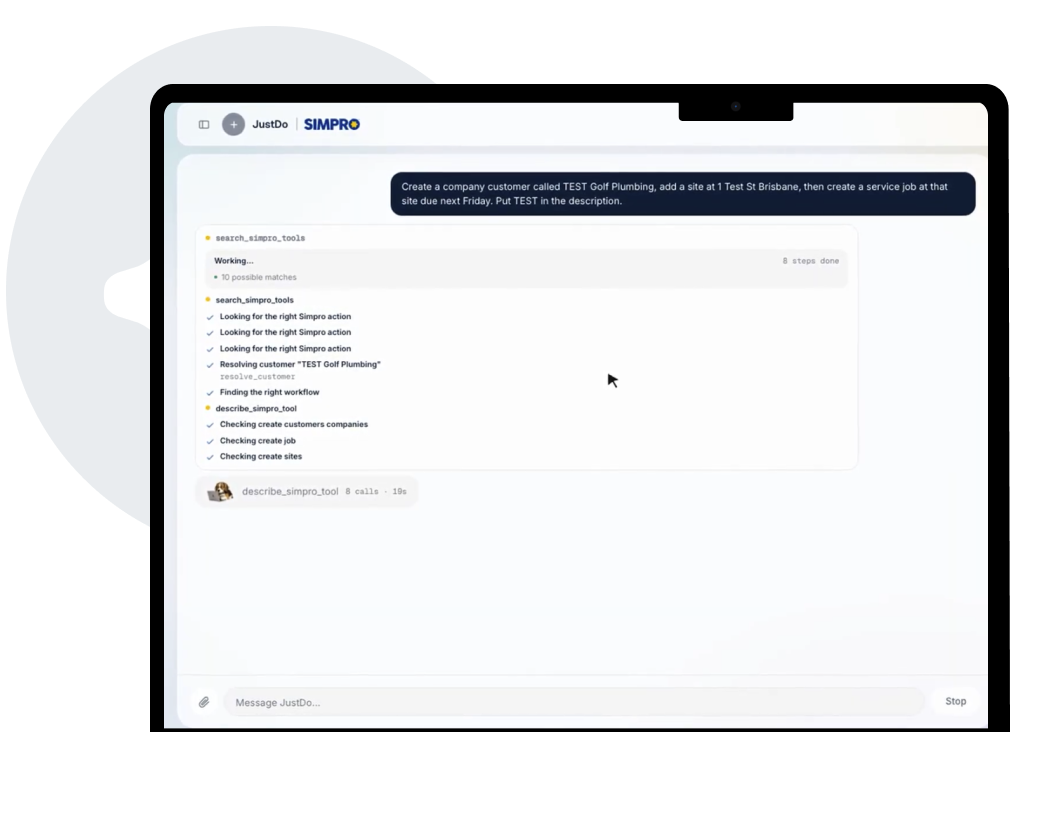
Checks before it creates
JustDo looks for an existing customer or contact before it creates a new one, and reads a photo to describe the issue or pull details such as a nameplate or asset details.
So you get
- Fewer duplicate customers
- Details read from the source, not retyped
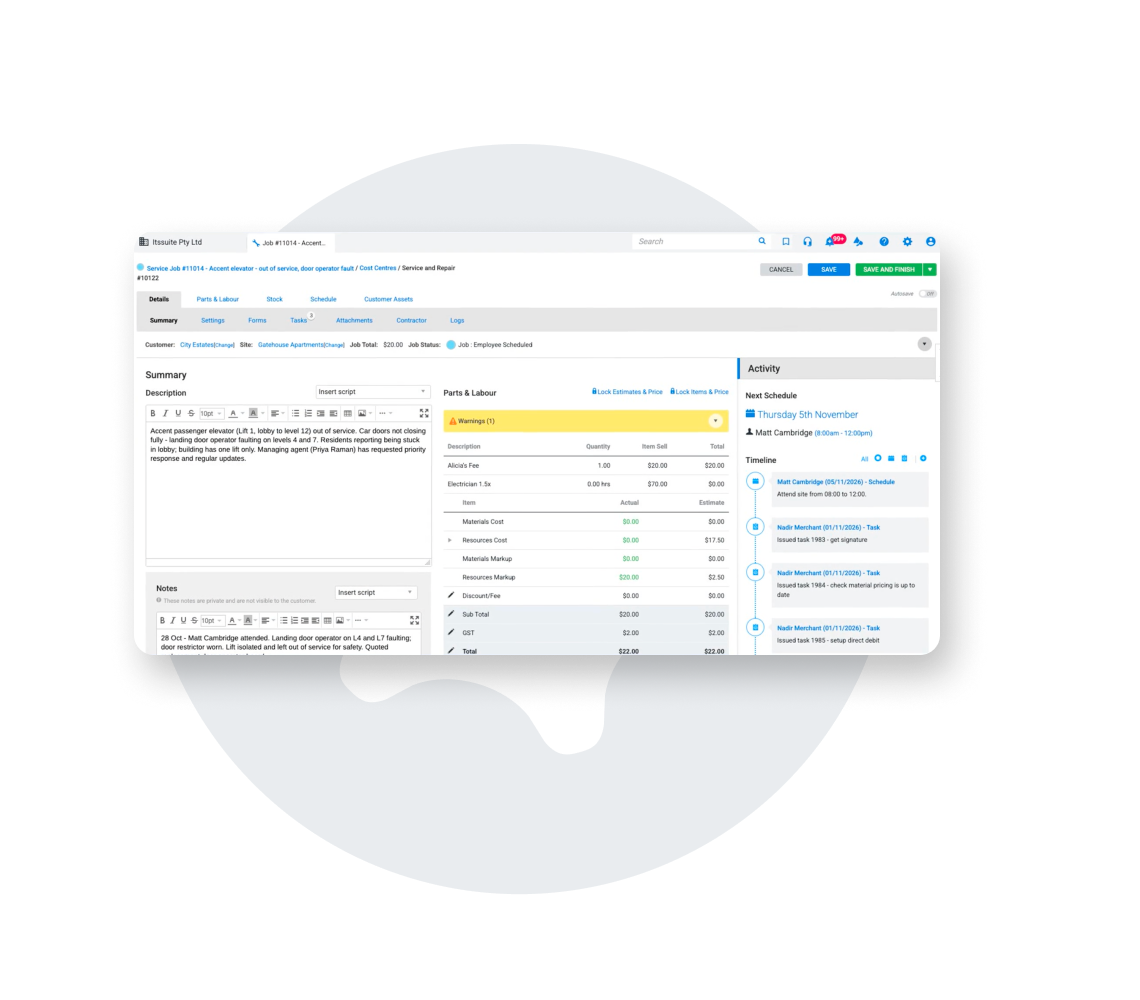
Quotes from the customer’s words
Build a quote from an email, a PDF or a sentence, with line items ready for you to review before anything goes out.
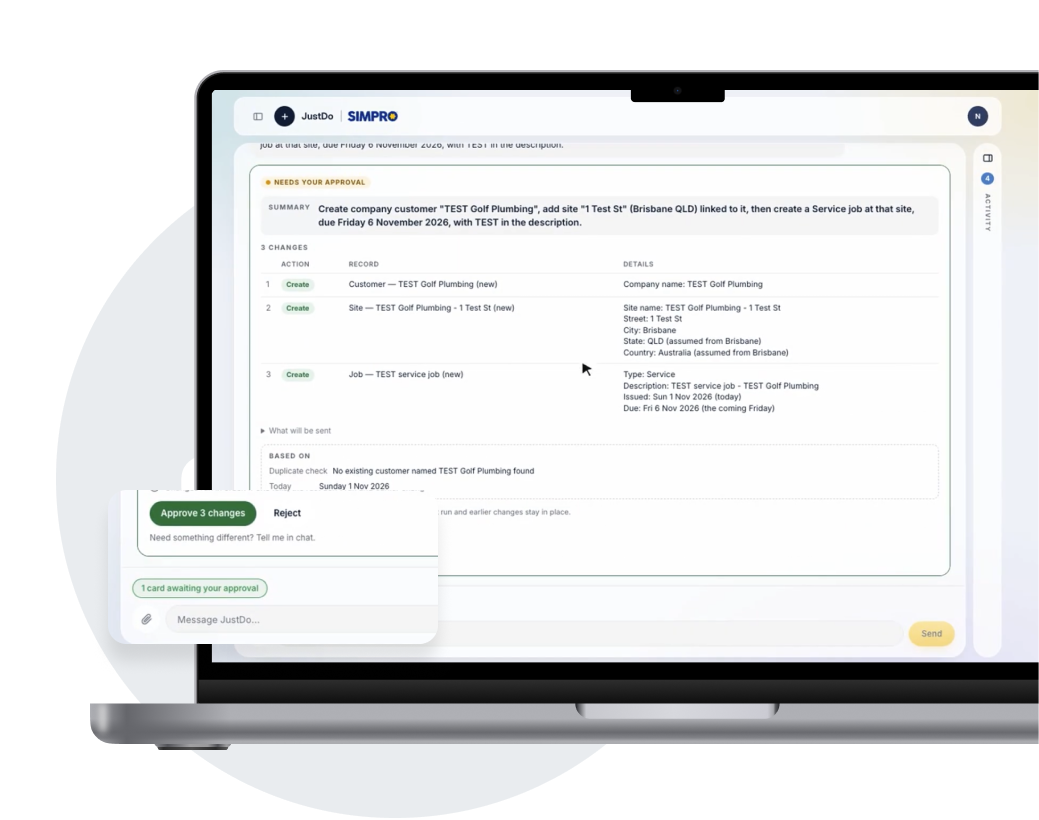
Preview and approve
See what JustDo will do and approve it before records are created or sensitive actions, such as customer communications, are taken. A side panel shows its progress and reasoning, at a level of detail you control.
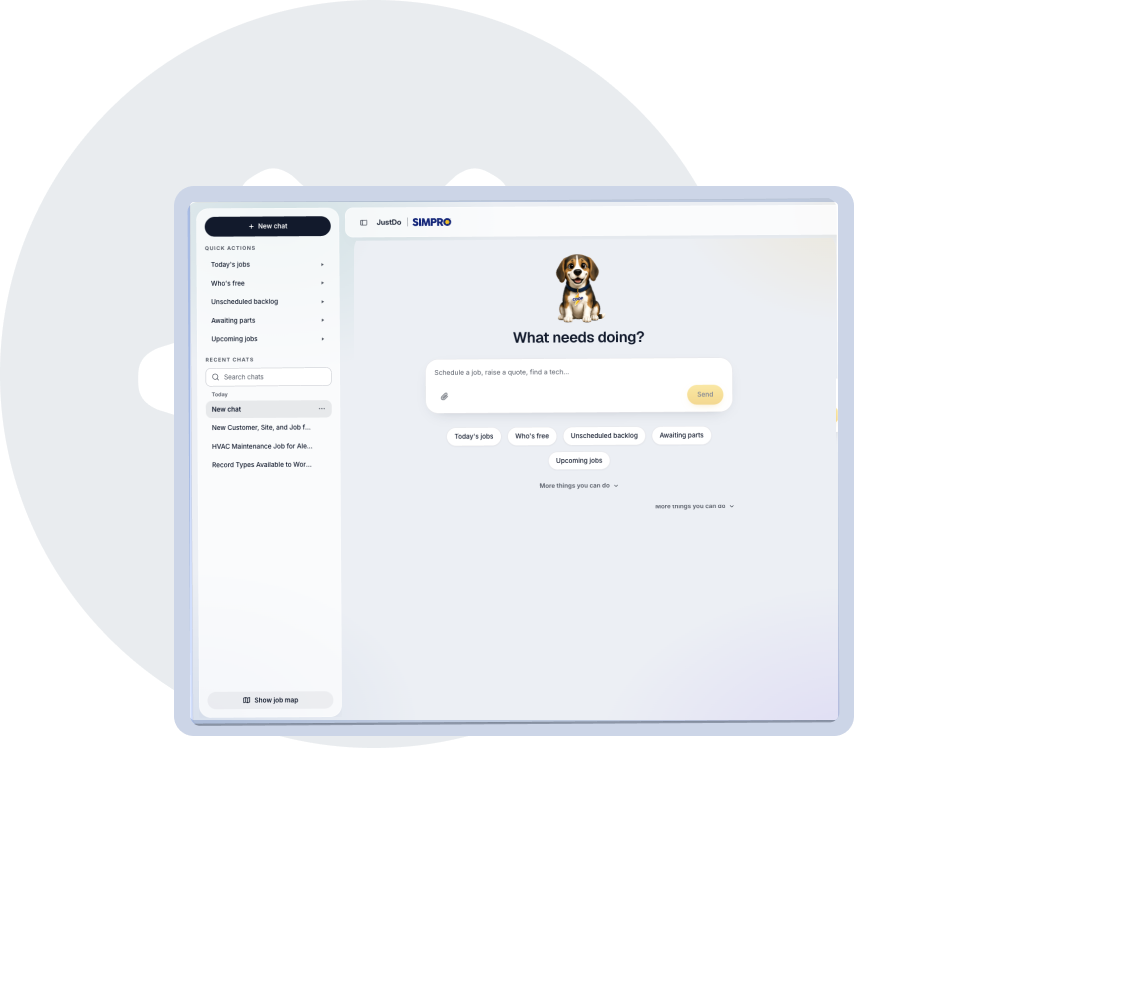
Works inside Simpro
JustDo opens from an icon on every Simpro Premium page as a compact chat panel, expands to a full view and keeps the conversation as you move between pages.
Your team stays in control
JustDo does the typing. Your team makes the call.
Nothing sensitive happens without approval. In State of the Trades 2026 (YouGov, UK), errors affecting customers were the top AI concern among respondents, at 30%. Approval is how JustDo earns your team's trust.
Compare
JustDo vs re-keying and general AI assistants
Most offices re-key by hand today, and some try a general-purpose AI tool. Here’s where JustDo fits.
| Re-keying by hand | General AI assistant | JustDo | |
|---|---|---|---|
| Where the work happens | Typed in across several screens. | Outside Simpro, with results copied across. | Inside Simpro, on the records you already use. |
| Who does the typing | Your office team. | Your office team, after the AI drafts the text. | JustDo drafts it. Your team approves it. |
| Access to your job data | Already in Simpro. | You connect, secure and maintain it. | Through Simpro’s own APIs, within each user’s permissions. |
| Before anything sensitive happens | Whoever is typing decides. | Depends on the tool. | You approve it first. |
Answers and action
JustAsk gives you answers. JustDo takes action.
JustAsk is business intelligence: ask about your jobs, schedule or numbers and get the answer. JustDo is operations: tell it what needs doing and it prepares the work for you to approve. They’re separate digital workers in Simpro Lightning, and you can use them together.
JustDo comes with Simpro Lightning. If your business isn’t on Simpro Lightning yet, JustDo is one more reason to take the platform upgrade.
Good to know
What to expect from JustDo
It’s still learning
JustDo won’t cover every edge case yet. Feedback on every response goes to the JustDo team, and customer requests for more functionality are built in quickly.
It uses credits
JustDo draws on the same credit allotment as your other Simpro Lightning features. When credits run out, usage stops rather than billing automatically, and you can buy more yourself.
Early Access comes first
Early Access starts November 9, 2026, and general access starts November 15, 2026.
JustDo FAQs
JustDo is Simpro's AI office assistant for field service businesses: the AI office admin digital worker in Simpro Lightning. Office teams type or say what needs doing in plain English, and JustDo prepares the job, customer or quote in Simpro for them to review. It asks for approval before anything sensitive happens.
JustDo creates jobs, customers and quotes from a typed or spoken instruction, or from an attached email, photo, PDF or spreadsheet. It checks for an existing customer before creating a new one, and can create tasks in bulk or raise purchase orders on jobs that need materials. It’s still learning, so it won’t cover every edge case yet.
Yes. Attach a customer email, PDF, photo or spreadsheet, or point JustDo at one in Gmail or Google Drive, and tell it what to create. It drafts the job, customer or quote in Simpro, and you check the details and approve before any record is created.
JustDo takes on the repetitive admin that slows a service office down: turning emailed requests into jobs, building quotes from a customer's own words and preparing records in bulk from spreadsheets. It works inside Simpro Lightning within each user's existing permissions and asks for approval before sensitive actions. For the bigger picture, see our guide to field service automation.
No. JustDo previews what it will do and asks for approval before creating records or taking sensitive or hard-to-undo actions, such as customer communications. It works within the permissions each user already has.
JustDo uses credits from the same allotment as your other Simpro Lightning features. When credits run out, usage stops rather than billing automatically, and you can buy more yourself.
Yes. JustDo comes with Simpro Lightning. If your business uses Simpro but hasn’t taken the Simpro Lightning platform upgrade, JustDo becomes available when you do.
Early Access starts November 9, 2026, and general access starts November 15, 2026.
JustAsk answers questions about your business. JustDo takes action on the work, such as creating jobs, customers and quotes. They’re separate digital workers in Simpro Lightning that you can use together.
Yes. Gmail and Google Drive connect to JustDo as sources, so you can point it at an email or a file and tell it what to create.
Stop re-keying the inbox. Meet JustDo.
Get Demo