
AI is transforming field service automation by helping trade contractors sort requests, summarize job history, flag exceptions, draft routine updates, and prepare scheduling options inside connected workflows. The practical gain is faster, clearer coordination across office teams, technicians, customers, and managers, while people remain accountable for high-stakes decisions.
The Nitty Gritty
Discover how AI field service automation connects workflows from intake to scheduling and invoicing.
Learn how plumbers, electricians, and HVAC contractors use AI to eliminate administrative delay.
The episode Fred Voccola | Simpro | AI in the Commercial Trades covers the wider shift. The video below brings that discussion directly to plumbers, electricians, HVAC contractors, and field service leaders.
Use the discussion as context. Then apply the workflow map below to choose a practical first automation project.
For trade contractors, the practical target is fewer handoff gaps from the first customer request through job closeout. It isn't about removing people from the operation.
For plumbing, electrical, HVAC, fire, security, or another scheduled trade, start with the work already inside each job: crews, materials, customer promises, site access, asset history, and cash flow. Map each handoff and name the person who owns the decision.
Key takeaways
- AI belongs closest to repeatable work with known inputs, known outcomes, and a clear human owner.
- Scheduling, dispatch, mobile updates, documentation, billing, and reporting create the clearest automation surface for trade contractors.
- Trade leaders need visible permissions, escalation paths, and data boundaries before AI carries higher-value work.
- Simpro fits the commercial conversation after the contractor knows which office-to-field handoffs need one connected system.
| Reader task | Planning focus | Output to create |
|---|---|---|
| Understand the category | Automation basics, in plain English | A shared definition for the leadership team |
| Pick a first automation area | Workflow map | A shortlist of workflow areas |
| Apply AI by trade | Trade examples | A plumbing, electrical, or HVAC starting sequence |
| Compare software fit | How Simpro fits | A product conversation brief |
Field Service Automation, in Plain English
Field service automation moves repeatable job steps into connected software workflows, from request intake and quoting through scheduling, dispatch, mobile updates, invoicing, and reporting. AI supports those workflows by sorting details, drafting routine text, summarizing records, and flagging missing information. The team still owns each decision, exception, and approval path.
The key distinction is workflow ownership. A standalone AI prompt drafts a message in isolation. Field service automation puts the message inside the job record, the schedule, the technician handoff, the customer update, and the billing trail.
Search language varies from "AI field service software" to "AI for tradesmen." Focus on a repeatable handoff where software supports the work and a named person owns the decision.
Use Simpro as the commercial next step for readers comparing field service management software after the automation priorities are clear. Keep the buying conversation centered on the handoffs that belong in one field service system.
What AI Adds to the Workflow
AI adds practical support after a field service workflow has clear inputs, owners, and outcomes. That support includes grouping requests, summarizing notes, drafting routine messages, prompting for missing details, and sorting scheduling options. People gain more room to focus on exceptions, customer concerns, and high-stakes choices that need human judgment.
Treat that as governed operational software. The NIST AI Risk Management Framework frames AI risk Management around trustworthiness across design, development, use, and evaluation, so AI choices need clear owners, permissions, and escalation paths.
FTC enforcement examples around deceptive AI claims and schemes are a useful reminder to favor specific, evidence-backed AI descriptions over broad vendor promises.
The operating question is simple: what work does the system prepare, draft, sort, or flag before a person acts? That keeps AI close to support work. It also keeps the article away from unsupported promises about fully autonomous trade operations.
The Field Service Automation Map
Use this field service automation map to decide where AI support fits before comparing software features. Review it with dispatchers, technicians, office staff, finance, and service leaders. For each workflow, collect the real inputs, name the person who approves the result, and define the signal that shows the handoff works.
| Criterion | Evidence to collect | Pass signal |
|---|---|---|
| Job intake | Request type, customer history, site history, and missing scope questions | Office owner accepts the work and sets urgency |
| Scheduling and dispatch | Availability, location, skills, priority, job detail, and site access | Dispatcher owner confirms the appointment choice |
| Technician preparation | Job history, asset records, open issues, parts notes, and prior visits | Technician owner confirms scope, tools, and site constraints |
| Mobile field work | Work notes, photos, closeout fields, and unresolved details | Field owner confirms completed work |
| Customer communication | Appointment, delay, approval, and completion update templates | Account owner reviews sensitive customer messages |
| Billing and closeout | Approvals, invoice notes, variations, and job detail | Finance owner reviews exceptions and disputes |
| Reporting | Backlog, aging work, missed handoffs, and margin-pressure signals | Service leader chooses the process change |
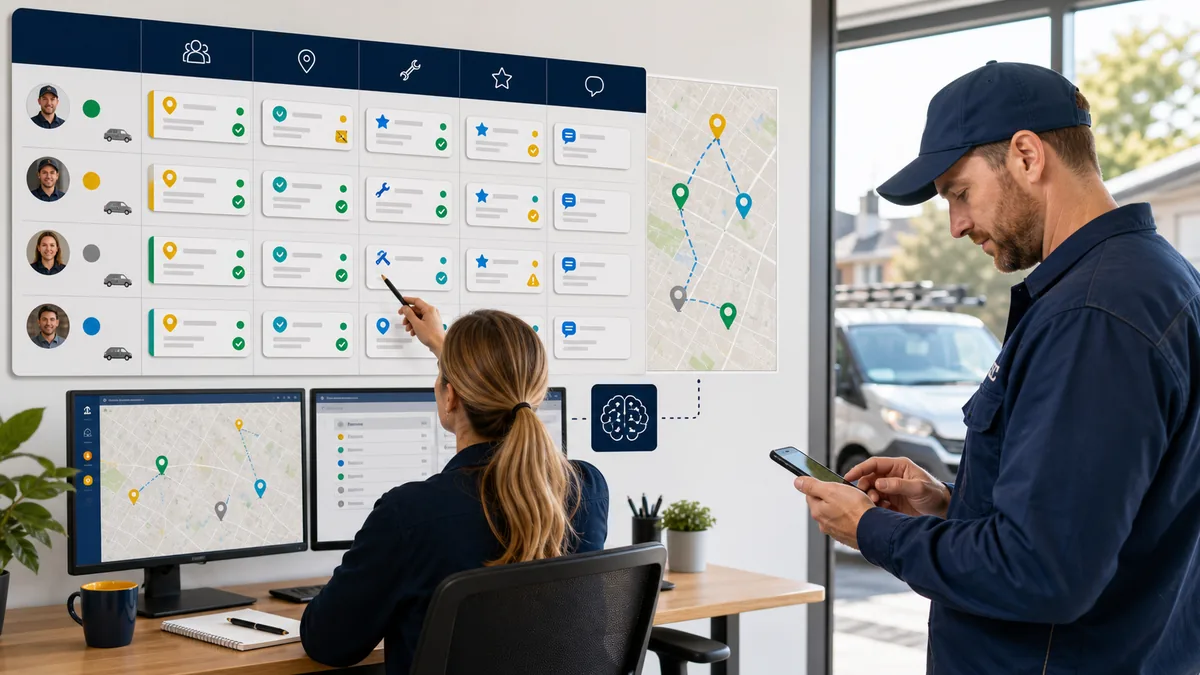
Start with Scheduling and Dispatch
Scheduling and dispatch are a practical starting point because they connect people, parts, promises, travel, emergency work, and customer expectations. Simpro's field service scheduling software page covers employees, teams, equipment, and contractors, plus job visibility for field staff, office staff, and customers. Use those shared constraints to build the dispatcher playbook.
Before evaluating any AI feature, list the operating data, approvals, and exceptions the workflow requires.
For product context, compare that workflow with Simpro Lightning and Simpro RAIN.
All RAIN feature timing reflects current targets and may shift.
Use the product context as a planning input, not as a substitute for workflow design. Keep dispatcher review, exception ownership, and schedule-change approval in the operating plan.
Build the dispatcher playbook from real scheduling choices. Define which jobs jump the queue, which skills matter, which sites have access constraints, which customers need tighter communication, and which assignments stay with a dispatcher before reassignment. Give AI those boundaries before asking it to sort options.
Trade Examples: Automate before the Fancy Work
Start with recurring friction the team already sees in the job record. Choose one visible, repeatable task with a clear review step. Keep the model out of high-stakes trade judgment. The table below shows practical starting points for plumbing, electrical, HVAC, fire, and security operations across common service calls and maintenance work.
That gives the article room to answer AI for plumbers, AI for electricians, and AI for HVAC contractors without pretending the same first workflow fits every shop.
| Trade workflow | Good AI-support fit | Keep human-led when | Validate before buying |
|---|---|---|---|
| Plumbing triage | Service calls with customer history, site access notes, recurring maintenance prompts, parts notes, and closeout photos | The call centers on urgent damage, customer responsibility, or scope changes | Confirm job categories, asset fields, and photo standards |
| Electrical preparation | Asset and panel history, document prompts, technician skill matching, and change-order context | The job centers on job-site judgment, energization decisions, or commercial exceptions | Confirm skill tags, asset data, and approval steps |
| HVAC maintenance | Maintenance history, asset records, seasonal capacity planning, part availability, and route context | The job centers on diagnosis, customer comfort, warranty choices, or replacement judgment | Confirm asset structure, visit types, and customer-update templates |
| Fire and security service follow-up | Asset lists, service history, recurring visit reminders, and follow-up documents | The job centers on diagnosis, customer responsibility, or scope changes | Confirm asset fields, visit types, and escalation owners |
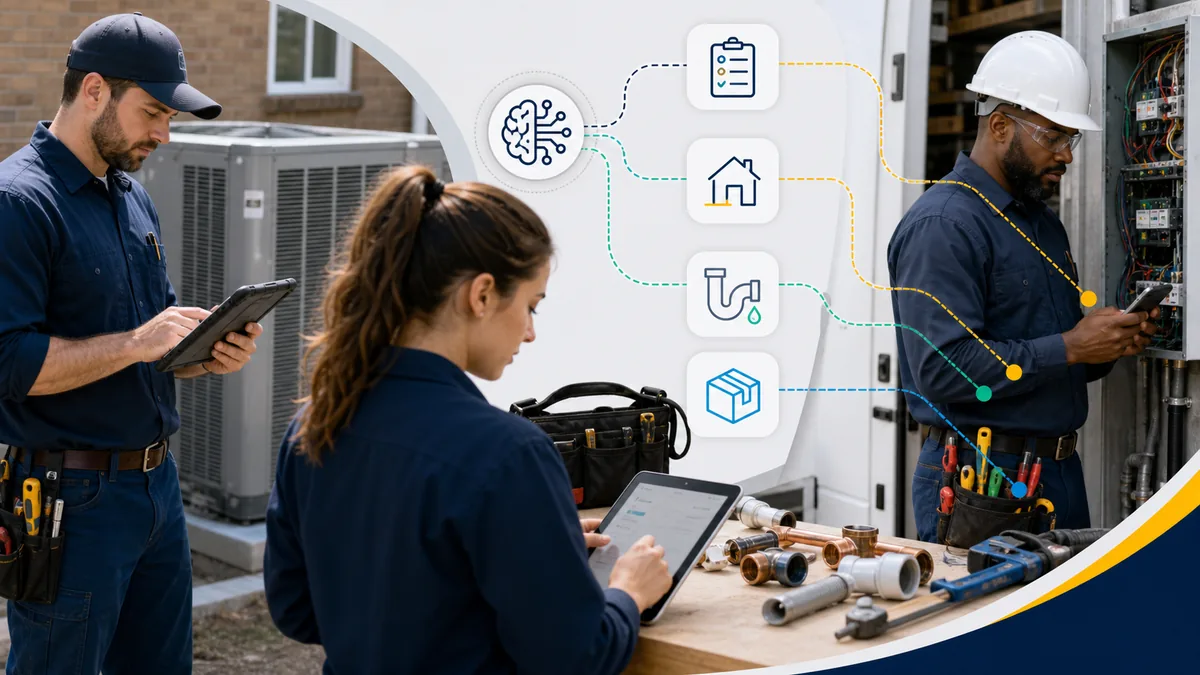
Technician, Customer, and Cash-Flow Workflows
AI for field service technicians earns attention when it removes hunt-work: finding site notes, reading old job history, rewriting closeout detail, and tracking missing information. Review Simpro's field service mobile app page when evaluating how assigned jobs, site history, customer details, job notes, scheduling, estimates, budgets, quotes, invoices, and payments reach the field.
For customers, the same logic applies. A routine arrival update, completion note, or approval reminder belongs in the safe automation lane when job data supplies the facts. A complaint, a damage concern, a distressed customer, or a negotiation doesn't.
Give that work to a person who reads context and owns the answer.
Cash flow sits at the end of the same chain. Missing approvals, thin job notes, unreviewed variations, and slow closeout make billing harder. The Simpro field service invoicing software page centers invoice visibility, status filtering, and real-time updates.
Reporting turns the workflow into a management habit. For reporting context, the Simpro field service reporting page covers data-driven insights, scheduled reports, cash flow, accounting, workforce, and project reporting. AI surfaces patterns. Managers still decide what changes.
AI Automation Readiness Checklist
Use this checklist when a field service workflow looks ready for automation. Confirm the data, permission, decision boundary, escalation path, review process, and measurement plan before rollout. The goal is a narrow operating contract: define the task, limit access, name the person who owns exceptions, and set a regular review rhythm.
| Criterion | Evidence to collect | Pass signal |
|---|---|---|
| Data | Job, customer, asset, schedule, labor, and material fields | The team names and maintains required fields in known systems |
| Permission | Users, roles, and data groups for the assigned task | Access scope matches the workflow |
| Decision boundary | Drafting, sorting, summarizing, and flagging tasks | A person owns price, dispute, and exception decisions |
| Escalation | Missing data, customer distress, and exception owners | Unclear outputs route to a named owner |
| Review | Job record history, output review, and correction path | People see and correct the workflow |
| Measurement | Backlog, rework, billing lag, response quality, and adoption | The team has a review rhythm |
If the checklist exposes weak data or unclear ownership, narrow the workflow. A smaller, well-owned automation is stronger than a broad AI idea nobody supervises.
How Simpro Fits
Simpro fits the evaluation when a contractor needs people, customer records, schedules, mobile job details, invoices, payments, inventory, and reporting to move through one field service system. Use the automation map above as the buying brief. Compare each handoff, owner, approval, and exception against the workflow the software supports in practice.
Put daily work at the center of the AI field service management discussion, not the model. List the handoffs that slow the business down.
Mark the repeatable ones. Name the person who owns each exception. Then compare field service software against those workflows.
That is the practical future of field service automation for trade contractors: connected job data, focused AI assistance, and human accountability where the stakes are high.
Frequently Asked Questions
These definitions use TechTarget's field service management reference and customer relationship management reference. Use them to keep the category boundary clear.
What is field service automation?
Automation for field service connects software workflows that move repeatable service work from request intake and scheduling to mobile updates, invoicing, and reporting. TechTarget's field service management definition describes FSM as managing off-site workers and the resources they need. That is the operating layer automation supports.
For a trade contractor, those off-site work and resource categories become visible steps:
- An office user accepts a request and captures the job detail.
- A dispatcher schedules the right technician, time, and equipment.
- A technician receives site notes, asset history, photos, and customer details in the field.
- The office reviews closeout notes, approvals, invoices, and exceptions.
- A manager watches backlog, rework, billing lag, and capacity signals.
AI supports those steps by drafting routine updates, summarizing job history, prompting for missing information, and sorting options. Keep approvals, pricing decisions, safety-sensitive judgment, customer disputes, and unusual scope changes with a named person.
Map each FSM workflow and its owners first. Then mark preparation, sorting, summarization, and exception flagging tasks for human review.
How can I automate my field services?
Start by choosing one repeatable handoff with clear inputs, clear ownership, and a visible business consequence. TechTarget's FSM definition centers off-site workers, schedules, work orders, inventory, invoices, and records. Those are the practical places to look before buying or configuring automation.
Use a five-step sequence:
-
Pick one workflow, such as intake, dispatch, mobile closeout, invoice review, or reporting.
-
List the data needed to complete that workflow.
-
Assign the person who approves exceptions.
-
Decide where software drafts, sorts, summarizes, or flags information.
-
Review results weekly before widening the workflow.
For plumbing, electrical, and HVAC teams, scheduling gives a practical starting lane. It already depends on skills, location, urgency, job details, site access, and customer communication.
How to automate field service dispatching and route optimization?
Automate dispatching by standardizing the information a dispatcher needs before assigning work: urgency, skills, location, availability, job history, parts, and access constraints. TechTarget's FSM definition includes schedules, work orders, inventory, invoices, and records. That gives dispatch automation shared operating data.
Keep the first version simple:
- Use job categories and priority rules before using AI suggestions.
- Confirm the technician skills and job types before using AI suggestions.
- Capture site access notes before booking the appointment.
- Keep emergency reassignment with the dispatcher.
- Treat target timing as a caveat and keep dispatcher review in the operating plan.
- Review missed appointments, travel pressure, and late closeouts as management signals.
Route optimization supports the dispatcher instead of replacing the dispatcher. The working question is whether the suggested schedule respects the customer promise, technician skill, location, job complexity, and exception rules.
How can AI automate back-office tasks for field service companies?
AI back-office automation prepares drafts, summaries, prompts, and exception flags for routine service workflows. The NIST AI Risk Management Framework frames AI risk management around trustworthy design, development, use, and evaluation. Back-office automation still needs owners, permissions, review steps, and escalation paths.
Good back-office starting points include:
- Summarizing job history before a dispatcher assigns work.
- Prompting office staff for missing scope or site details.
- Drafting customer appointment updates from approved job data.
- Flagging incomplete closeout notes before invoicing.
- Grouping aging jobs, backlog, and billing exceptions for manager review.
Keep pricing, disputes, safety-sensitive choices, contract interpretation, and customer complaints under accountable human review.
How does field service automation improve operations?
Operations improve when field service automation makes handoffs visible, repeatable, and easier to review. TechTarget's FSM definition links field service work to schedules, work orders, inventory, invoices, and records. Managers use those details to look for bottlenecks, assign owners, and act sooner.
The operational value comes from fewer disconnected steps:
- Dispatchers see job details before assigning work.
- Technicians receive site history and closeout requirements in the field.
- Office teams catch missing information before billing.
- Managers review backlog, capacity, and exception patterns.
That does not guarantee a specific result. It gives the business a cleaner way to see where work slows down and which handoffs need better rules, data, or staffing.
What are the benefits of field service automation?
The main benefits of field service automation are clearer scheduling, stronger job visibility, cleaner field-to-office handoffs, faster administrative review, and better reporting discipline. TechTarget's FSM definition identifies the records behind that work, including schedules, work orders, inventory, invoices, and service records.
For trade contractors, those benefits show up as management control rather than magic:
- Better visibility into scheduled, completed, delayed, and invoice-ready work.
- More consistent technician handoffs before and after the job.
- Fewer unmanaged exceptions hiding in notes, texts, or spreadsheets.
- A clearer audit trail for office, field, and finance teams.
- More useful reporting because workflow data lives in known fields.
The strongest benefit is focus: scheduled, completed, delayed, and invoice-ready work is easier to review when it lives in known workflow records.
What's the difference between CRM and FSM?
CRM and FSM solve different jobs: CRM organizes customer relationships and lifecycle data, while FSM coordinates off-site service work, schedules, work orders, inventory, invoices, and field resources. TechTarget defines CRM around customer interactions and data. Its FSM definition centers the workers and resources needed to complete service work.
| System | Primary job | Trade-contractor example |
|---|---|---|
| CRM | Manage relationship history, sales activity, and customer lifecycle data | Track account contacts, customer conversations, and sales follow-up |
| FSM | Manage service delivery, field resources, job records, and operational handoffs | Schedule technicians, send job details to mobile, close work, invoice, and report |
Connect the two systems when customer context affects field work. A service team needs the customer promise, site requirements, contact preferences, and job history to reach the technician without rekeying. FSM then becomes the operating layer for the actual job.
For AI field service management, the distinction matters because AI works best from the system that owns the task. Customer segmentation belongs closer to CRM. Dispatch options, technician preparation, closeout prompts, and billing exceptions belong closer to FSM.


 Back to top