
Most HVAC businesses tend to outgrow their tools. Customer history lives in one person's inbox while the schedule sits on a whiteboard. Maintenance reminders get missed, and quotes go out late because the tech on site can't see what was quoted last time. HVAC CRM software fixes this by pulling all the necessary information into one system the office and field share.
The right platform shortens the gap between call and arrival, keeps equipment history attached to every customer, and shows you which jobs actually make money. Paired with sharper HVAC marketing strategies, a strong CRM becomes the backbone of a scalable service business.
This article compares the 10 best HVAC CRM software options on the market, from tools built for small residential teams to platforms that handle multi-crew operators running maintenance contracts, inventory, and multiple locations.
For each one, we've looked at the CRM and field service features that matter to HVAC operators, user-reported pros and cons, pricing, and the type of business it fits best.
What is HVAC CRM software?
HVAC CRM software is a customer relationship management tool built for heating, ventilation, and air conditioning businesses.
It centralises customer records, equipment history, service agreements, quotes, scheduling, dispatch, invoicing, and follow-ups in one platform.
Office staff and field technicians work from the same data, so jobs get booked faster, maintenance contracts don't slip, and every customer interaction is logged against the right site and unit.
Most HVAC CRMs also integrate with accounting software, inventory systems, and mobile apps so technicians can access job details and update records from the field.
At-a-glance comparison of the best HVAC CRM software
| Tool | Best for | Key features | Pricing |
|---|---|---|---|
| Simpro | Large and growing HVAC companies |
|
Custom quote |
| ServiceTitan | Established HVAC service businesses |
|
Custom quote |
| Housecall Pro | Small to mid-sized residential HVAC teams |
|
From $79/month |
| Jobber | Smaller HVAC teams needing simple CRM and scheduling |
|
From $49/month |
| FieldEdge | HVAC dispatching and field service workflows |
|
Custom quote |
| Service Fusion | Growing HVAC businesses that want affordability |
|
Custom quote |
| ServiceTrade | Commercial HVAC service agreements |
|
Custom quote |
| FieldPulse | Smaller HVAC teams that want simple field service tools |
|
Custom quote |
| Kickserv | Installation-heavy HVAC teams |
|
From $75/month |
| Successware | Established HVAC companies needing operational depth |
|
Custom quote |
10 best HVAC CRM software options for HVAC companies
The 10 platforms below each take a different approach to keeping customers, jobs, and field teams connected.
Some focus on simple scheduling and invoicing for small crews. Others are full operating platforms for larger contractors managing maintenance contracts, inventory, and multi-location workflows.
Each write-up covers what the tool does, the HVAC CRM features that matter most, the trade-offs reported by real users, and what you can expect to pay.
1. Simpro: Best for large and growing HVAC companies
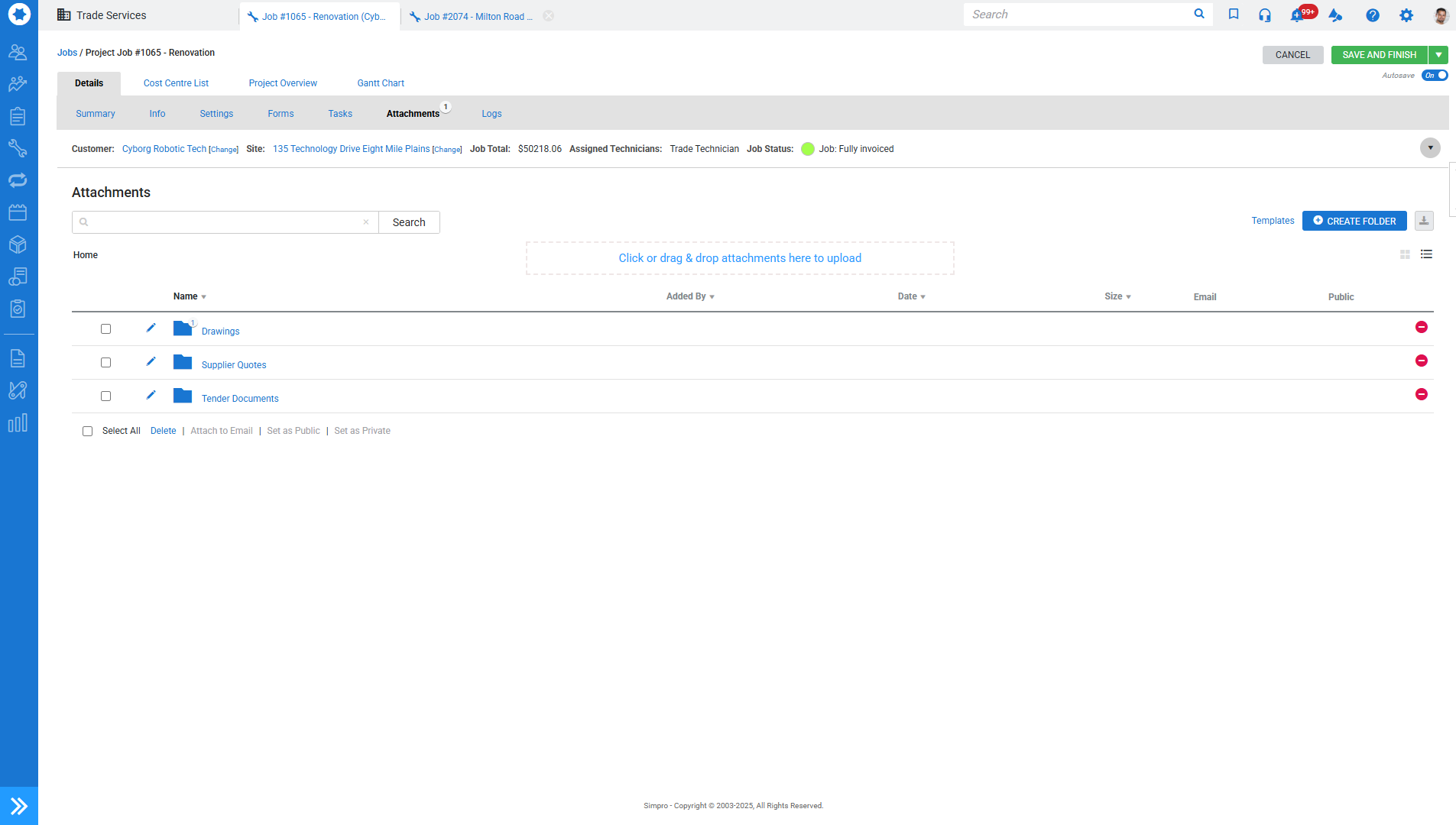
Simpro is the AI-first operating platform for trade businesses, used by more than 250,000 users worldwide across HVAC, electrical, plumbing, fire, and security contractors.
As a unified ecosystem, it integrates estimating, job costing, and scheduling with inventory, invoicing, and asset tracking. On top of this connected foundation, Simpro leverages AI to optimise maintenance renewals, estimation processes, and technician scheduling.
For HVAC businesses running service work, projects, and recurring maintenance side by side, Simpro is built to keep all three connected without bolting on separate tools.
Key features:
-
Detailed customer and site records with full equipment service history
-
Simpro integrates with Xero, MYOB, QuickBooks Online, Google Calendar, Square Payments, and more
Pros and cons
| Pros | Cons |
|---|---|
| Handles service, projects, and maintenance in one platform | Learning curve for new users during setup |
| Strong asset and maintenance contract management | More than smaller HVAC businesses need |
| Real-time job costing and profitability reporting | Reporting customisation can require training |
| Scales across multiple locations and large teams | |
| AI-first platform with scheduling, estimating, and maintenance automation |
Pricing
Simpro pricing is tailored to the size and complexity of the business. Pricing is available on request through a quote.
Learn more about HVAC software from Simpro
2. ServiceTitan: Best for established HVAC service businesses
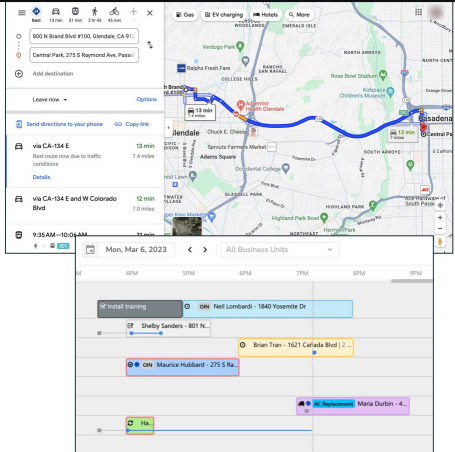
ServiceTitan is an enterprise-grade field service platform for established HVAC, plumbing, and electrical contractors.
It is built around call booking, dispatch, and sales pipeline, with deep functionality for businesses running large call volumes and high-ticket residential service.
ServiceTitan suits HVAC companies with the scale to use its full feature set and the budget to match.
Key features:
-
Customer call tracking and recording
-
A dispatch board with technician
-
GPS
-
Sales pipeline and proposal tools
-
Service agreement management
-
Automated marketing campaigns
-
Mobile app for technicians
-
Detailed reporting on revenue per tech and per service line.
-
ServiceTitan integrates with QuickBooks, Intacct, and a wide range of accounting and marketing tools
Pros and cons
| Pros | Cons |
|---|---|
| Deep feature set for residential service operations | Higher cost than most competitors |
| Strong dispatch, call booking, and marketing tools | Complex to implement and learn |
| Detailed reporting and revenue tracking | Quote-based pricing with implementation fees |
| Large integration ecosystem | Can be too much for smaller teams |
Pricing
ServiceTitan pricing is tailored to the size and complexity of the business. Pricing is available on request through a quote.
3. Housecall Pro: Best for small to mid-sized residential HVAC teams
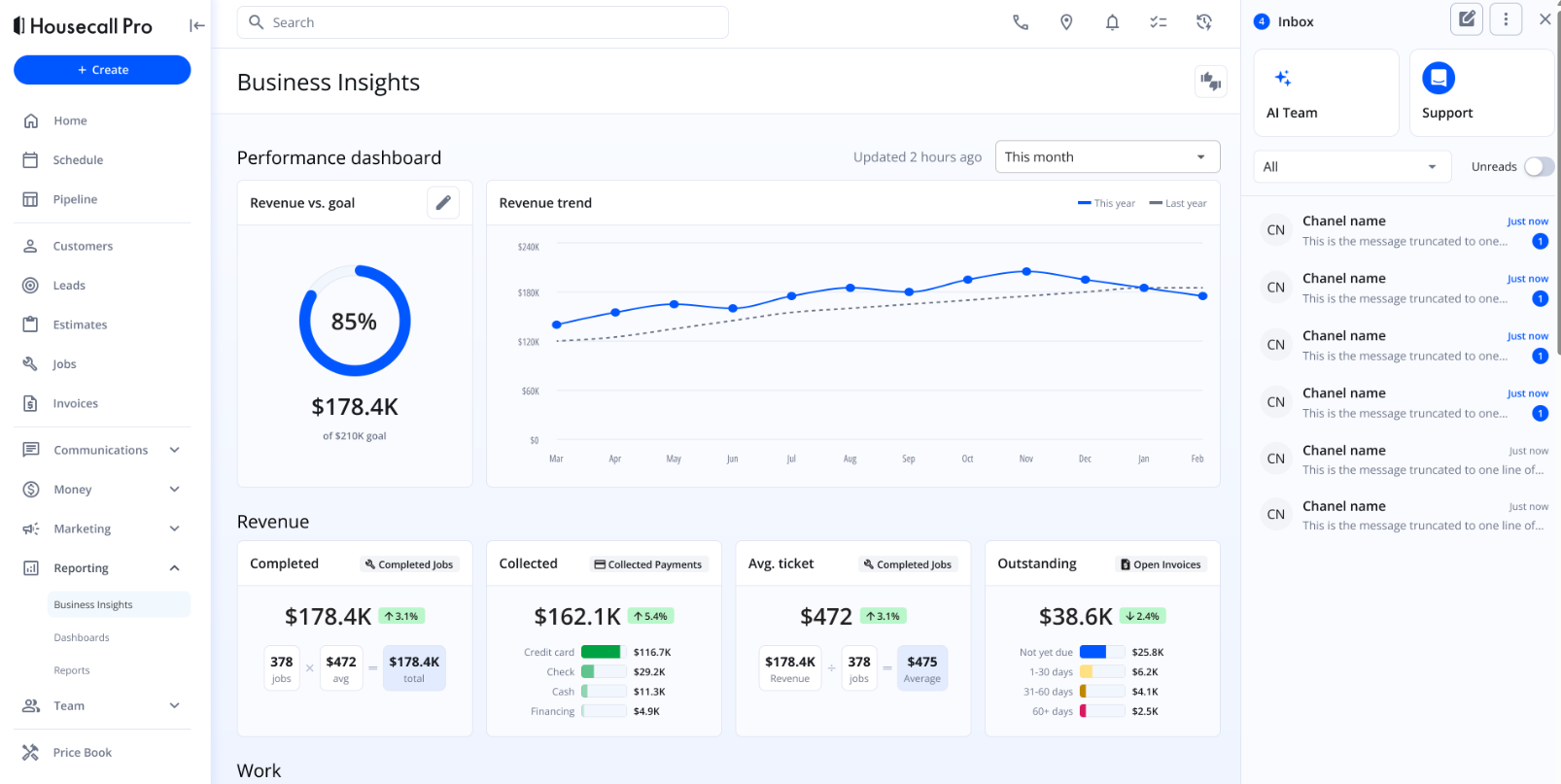
Housecall Pro is a polished, easy-to-use field service platform built for small residential service businesses.
It covers scheduling, dispatch, invoicing, online booking, and customer messaging in one place, with a strong mobile app that field techs pick up quickly.
For HVAC operators running a tight residential crew, it is one of the lowest-friction tools to get up and running.
Key features:
-
Drag-and-drop scheduling
-
Dispatch with GPS
-
Online booking from Google and your website
-
Automated customer messaging
-
Invoicing and payments
-
Service plans for recurring maintenance
-
A mobile technician app
-
Housecall Pro integrates with QuickBooks (on Essentials and above), Zapier, and Google Local Services.
Pros and cons
| Pros | Cons |
|---|---|
| Easy to set up and learn | Core features like QuickBooks sync requires the Essentials plan or higher |
| Strong mobile app and customer messaging | Add-ons can push the real monthly cost well above the headline price |
| Online booking and customer self-service | Less depth for commercial or project-based work |
| Service plan management included |
Pricing
-
Housecall Pro starts at $79/month for the Basic plan (single user)
-
$189/month for Essentials (up to 5 users)
-
$329/month for MAX
4. Jobber: Best for smaller HVAC teams that need simple CRM and scheduling
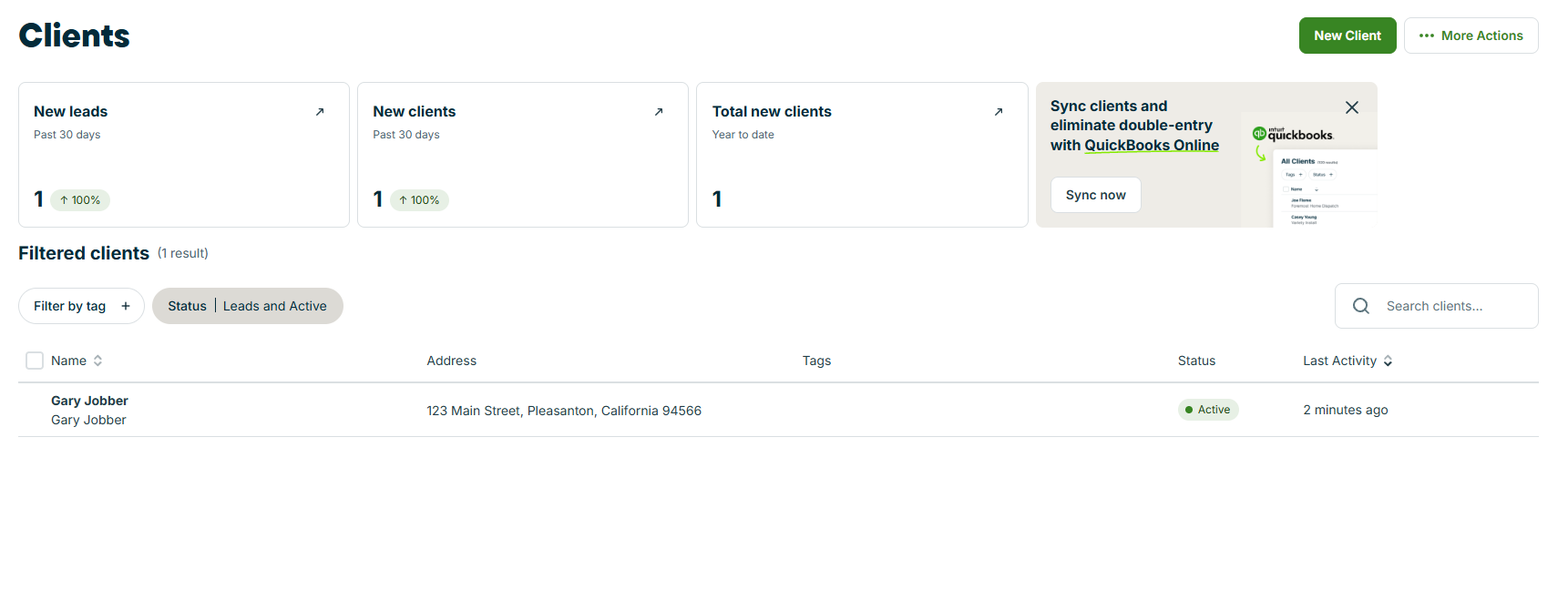
Jobber is field service software built for small home service businesses that want clean quoting, scheduling, and invoicing without enterprise complexity.
It is one of the most popular entry-level tools for HVAC operators moving off spreadsheets or paper, with a polished client hub that lets customers approve quotes, book appointments, and pay invoices online.
Key features:
-
Customer database with job history
-
Drag-and-drop scheduling
-
Quoting and invoicing
-
Client hub for online approvals and payments
-
Automated appointment reminders
-
Two-way SMS (Grow plan)
-
A mobile app for field techs
-
Jobber integrates with QuickBooks Online (Connect plan and up), Stripe, and Zapier
Pros and cons
| Pros | Cons |
|---|---|
| Clean, easy-to-use interface | Per-user fees add up quickly past 5 users |
| Strong client hub and customer-facing experience | Reporting is light compared to bigger platforms |
| Affordable entry tier for solo operators | QuickBooks sync and automation gated to higher tiers |
| Quick to set up and adopt | Limited depth for commercial or maintenance-heavy work |
Pricing
-
Jobber starts at $49/month for the Core plan (single user),
-
$139/month for Connect,
-
$199/month for Grow.
5. FieldEdge: Best for HVAC dispatching and field service workflows
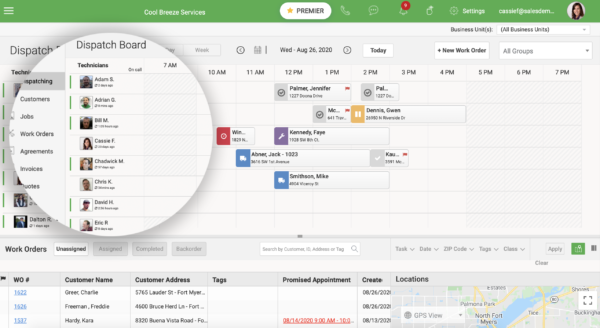
FieldEdge is a field service platform built specifically for HVAC, plumbing, and electrical service businesses, with a focus on dispatching and back-office workflows.
It has a strong reputation in residential service for tying customer history, equipment records, and dispatch together on a single screen, with deep QuickBooks integration for contractors who run accounting in QuickBooks Desktop or Online.
Key features:
-
A customer database with full equipment and service history
-
Dispatch board with technician status
-
Service agreement management
-
Mobile app for field techs
-
Price book and flat-rate pricing
-
Performance dashboards
-
Two-way QuickBooks sync.
-
FieldEdge integrates with QuickBooks, Podium, NiceJob, and a number of HVAC-specific marketing tools.
Pros and cons
| Pros | Cons |
|---|---|
| Built specifically for residential trades | Higher cost than entry-level tools |
| Strong dispatch and customer history view | Reporting flexibility is limited |
| Deep two-way QuickBooks integration | Less suited to commercial project work |
| Service agreement management included |
Pricing
FieldEdge provides a customised quotation based on your requirements.
6. Service Fusion: Best for growing HVAC businesses that want flat-rate pricing
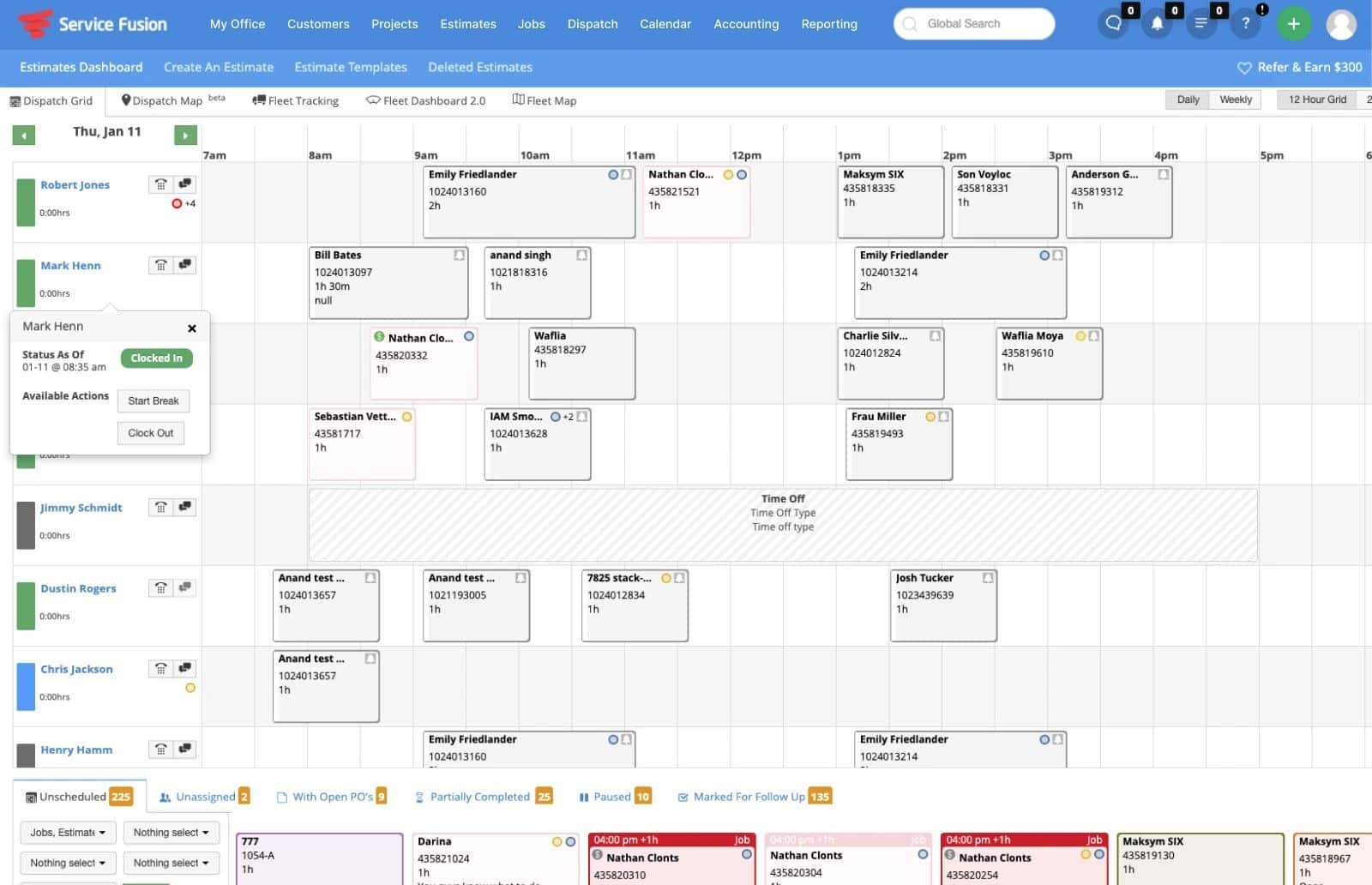
Service Fusion is field service software built for HVAC, plumbing, and electrical contractors who want dispatch depth without per-user fees.
Every plan includes unlimited users, which makes it attractive once a team grows past 8 to 10 people and per-user pricing on other platforms starts to become expensive.
The dispatch grid is its strongest feature, with multiple customisable views and tight QuickBooks sync.
Key features:
-
Customer and equipment database
-
Dispatch grid with drag-and-drop scheduling
-
Estimates and invoicing
-
GPS fleet tracking
-
Job costing and inventory (Plus plan)
-
eSign and customer web portal (Pro plan)
-
QuickBooks Online and Desktop sync
-
Service Fusion integrates with PaySimple for payments and ServiceCall.ai for VoIP
Pros and cons
| Pros | Cons |
|---|---|
| Unlimited users on every plan | Mobile app is less polished than competitors |
| Strong dispatch grid and customer history | No free trial, demo required to evaluate |
| Tight QuickBooks integration | Flat-rate pricing is expensive for small teams |
| GPS fleet tracking included | Reporting capabilities are limited and offer minimal customisation options |
Pricing
ServiceFusion provides a customised quotation based on your requirements.
7. ServiceTrade: Best for commercial HVAC service agreements
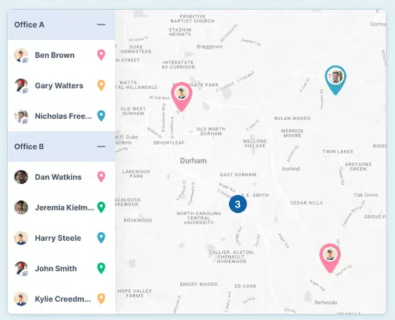
ServiceTrade is built for commercial HVAC, fire, and mechanical contractors running maintenance agreements across large customer portfolios.
Where most platforms in this list focus on residential service, ServiceTrade is the strongest option when the business is built around recurring commercial inspections, multi-site service contracts, and detailed asset records.
Key features:
-
Customer and site records with full asset hierarchies
-
Service agreement management with automated work order generation
-
Deficiency tracking and quote-from-inspection workflows
-
Mobile app for technicians with offline access
-
Customer portal for service history and quotes
-
Reporting on contract profitability.
-
ServiceTrade integrates with QuickBooks, Sage Intacct, and major accounting platforms
Pros and cons
| Pros | Cons |
|---|---|
| Built for commercial service agreement workflows | Less suited to residential one-off service |
| Strong asset and deficiency tracking | Implementation can take time |
| Customer portal improves transparency | Lighter on quoting and project tools than Simpro |
| Mobile app handles offline fieldwork. |
Pricing
ServiceTrade provides a customised quotation as per your requirements.
8. FieldPulse: Best for small HVAC teams that want all-in-one field service tools
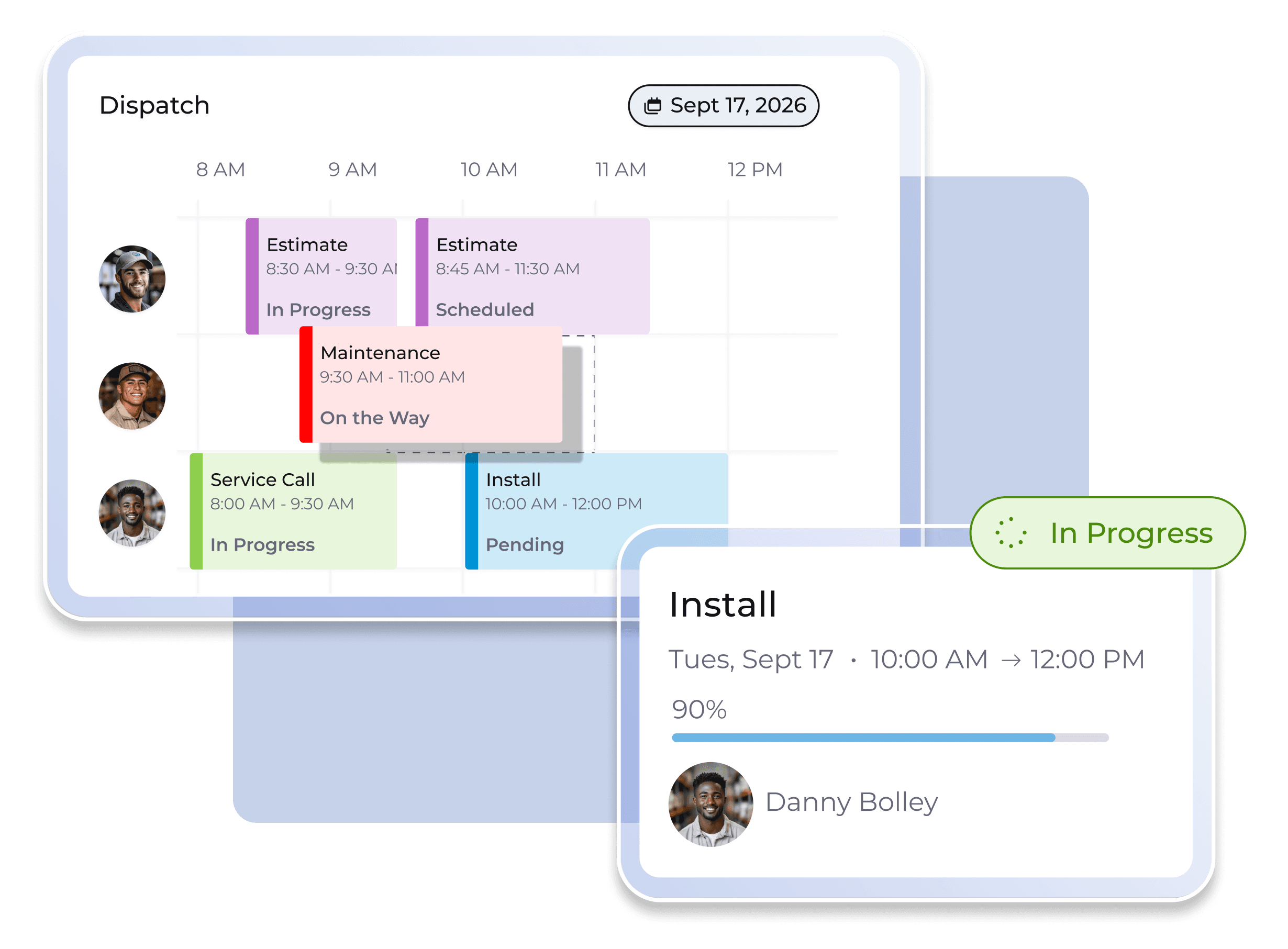
FieldPulse is a mid-market field service platform aimed at HVAC, plumbing, and electrical teams of roughly 3 to 25 technicians.
It packs scheduling, dispatch, CRM, estimates, invoicing, and payment processing into a single app, with a custom workflow feature (ClearPath) that lets office staff enforce consistent job stages across techs.
For HVAC operators that have outgrown Jobber or Housecall Pro but find ServiceTitan too heavy, FieldPulse sits in the middle.
Key features:
-
Customer database with job and equipment history
-
Drag-and-drop scheduling and dispatch
-
Estimate builder with e-signature
-
Invoicing and FieldPulse Payments
-
Custom forms for job-specific checklists
-
Multi-location management
-
Mobile app with offline mode
-
QuickBooks Online integration
-
FieldPulse also offers add-ons including Engage VoIP
Pros and cons
| Pros | Cons |
|---|---|
| Strong mobile app with reliable offline mode | Add-ons can push real monthly cost well above the base |
| Custom workflows and forms for HVAC-specific jobs | Reporting is light for teams past 30 techs |
| QuickBooks sync included in base plan | Smaller integration ecosystem than competitors |
| Multi-location management in base offering |
Pricing
FieldPulse provides pricing that is tailored to your needs.
9. Kickserv: Best for installation-heavy HVAC teams
Kickserv is a no-frills field service platform that combines scheduling, estimating, and invoicing in a flat-rate model with included user seats.
It suits HVAC operators running install-heavy work and smaller service teams that want a simple, affordable platform without per-user pricing creeping up as the team grows. The interface is light and quick to learn.
Key features include the following:
-
Customer database with job history
-
Drag-and-drop scheduling
-
Estimates and invoicing
-
Mobile app for technicians
-
GPS check-ins
-
Customer self-service portal
-
Two-way QuickBooks sync (Online and Desktop)
-
Kickserv integrates with QuickBooks, Stripe, Google Calendar, Mailchimp, and Podium.
Pros and cons
| Pros | Cons |
|---|---|
| Flat-rate pricing with included users | Mobile app reliability is inconsistent on Android |
| Affordable entry point for small teams | Lighter on advanced features than mid-market tools |
| Two-way QuickBooks sync | Limited customisation and reporting depth |
| Quick to learn and adopt | Less suited to commercial maintenance contracts |
Pricing
-
Kickserv starts at $75/month for the Start plan (up to 5 users)
-
$149/month for Run (up to 10 users)
-
$249/month for Scale (up to 20 users)
10. Successware: Best for established HVAC companies that need operational depth
Successware is one of the longest-running HVAC and plumbing platforms in the market, built specifically for established residential service contractors that need deep dispatch, accounting, inventory, and service agreement functionality in one system.
It includes built-in accounting (rather than relying on QuickBooks), which makes it suit larger contractors that want to consolidate their financial and operational stack on a single platform.
Key features include the following:
-
Customer database with full equipment history
-
Dispatch with technician tracking
-
Built-in accounting and inventory management
-
Service agreement administration
-
Flat-rate price book
-
Recurring maintenance scheduling
-
Reporting on technician and service line performance
-
Successware integrates with a range of HVAC-specific marketing and call-tracking tools
Pros and cons
| Pros | Cons |
|---|---|
| Built-in accounting removes the need for QuickBooks | Steep onboarding for new teams |
| Strong dispatch and service agreement management | Interface feels dated compared to newer platforms |
| Deep functionality for residential service | Expensive for smaller businesses |
| Suited to multi-truck, multi-tech operations |
Pricing
Successware provides tailored pricing by enquiry.
What features should HVAC companies look for in CRM software?
The right HVAC CRM software depends on how the business runs day to day, what the team needs in the field, and where it's heading next.
The 10 features below are the ones that separate a CRM that supports the work from one that quietly creates more of it.
-
Customer database and job history
Every customer record should hold all customer details and a complete service history. When a tech opens a job, they should see what was done last time, what was quoted, and what equipment is on site.
-
Scheduling and dispatching
Drag-and-drop scheduling, technician availability views, GPS visibility, and route optimisation save admin time and reduce travel between jobs. For HVAC teams, dispatch flexibility matters more than almost any other feature.
-
Mobile app for field technicians
Field techs need a mobile app that works offline, shows the full job with related details, and updates the office in real time. If the app is clunky or unreliable, techs will work around it, and the data quality collapses.
-
Estimates, quotes, and follow-ups
Look for templated quoting, a flat-rate price book, e-signature, and automated follow-ups on open quotes. Quote-to-close rate improves when follow-ups are automated.
-
Invoicing and payment processing
Invoices generated from the job, sent from the field, with online and tap-to-pay options, shorten the time to payment.
-
Maintenance agreements and recurring service reminders
For HVAC operators with a service plan base, this is the highest-value feature on the list. Industry guidance from AIRAH sets out best practice for HVAC maintenance scheduling. Your CRM should make following that guidance an automated function.
Maintenance agreements that get missed are revenue walking out the door. -
Inventory and equipment tracking
Track stock across trucks and warehouses, attach equipment records to customer sites, and capture serial numbers, install dates, and warranty status against each unit. This is what makes recall, replacement, and parts ordering quick.
-
Reporting and revenue visibility
Look for reporting on revenue per technician, per service line, and per job type, plus open quotes, conversion rates, and agreement health. Without this layer, it's hard to know which work is making money.
-
Accounting integrations
Two-way sync with Xero, MYOB, QuickBooks Online, or whichever package the business runs on cuts double-entry and keeps data aligned. Check whether the integration is live two-way sync or a one-off export, the difference is significant.
-
Scalability for more technicians, locations, or service lines
The CRM that fits a 5-tech team often breaks at 15. Look for per-user pricing that doesn't punish growth, multi-location support, and the ability to add service lines without rebuilding workflows. Switching CRMs every two years costs more than picking the right one once.
Choose HVAC CRM software that can scale with your business
The right HVAC CRM depends on where your business is now and where it's heading. Use the quick guide below to self-select against the 10 tools covered above.
- Solo or small residential crew (1-5). Jobber, Housecall Pro, or Kickserv. These provide scheduling, quoting, invoicing, and customer history without enterprise setup.
- Outgrown entry-level. ServiceTitan is too heavy. FieldPulse is good for a polished mobile app (3-25 techs). Service Fusion is for teams past 8-10, with unlimited users on every plan.
- Established residential contractor. ServiceTitan for marketing and sales pipeline, FieldEdge for dispatch and QuickBooks, and Successware for built-in accounting.
- Commercial service agreements. ServiceTrade. Asset hierarchies, deficiency tracking, and quote-from-inspection workflows built for commercial portfolios.
- Service, projects, and maintenance side by side. This is where Simpro shines. HVAC businesses mixing residential and commercial work, running install projects alongside service, and managing maintenance contracts usually find single-purpose tools break at scale. Simpro holds service, projects, and maintenance in one platform.
The CRM you pick today should still be earning its keep in ten years, not something you outgrow in two. Simpro brings customer relationships, jobs, teams, assets, and reporting into one platform built for HVAC contractors with real growth ambitions. Book a Simpro demo and see how it holds up against the way your business actually runs.
FAQs about HVAC CRM software
What CRM do HVAC companies use?
Most HVAC companies use field service CRM software built for trades rather than generic CRMs like Salesforce or HubSpot.
Common platforms include Simpro, ServiceTitan, Housecall Pro, Jobber, FieldEdge, Service Fusion, ServiceTrade, FieldPulse, Kickserv, and Successware.
The choice depends on team size, whether the work is residential or commercial, and how heavily the business relies on maintenance agreements.
What is the best CRM software for HVAC companies?
There is no single best option. Smaller residential teams tend to pick Jobber or Housecall Pro for ease of use.
Established service businesses choose ServiceTitan, FieldEdge, or Successware for depth.
Commercial contractors running HVAC business maintenance agreements pick ServiceTrade. HVAC businesses running service, projects, and maintenance together usually land on Simpro because it holds all three in one platform with asset tracking and reporting to support growth.
Is HVAC CRM software affordable for small companies?
Yes. Entry-level platforms like Jobber start at $30/month for a single user, and Housecall Pro starts at $79/month. Kickserv starts at $75/month and includes up to 5 users.
Most vendors offer monthly billing with no long contracts, so a small HVAC business can adopt a CRM for less than the cost of a few hours of admin time per week.
Can HVAC CRM software integrate with accounting and inventory systems?
Yes. Most HVAC CRM integrations offer two-way sync with accounting platforms like Xero, MYOB, and QuickBooks, so invoices, payments, and job costs flow automatically between systems.
Many also include inventory management for tracking stock across trucks and warehouses, attaching equipment records to customer sites, and capturing serial numbers and warranty status against each unit.
Check whether the integration is a live two-way sync or a one-off export before committing.
What features should an HVAC CRM have?
At a minimum, an HVAC CRM should cover:
- Customer database and job history
- Scheduling and dispatch
- A mobile app for field technicians
- Quoting with automated follow-ups
- Invoicing and payment processing
- Maintenance agreement management
- Inventory and equipment tracking
- Reporting on revenue and profitability
- Accounting integration
- Scalability to add users, locations, and service lines without rebuilding workflows


 Back to top