
The best field service management software is the tool that fits your service business size, trade workflows, and operating complexity. Small teams need fast scheduling, quotes, invoices, and payments. Growing trade contractors need deeper job management, inventory, reporting, and field-to-office control from their field service management software.
This guide compares the core fit, strengths, tradeoffs, and pricing model for each option. Use it to build a shortlist, then test the workflows that matter most to your team: scheduling, dispatch, quoting, mobile field work, invoicing, reporting, integrations, and support.
The Nitty Gritty
Compare field service management software options for small businesses, growing trade contractors, and mid-market field service teams.
See where simpler scheduling apps fit and where a broader FSM platform adds operational control.
Review pros, cons, best-fit use cases, and pricing-model guidance for each vendor.
Use the comparison chart near the end to scan features, pricing model, pros, and cons.

Ready to take your field business to the next level?
Best field service management software for small businesses
Small field service businesses need field service management software that keeps daily work moving without a long rollout. A practical small-business fit covers scheduling, dispatch, customer records, quotes, invoices, payments, and mobile updates in a clear workflow. Buyers at this stage compare setup effort, office usability, technician adoption, and room to grow safely.
For solo operators and smaller home-service teams, tools such as Jobber, Housecall Pro, FieldPulse, ServiceM8, Workiz, Field Promax, or RazorSync give buyers a practical starting point. A neutral TechTarget FSM vendor overview frames the category around scheduling, dispatch, mobile workforce tools, inventory tracking, and analytics.
That does not mean every small business stays on a simple app. As teams add technicians, recurring maintenance, parts tracking, multiple trades, or stronger reporting, they move closer to the process described in TechTarget's field service management definition.
Best FSM software for growing and mid-market trade businesses
Growing and mid-market trade businesses need more than a calendar and invoice tool. They need field, office, finance, and reporting workflows that stay connected as job volume rises. Fit depends on team size, trade complexity, recurring work, asset needs, inventory use, integrations, leadership reporting needs, implementation capacity, and training scope.
Simpro fits growing and mid-market trade businesses that need job management, scheduling, dispatch, quoting, inventory, invoicing, reporting, payments, and integrations in one operating system. It serves electrical, HVAC, plumbing, fire protection, security, and multi-trade businesses with more complex operations.
For example, Joel A on Capterra describes using Simpro to move leads through quote, job, invoice, and payment workflows. That source connects the workflow to QuickBooks Enterprise and mobile field work.
The decision comes down to operating complexity. A team that needs a simple field app starts with the tool that removes admin fastest. A team that needs office, field, finance, and reporting workflows connected chooses a platform with that depth.
Who Needs Field Service Management Software?
Field service management software fits businesses that dispatch technicians, installers, inspectors, or service teams to customer sites. It centralizes jobs, schedules, customer details, materials, invoices, and updates in one system. The need grows when teams manage recurring work, assets, parts, multiple crews, urgent calls, and daily field-to-office handoffs across locations.
FSM software is useful for HVAC, plumbing, electrical, fire protection, security, landscaping, appliance repair, facilities service, and other mobile trade businesses. The more jobs, technicians, assets, recurring work, and customer commitments you manage, the more important the system becomes.
You’ll benefit from:
- Streamlined scheduling and dispatching
- Mobile access for technicians
- Field-to-office job updates
- Customer history and communication tools
- Quote, invoice, and payment workflows
- Inventory, parts, and asset visibility
- Reporting for job progress, margins, and team performance
- Better control as the business grows

Our top picks
AroFlo
Mobile-first job management for trade teams.
BigChange
Job management and fleet visibility for field service operations.
AroFlo
Mobile-first job management for trade teams.
BigChange
Job management and fleet visibility for field service operations.
How we evaluated the best field service management software
This evaluation compares field service management vendors by fit, workflow coverage, and buyer tradeoffs. The review looks at scheduling, dispatch, mobile field usability, quoting, invoicing, reporting, inventory or asset coverage, integrations, implementation needs, support, scalability, and pricing transparency. It also separates small-business tools from broader FSM platforms for practical shortlists.
This list is not one-size-fits-all. A lean team starts with a simple scheduling app. A growing contractor with recurring work, project complexity, inventory, job costing, or multiple teams needs a broader FSM platform.
Top Field Service Management Software Vendors in 2026
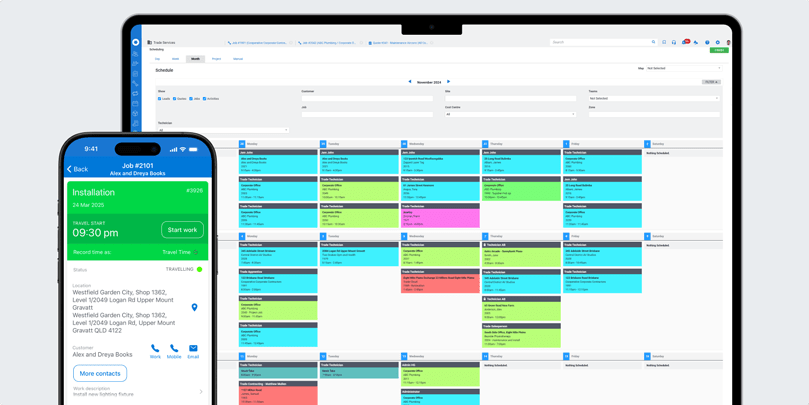
Simpro is an end-to-end field service platform for trade contractors that need connected workflows across the office and the field. Growing electrical, HVAC, plumbing, security, fire protection, and multi-trade businesses use it for scheduling, dispatch, quoting, inventory, invoicing, reporting, payments, and integrations.
Pros
- Broad workflow coverage: Simpro connects job management, quoting, scheduling, inventory, invoicing, payments, reporting, and customer records.
- Trade-specific depth: The platform supports service, maintenance, asset, and project workflows common in electrical, HVAC, plumbing, fire protection, security, and multi-trade businesses.
- Growth fit: Simpro supports teams that have moved beyond simple scheduling and need better operational control.
- Integration ecosystem: Simpro connects with accounting, supplier, payment, reporting, and workflow tools that support field service operations.
Cons
- Higher learning curve: Teams moving from spreadsheets or simple apps need implementation time and workflow cleanup.
- More platform than lean teams need: Solo operators and lean teams start faster with a lighter tool.
- Pricing depends on needs: Buyers request a quote based on users, workflows, add-ons, and implementation scope.
Best for:
Trade contractors and mid-market field service teams that need one operating system for office, field, finance, and reporting workflows.

Ready to take your business to the next level?
Explore how Simpro's software makes work easier, speeds up quoting, improves field visibility, and helps the business run with more control.


AroFlo
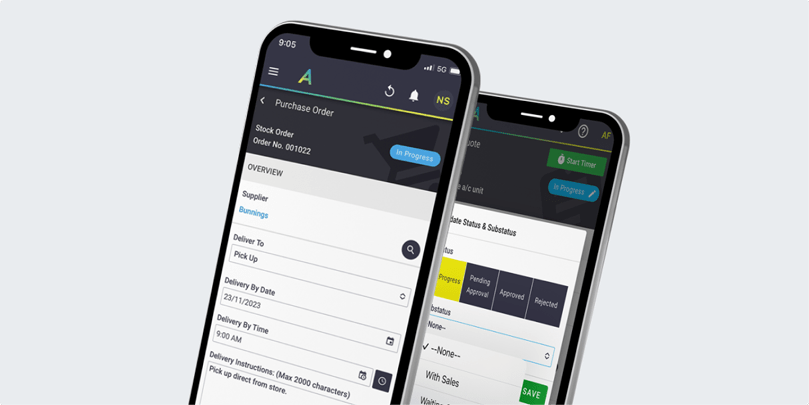
AroFlo is a job management platform for trade businesses that need mobile job information, timesheets, GPS tracking, compliance workflows, and invoicing. It suits teams that want stronger office-to-field visibility and mobile workflow control.
Pros
- Strong mobile workflow: Field staff access job details, timesheets, forms, and updates from site.
- GPS and field visibility: Useful for teams that need location-aware scheduling and job progress tracking.
- Trade-focused functionality: AroFlo suits construction, maintenance, and service teams that need job documentation and compliance support.
- Regular platform updates: Ongoing product updates help teams improve workflows over time.
Cons
- Interface depth: New users need training to understand the full workflow.
- Setup effort: Teams with complex job, form, or compliance needs need implementation work.
- Search and navigation: Dense workflows feel less direct than lighter scheduling tools.
Best for:
Mobile-first trade businesses that need job management, timesheets, GPS tracking, forms, and compliance workflows.
BigChange
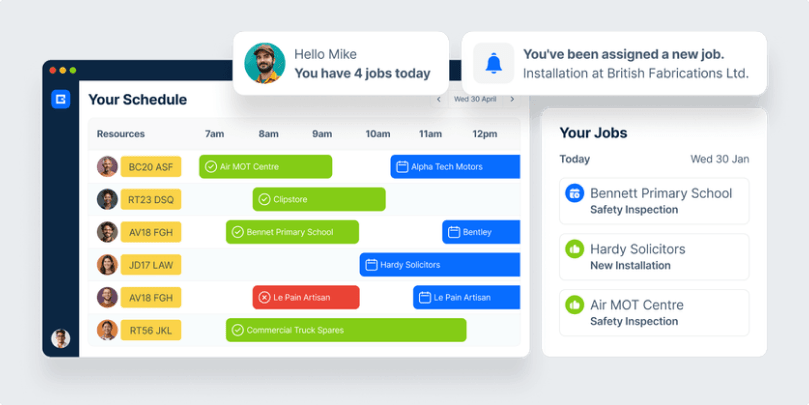
BigChange is an all-in-one job management platform for field service businesses. It covers customer relationship management, job scheduling, invoicing, and reporting. Within this field service management software comparison, BigChange fits businesses looking for a scalable, centralized solution that bridges field and office operations.
Pros
- All-in-one workflow: BigChange combines CRM, job scheduling, field updates, fleet tracking, and financial workflows.
- Fleet visibility: Vehicle tracking and route visibility help teams manage mobile workforces.
- Mobile workforce app: Field staff capture updates and job information from site.
- Customer communication: Digital job cards and notifications help standardize the service experience.
Cons
- Feature depth varies by workflow: Complex trade operations need detailed buyer testing.
- Training is important: Teams plan onboarding for office and field users.
- Fleet-heavy fit: Businesses without fleet tracking needs get less value from the platform's fleet visibility.
Best for:
Mid-sized and larger field service businesses that need job management, customer workflows, and fleet visibility.
Jobber
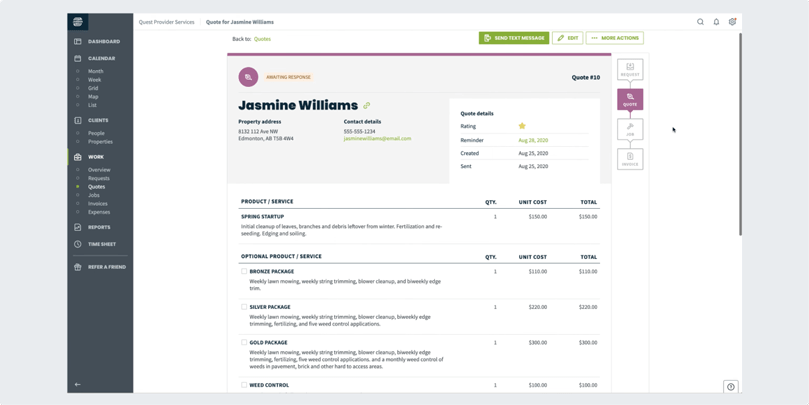
For small service businesses, Jobber covers scheduling, quoting, invoicing, payments, customer communication, and simple office workflows. It gives teams a clean interface and faster adoption path.
Pros
- User-friendly interface: Office teams move through scheduling, quoting, and invoicing with a simpler workflow.
- Good small-business fit: Jobber works well for home-service teams that need core job and customer management.
- Quote-to-job workflow: Estimates move into active jobs without heavy process overhead.
- Customer communication tools: Reminders and client-facing workflows help reduce admin.
Cons
- Limited advanced customization: More complex trade workflows outgrow the structure.
- Inventory depth: Teams needing detailed stock, purchasing, or asset workflows need a broader platform.
- Reporting limits: Growing operators need more operational and margin visibility.
Best for:
Small service businesses that want simple scheduling, quotes, invoices, payments, and customer communication.
Compare Simpro vs Jobber
ServiceTitan
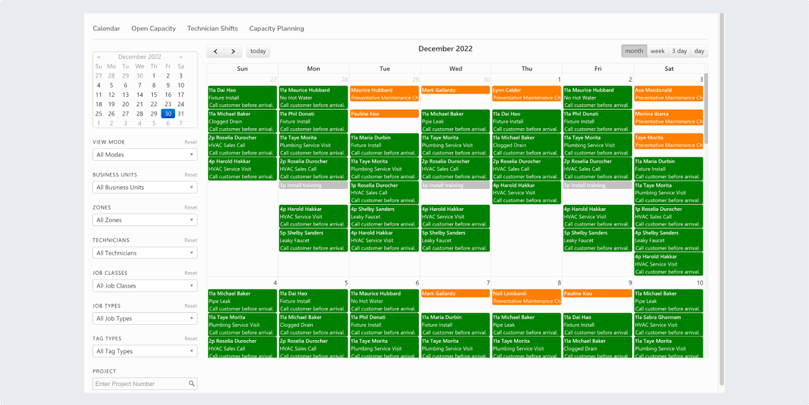
Larger home-service companies evaluate ServiceTitan when they have high job volume, dispatch complexity, sales workflows, and reporting needs. The platform has broad operational depth in trades such as HVAC, plumbing, and electrical.
Pros
- Deep feature set: ServiceTitan covers dispatch, call booking, sales, marketing, customer management, reporting, and field workflows.
- Enterprise fit: Larger businesses use its operational depth across multiple departments.
- Reporting capability: Teams analyze job performance, sales, and technician activity.
- Home-service focus: The platform centers on high-volume service operations.
Cons
- Implementation complexity: Teams need training, process design, and rollout work.
- Cost considerations: Smaller businesses face a larger investment than lighter tools.
- Feature volume: The platform exceeds the needs of simple service teams.
Best for:
Larger HVAC, plumbing, and electrical companies with high job volume and complex office-to-field workflows.
Compare Simpro vs ServiceTitan
Housecall Pro
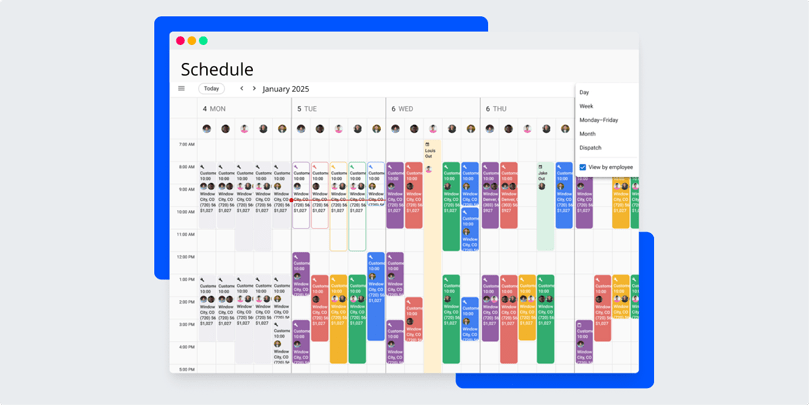
Housecall Pro supports small and mid-sized field service businesses with scheduling, dispatching, invoicing, customer relationship management, and payments. It suits home-service teams that want an approachable tool for digitizing daily workflows without a long rollout.
Pros
- Easy to use: The interface is approachable for teams moving away from paper, spreadsheets, or disconnected apps.
- Strong home-service fit: Housecall Pro aligns well with residential service workflows.
- Built-in payment workflows: Teams collect payments and manage invoices in one place.
- Helpful onboarding resources: New users get started without a long enterprise rollout.
Cons
- Limited reporting: The reporting features are somewhat basic compared to other options.
- Pricing scales with usage: Costs rise as teams add users, features, or plan scope.
- Limited job costing functionality: Compared to more advanced platforms.
Best for:
Small and mid-sized residential service businesses that need simple scheduling, invoicing, payments, and customer communication.
Compare Simpro vs Housecall Pro
FieldEdge
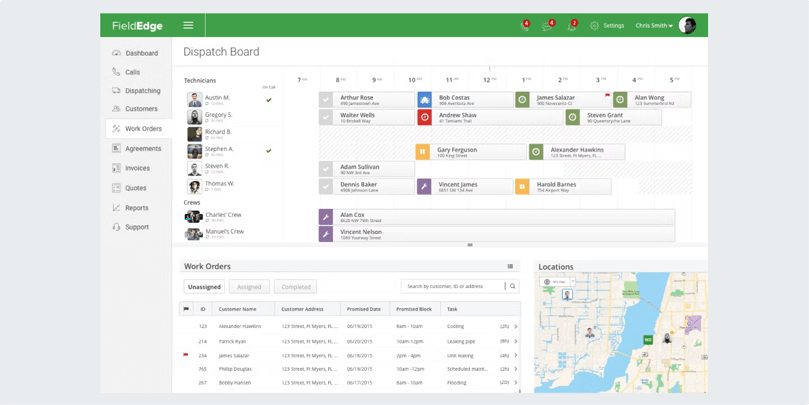
FieldEdge supports field service teams with dispatching, customer management, invoicing, reporting, and technician workflows. HVAC, plumbing, and electrical businesses evaluate it for service-business workflows and office visibility.
Pros
- Service-business focus: FieldEdge centers on dispatch, customer records, work orders, and office workflows.
- Real-time job visibility: Office staff and field teams stay aligned on job status.
- Customer management: Service history and customer records help teams manage repeat work.
- Good fit for core trades: HVAC, plumbing, and electrical teams are natural buyers.
Cons
- Integration limits: Buyers check key accounting, supplier, and workflow tools before choosing.
- Cost for small teams: Smaller teams compare package scope against simpler tools.
- Customization depth: Complex operations need more flexible workflow controls.
Best for:
Small to mid-sized HVAC, plumbing, and electrical businesses that need dispatch, CRM, invoicing, and real-time job tracking.
Compare Simpro vs FieldEdge
FieldPulse
FieldPulse serves residential and commercial service businesses that need scheduling, dispatching, estimates, invoicing, customer management, reporting, mobile access, and custom workflows. Its seat-based pricing page directs buyers to a custom quote, so teams compare package scope against their technician mix and office roles.
Pros
- Core FSM coverage: FieldPulse covers scheduling, dispatching, estimates, invoices, customer records, reporting, mobile work, and custom workflows.
- Residential-service fit: The platform supports home-service and residential trades that need clearer office-to-field coordination.
- Workflow flexibility: Custom workflows, forms, pricebook tools, and customer communication features help teams standardize daily service work.
- Seat-based buying model: Buyers separate full-access seats from field-only seats when they request pricing.
Cons
- Quote-based pricing: Teams need a sales conversation before they confirm total cost.
- Complex workflow depth needs review: Growing teams test project, inventory, asset, job-costing, and reporting requirements before shortlisting.
- Best fit depends on operating complexity: Mid-market trade contractors compare FieldPulse against broader platforms when they manage recurring maintenance, compliance, or multi-stage work.
Best for:
Small to growing residential and service businesses that need configurable scheduling, invoicing, customer management, mobile work, and field visibility.
Compare Simpro vs FieldPulse
Workiz
Workiz supports home-service businesses that need scheduling, dispatching, invoicing, customer relationship management, and operational visibility. It serves direct FSM buyer intent for small and growing service teams.
Pros
- Strong small-business relevance: Workiz supports common home-service workflows such as scheduling, dispatch, invoicing, and customer management.
- Industry fit: The platform serves HVAC, plumbing, electrical, garage door, locksmith, and home repair services.
- Operational focus: Teams manage jobs, customers, and field work from a centralized system.
- Growth path: Workiz suits businesses moving from basic scheduling into more structured FSM workflows.
Cons
- Fit depends on trade and workflow depth: Buyers test whether reporting, inventory, and job controls match their operating model.
- Pricing needs review: Teams confirm package scope and add-on costs with the vendor.
- Less ideal for complex mid-market operations: Larger multi-trade teams need deeper inventory, asset, project, and reporting coverage.
Best for:
Home-service teams that need scheduling, dispatch, customer management, invoicing, and field visibility.
mHelpDesk
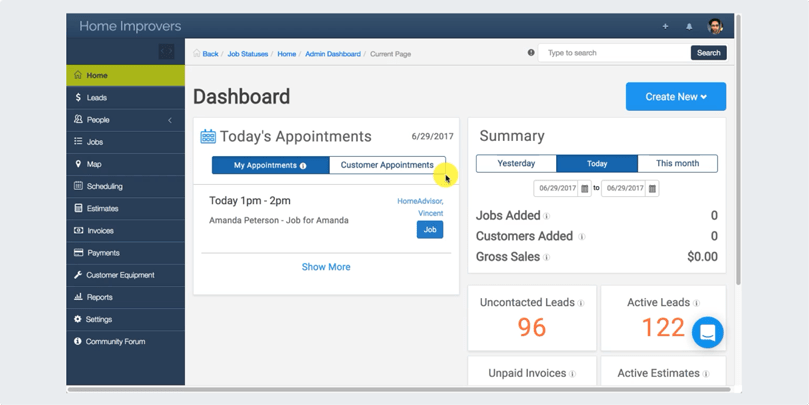
mHelpDesk gives service companies an all-in-one field service management option for scheduling, dispatch, invoicing, customer communication, billing, time tracking, and mobile access.
Pros
- All-in-one service workflow: mHelpDesk combines core office and field service tasks in one system.
- Mobile access: Field technicians view and update job information from the field.
- Time tracking: Teams track field hours and job activity more consistently.
- Customer workflow support: Customer communication and records sit closer to job activity.
Cons
- Learning curve: The range of features takes time for smaller teams to configure.
- Interface maturity: Buyers test whether the user experience fits current team expectations.
- Pricing transparency: Teams request a quote and confirm package scope.
Best for:
Service teams that want a broad field service platform with customer management, scheduling, billing, and mobile access.
ServiceM8
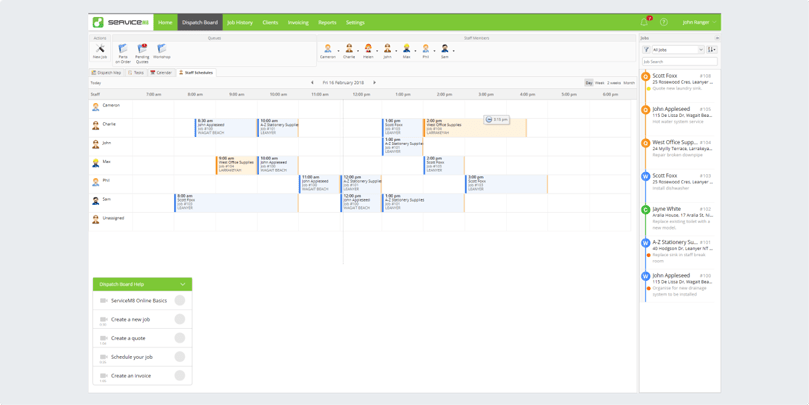
ServiceM8 focuses on job management for smaller service businesses, from first call through scheduling, quoting, job completion, invoicing, and payment. Its mobile-first approach makes it useful for teams that want simpler field workflows.
Pros
- Small-team fit: ServiceM8 keeps job management, scheduling, quotes, invoices, and payments accessible.
- Mobile-first workflow: Field staff capture job information and complete work from mobile devices.
- Plan-based pricing: Buyers compare package levels before deciding.
- Accounting integrations: ServiceM8 supports common accounting workflows for small businesses.
Cons
- Advanced workflow limits: Larger teams need deeper reporting, inventory, and operational controls.
- Platform fit: It is strongest for smaller service teams rather than complex mid-market trade operations.
- Device and workflow preferences matter: Buyers test the mobile experience before committing.
Best for:
Solo operators and small service teams that need mobile job management, quotes, invoices, and payments.
Compare Simpro vs ServiceM8
Field Promax
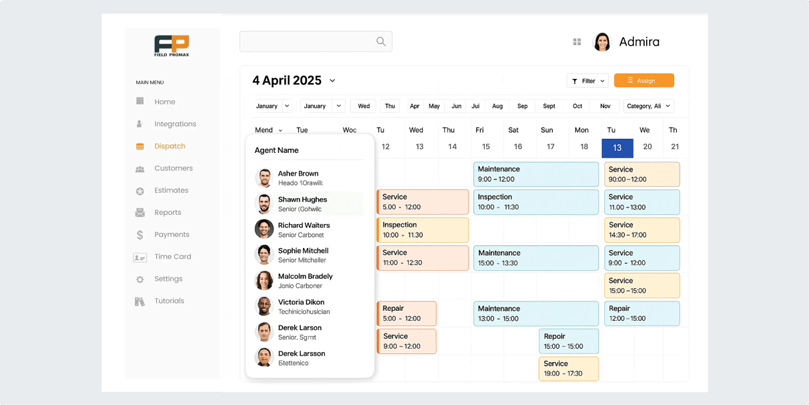
For small and mid-sized service businesses, Field Promax covers scheduling, dispatch, work order management, invoicing, mobile access, and QuickBooks integration.
Pros
- QuickBooks-friendly workflow: Field Promax is relevant for teams that want accounting connection in their field service process.
- Mobile work order access: Technicians view and update work from the field.
- Simple scheduling and dispatch: The platform supports core service-team coordination.
- Small-business fit: It suits teams that want field service basics without enterprise complexity.
Cons
- Advanced workflow depth: Larger or more complex teams need broader controls.
- Reporting limits: Buyers test whether reporting supports their operating decisions.
- Integration scope: Teams confirm every required accounting, payment, and workflow connection.
Best for:
QuickBooks-connected service businesses that need mobile scheduling, work orders, invoices, and field coordination.
RazorSync
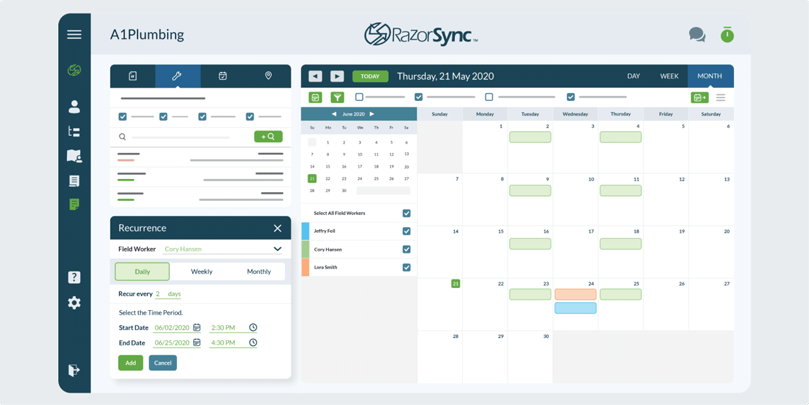
RazorSync provides scheduling, billing, customer management, and field service workflow tools for businesses that want core functionality without a heavy platform rollout. It fits teams that need straightforward service coordination.
Pros
- Good core value: RazorSync covers scheduling, customer management, billing, and field coordination.
- Straightforward setup: Teams evaluate it as a lighter FSM option.
- Payment and invoice workflows: The platform supports payment and billing needs for service teams.
- Useful for smaller operations: Its scope fits businesses that do not need complex enterprise workflows.
Cons
- Reporting depth: Advanced analytics and margin visibility remain lighter than broader platforms.
- Interface expectations: Buyers evaluate usability against newer tools.
- Customization limits: Complex trade workflows require a broader platform.
Best for:
Budget-conscious service businesses that need scheduling, billing, customer management, and basic field service workflows.
Skedulo
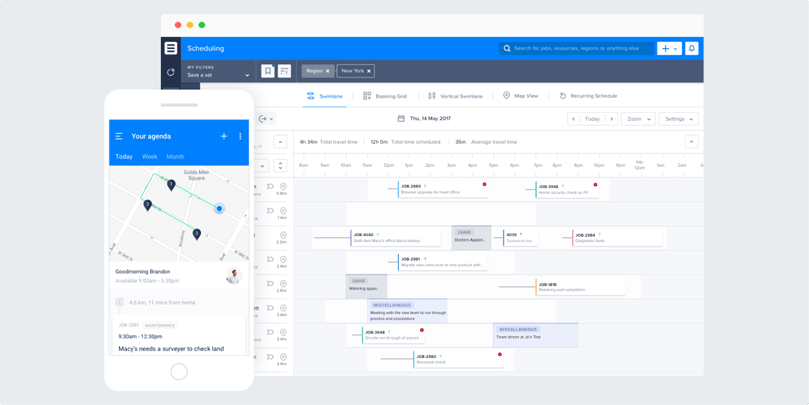
Skedulo specializes in workforce scheduling and mobile workforce management. It is strongest for organizations with distributed teams, complex scheduling needs, and field work that depends on careful resource allocation.
Pros
- Scheduling depth: Skedulo centers on complex field scheduling and resource allocation.
- Mobile workforce support: Distributed teams access schedules and field information.
- Flexible workflows: The platform supports unique workforce models.
- Fit beyond traditional trades: Healthcare, utilities, and service organizations use the scheduling model for distributed work.
Cons
- Complex setup: Buyers need implementation and configuration work.
- Smaller-business fit: Lean trade teams rarely need this level of scheduling depth.
- Admin expertise: Customization requires internal operational or technical ownership.
Best for:
Large distributed teams that need advanced scheduling, resource allocation, and mobile workforce coordination.
Benefits of Implementing Field Service Management Software
FSM tools help teams move work from first request to final invoice with fewer gaps. The main benefits cluster around scheduling, dispatch, mobile updates, inventory visibility, invoicing, payments, and reporting. The value increases when the business runs more technicians, recurring jobs, service lines, locations, and customer commitments together at once.
Faster, smarter scheduling and dispatch
Field service software helps office teams assign work, adjust schedules, and keep technicians aligned with job updates. The system reduces back-and-forth calls and gives dispatchers better control over the day.
Better inventory and asset visibility
Teams that manage parts, materials, assets, or recurring maintenance need more than a calendar. FSM software helps track the work, the customer, the technician, and the materials tied to each job.
Clearer field-to-office communication
Mobile access lets technicians update job progress, add notes, capture photos, and send information back to the office. That reduces missing details and helps invoices move faster.
More consistent invoicing and payments
When quotes, jobs, field updates, invoices, and payments sit closer together, teams spend less time chasing paperwork. That helps the office move from completed work to billing with fewer handoffs.
Stronger control as the business grows
Growing field service businesses need workflows that scale with technicians, job volume, recurring work, assets, customers, and reporting needs. A broader FSM platform helps leaders see what is happening before issues become harder to fix.
Comparison Chart: Quick Overview
| Simpro | AroFlo | BigChange | Jobber | ServiceTitan | Housecall Pro | FieldEdge | FieldPulse | Workiz | mHelpDesk | ServiceM8 | Field Promax | RazorSync | Skedulo | |
|---|---|---|---|---|---|---|---|---|---|---|---|---|---|---|
| Key features | Job management, quoting, scheduling, inventory, mobile access, invoicing, payments, reporting | Job management, timesheets, GPS tracking, forms, invoicing | CRM, job management, fleet tracking, scheduling, invoicing | Scheduling, quoting, invoicing, payments, customer communication | Dispatch, CRM, sales workflows, reporting, mobile field tools | Scheduling, dispatch, invoicing, payments, customer communication | Dispatch, CRM, invoicing, work orders, reporting | Scheduling, dispatching, estimates, invoicing, customer management, reporting, mobile app, custom workflows | Scheduling, dispatching, invoicing, customer management, field visibility | Scheduling, dispatch, billing, CRM, time tracking, mobile access | Job management, scheduling, quotes, invoices, payments | Scheduling, dispatch, work orders, invoicing, QuickBooks integration | Scheduling, billing, customer management, field coordination | Workforce scheduling, resource allocation, mobile workforce management |
| Monthly cost / pricing model | Custom pricing | Custom pricing | Custom pricing | Plan-based pricing | Custom pricing | Plan-based pricing | Custom pricing | Seat-based custom quote | Quote or plan-based pricing | Pricing not publicly listed | Plan-based pricing | Plan-based or quote-based pricing | Plan-based pricing | Custom pricing |
| Pros | Comprehensive trade workflow coverage, growth fit, integration ecosystem | Strong mobile workflow, GPS visibility, trade-focused functionality | Fleet visibility, all-in-one workflow, mobile workforce app | User-friendly interface, small-business fit, simple quote-to-job workflow | Deep feature set, enterprise fit, home-service focus | Easy to use, home-service fit, built-in payment workflows | Service-business focus, real-time job visibility, customer management | Broad core FSM coverage, residential-service fit, configurable workflows | Small-business relevance, home-service fit, centralized workflows | Broad service workflow, mobile access, time tracking | Small-team fit, mobile-first workflow, accounting integrations | QuickBooks-friendly, mobile work orders, simple scheduling | Core value, straightforward setup, useful for smaller operations | Scheduling depth, distributed-team support, flexible workflows |
| Cons | Higher learning curve and more platform than lean teams need | Setup effort, interface depth, training required | Feature depth varies by workflow, fleet-heavy fit | Limited advanced customization, lighter inventory and reporting | Complex implementation, cost considerations | Reporting depth, job costing limits | Integration limits, cost for small teams | Quote-based pricing, complex project/inventory/asset depth needs review | Confirm reporting, inventory, and add-on fit | Learning curve, interface maturity, pricing transparency | Advanced workflow limits, stronger for smaller teams | Advanced workflow depth, reporting limits | Reporting depth, customization limits | Complex setup, not ideal for lean teams |
| CTA/action | Get Demo |
Evaluate fit | Evaluate fit | See comparison | See comparison | See comparison | See comparison | See comparison | Evaluate fit | Evaluate fit | See comparison | Evaluate fit | Evaluate fit | Evaluate fit |
FAQ
Small-business buyers need field service management software that handles scheduling, quotes, invoices, payments, customer records, and mobile updates with the least friction. Smaller teams start with a simpler app, while teams planning for growth compare that against a fuller field service management software platform.
Small businesses need fast setup, easy scheduling, mobile access, customer history, quote-to-invoice workflows, payment options, and reporting that shows what work is complete. A tool such as Workiz shows how small-business FSM platforms combine scheduling, dispatching, invoicing, and customer management.
Job management software focuses on the lifecycle of a job: quotes, tasks, scheduling, work orders, and completion. FSM covers the broader field operation around that work, including dispatch, mobile technicians, customer communication, assets, inventory, reporting, and invoicing. Simpro's job management software page is a useful category reference.
Pricing depends on users, features, implementation, add-ons, and support. Vendors either publish plan pricing or quote by business needs. For custom pricing, Simpro's pricing page shows a base plan plus add-ons, so buyers match scope to the features and support they need.
For growing trade contractors, connected workflows matter more than the lowest-friction starter app. Simpro fits businesses that need scheduling, job management, quoting, inventory, reporting, invoicing, payments, integrations, and clearer operational visibility across teams in one field service management software platform.
Choose a simpler scheduling app if the team mostly needs calendars, reminders, quotes, invoices, and mobile job updates. Choose an all-in-one FSM platform when the business needs connected field, office, finance, reporting, inventory, and customer workflows across more technicians, trades, or locations.
Get Started with a Smarter Field Service Solution
Choosing field service management software changes how the office and field work together. The platform needs to fit the way your team schedules jobs, quotes work, manages technicians, tracks parts, invoices customers, and reports on performance. Start with the workflows that slow the team down, then compare the vendors against those needs.
If your trade business is outgrowing simple scheduling tools, Simpro gives you a connected platform for field service operations. Book a demo to see how Simpro fits your workflow.


 Back to top